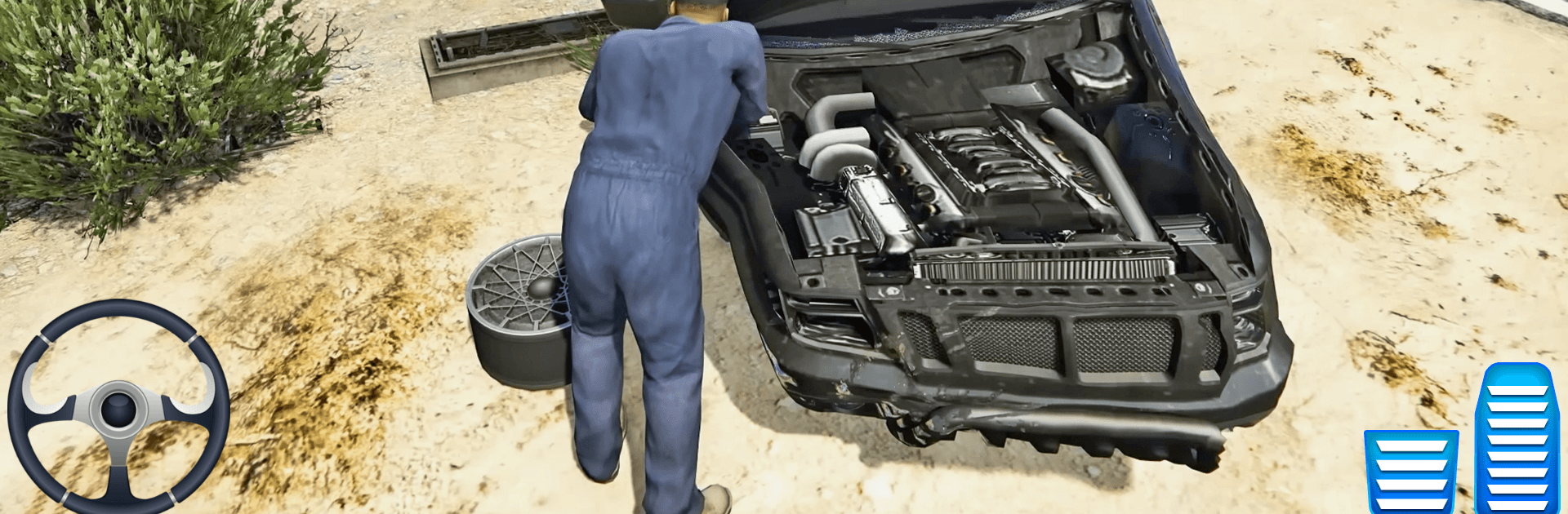
Car Repairing Simulator Game

Car Repairing Simulator Game

Strategy

| Osamay Game Studio

Play on PC with BlueStacks or from our cloud

  • Overview
  • Game Features
  • How to Play

Page Modified On: April 07, 2026

Play Car Repairing Simulator Game on PC or Mac

Join millions to experience Car Repairing Simulator Game, an exciting Strategy game from Osamay Game Studio. With BlueStacks App Player, you are always a step ahead of your opponent, ready to outplay them with faster gameplay and better control with the mouse and keyboard on your PC or Mac.

About the Game

Car Repairing Simulator Game from Osamay Game Studio hands you the keys to your own workshop and lets you call the shots. It’s a hands-on Strategy experience where smart decisions—what to fix first, which tools to use, how to spend your earnings—matter just as much as steady wrench work. Inspect beat-up sedans and tuned racers, fix what’s failing, freshen the look, and take every car out for a quick shakedown before handing it back.

Game Features

  • Run the shop: Diagnose problems, line up tasks, and keep the garage humming as jobs roll in with different issues and deadlines.
  • Start simple, get advanced: Begin with tire swaps, oil changes, brake service, and basic engine fixes, then unlock pro tools and new car models as you go.
  • Real tools that feel right: Use a car lifter, spanner, welding machine, spray gun, diagnostic scanner, and a full car wash setup to finish the job right.
  • Customize and paint: Refresh panels, match colors, and add visual tweaks so each repair leaves the bay looking brand-new.
  • Test-drive every fix: Take repaired vehicles out for a spin to confirm the engine pulls, brakes bite, and steering tracks straight.
  • Earn and upgrade: Complete jobs to earn coins, buy better equipment, open more bays, and streamline your workflow.
  • 3D garage vibe: Smooth controls, detailed animations, and a believable workshop layout make every step—from teardown to polish—satisfying.
  • Repair puzzles with purpose: Identify faults, choose the right sequence, and reassemble parts in thoughtful, 3D puzzle-style challenges.
  • For gearheads of all ages: Whether you’re into restoration, quick service checks, or a good car wash, there’s always another task waiting.
  • Optional bigger screen: Prefer extra elbow room? It plays nicely on BlueStacks for crisp visuals and comfy controls while you work.

Start your journey now. Download the game on BlueStacks, invite your friends, and march on a new adventure.


Game Features

Enhancements

  • Macros
  • Multi Instance
  • Multi Instance Sync
  • Eco Mode
  • Enhancements
Macros

Macros

Skip the boring parts of a game. Play Car Repairing Simulator Game with Macros and get the edge. Simply record a sequence of commands and execute them at any moment.
Multi Instance

Multi Instance

Why limit to one game on your phone when you can play many on your PC? Open multiple instances of Car Repairing Simulator Game at once with Multi-Instance. Leverage the power of different accounts by doing more.
Multi Instance Sync

Multi Instance Sync

Get the best out of Car Repairing Simulator Game with Multi-Instance Sync. Play the game from different accounts and build your own empire. Use Multi-instance sync to repeat the action in the main BlueStacks instance on all other instances.
Eco Mode

Eco Mode

Find the rarest heroes by making multiple summons in Car Repairing Simulator Game. And while you are at it, reduce your PC’s resource consumption with the Eco Mode. Farm efficiently. Get the best results.
Read More

How to Download and Play Car Repairing Simulator Game on PC or Mac

  • Download and install BlueStacks on your PC or Mac

  • Complete Google sign-in to access the Play Store, or do it later

  • Look for Car Repairing Simulator Game in the search bar at the top right corner

  • Click to install Car Repairing Simulator Game from the search results

  • Complete Google sign-in (if you skipped step 2) to install Car Repairing Simulator Game

  • Click the Car Repairing Simulator Game icon on the home screen to start playing

video
Watch Video

Minimum System Requirements

With BlueStacks 5, you can get started on a PC that fulfills the following requirements.

  • Operating System

    Microsoft Windows 7 or above, macOS 11 (Big Sur) or above

  • Processor

    Intel, AMD or Apple Silicon Processor

  • RAM

    at least 4GB

  • HDD

    10GB Free Disk Space

Note:

* You must be an Administrator on your PC. Up to date graphics drivers from Microsoft or the chipset vendor.

Car Repairing Simulator Game - FAQs

  • How to play Car Repairing Simulator Game on Windows PC & Mac?

    Play Car Repairing Simulator Game on your PC or Mac by following these simple steps.

    • Click on 'Play Car Repairing Simulator Game on PC’ to download BlueStacks
    • Install it and log-in to Google Play Store
    • Launch and play the game.
  • Why is BlueStacks the fastest and safest platform to play games on PC?

    BlueStacks respects your privacy and is always safe and secure to use. It does not carry any malware, spyware, or any sort of additional software that could harm your PC.

    It is engineered to optimize speed and performance for a seamless gaming experience.

  • What are Car Repairing Simulator Game PC requirements?

    Minimum requirement to run Car Repairing Simulator Game on your PC

    • OS: Microsoft Windows 7 or above MacOS 11 (Big Sur) or above
    • Processor: Intel, AMD or Apple Silicon Processor
    • RAM: Your PC must have at least 4GB of RAM. (Note that having 4GB or more disk space is not a substitute for RAM)
    • HDD: 10GB Free Disk Space.
    • You must be an Administrator on your PC.