MapForge – World Map Editor

MapForge – World Map Editor

Simulation

| PixelGeoStudio

Play on PC with BlueStacks or from our cloud

  • Overview
  • Game Features
  • How to Play

Page Modified On: August 03, 2026

Play MapForge – World Map Editor on PC or Mac

MapForge – World Map Editor brings the Simulation genre to life, and throws up exciting challenges for gamers. Developed by PixelGeoStudio, this Android game is best experienced on BlueStacks, the World’s #1 app player for PC and Mac users.

About the Game

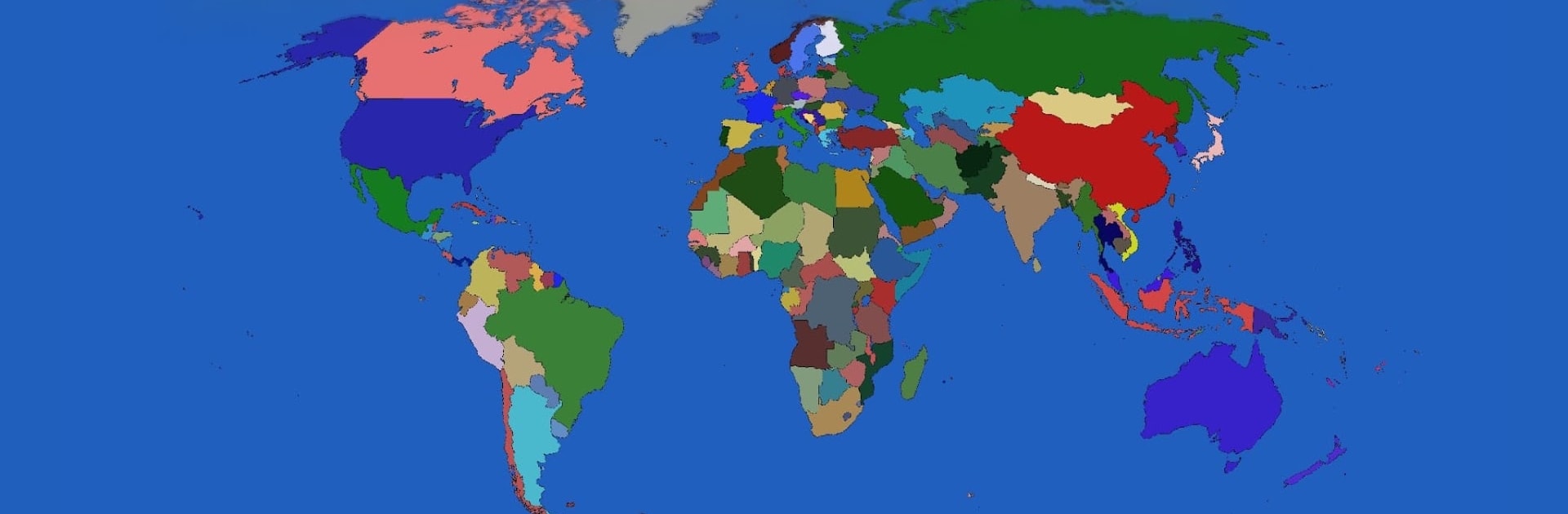
MapForge – World Map Editor is a hands-on Simulation sandbox for anyone who loves playing with maps. Sketch out your own version of the world, tweak borders, recolor countries, and build everything from believable historical layouts to wild what-if scenarios. It’s quick to pick up, clean to use, and feels right at home on a phone or—if you prefer a bigger workspace—running through BlueStacks on your PC.

Game Features

  • Paint Countries
    Fill nations with new colors, set up palettes, and give regions a look that matches your idea or research project.

  • Redraw Borders
    Nudge lines, expand territories, split areas, or merge neighbors with straightforward tools that make editing feel natural.

  • Alternate History Playground
    Recreate a past snapshot, test future possibilities, or craft a completely fictional map—no limits on your imagination.

  • Build Your Own World Map
    Start from the global view and shape it piece by piece until it reflects the scenario you’re aiming for.

  • Fast, No-Fuss Interface
    Clear menus and responsive controls keep you moving—no clutter, no steep learning curve.

  • Save and Revisit Projects
    Store multiple drafts, compare versions, and return to unfinished ideas whenever inspiration hits.

  • Premium for Power Users
    Want to archive everything? A one-time upgrade unlocks unlimited save slots so you can keep every scenario you create.

  • No Sign-In Required
    Open the app and get right to editing—no accounts or setup screens standing in your way.

Ready to top the leaderboard? We bet you do. Let precise controls and sharp visuals optimized on BlueStacks lead you to victory.


Game Features

Enhancements

  • Macros
  • Multi Instance
  • Multi Instance Sync
  • Script
  • Enhancements
Macros

Macros

Automate the predictable in MapForge – World Map Editor and transform your gameplay with Macros. Get access to inventive Macros in the BlueStacks Macro Community
Multi Instance

Multi Instance

Play MapForge – World Map Editor on one window. And chat with your friend on the other. Press CTRL + Shift + 8 to open the Multi-Instance Manager. And start creating fresh instances or clone an existing one.
Multi Instance Sync

Multi Instance Sync

Play MapForge – World Map Editor with the power of Multi-Instance Sync. Replicate what you are doing on the main instance on all other instances. Level up faster, play more.
Script

Script

Script your way to gaming glory in MapForge – World Map Editor with BlueStacks Script. Write and run a set of commands to automate repeated tasks. Trigger the command by assigning it to any key.
Read More

How to Download and Play MapForge – World Map Editor on PC or Mac

  • Download and install BlueStacks on your PC or Mac

  • Complete Google sign-in to access the Play Store, or do it later

  • Look for MapForge – World Map Editor in the search bar at the top right corner

  • Click to install MapForge – World Map Editor from the search results

  • Complete Google sign-in (if you skipped step 2) to install MapForge – World Map Editor

  • Click the MapForge – World Map Editor icon on the home screen to start playing

video
Watch Video

Minimum System Requirements

With BlueStacks 5, you can get started on a PC that fulfills the following requirements.

  • Operating System

    Microsoft Windows 7 or above, macOS 11 (Big Sur) or above

  • Processor

    Intel, AMD or Apple Silicon Processor

  • RAM

    at least 4GB

  • HDD

    10GB Free Disk Space

Note:

* You must be an Administrator on your PC. Up to date graphics drivers from Microsoft or the chipset vendor.

MapForge – World Map Editor - FAQs

  • How to play MapForge – World Map Editor on Windows PC & Mac?

    Play MapForge – World Map Editor on your PC or Mac by following these simple steps.

    • Click on 'Play MapForge – World Map Editor on PC’ to download BlueStacks
    • Install it and log-in to Google Play Store
    • Launch and play the game.
  • Why is BlueStacks the fastest and safest platform to play games on PC?

    BlueStacks respects your privacy and is always safe and secure to use. It does not carry any malware, spyware, or any sort of additional software that could harm your PC.

    It is engineered to optimize speed and performance for a seamless gaming experience.

  • What are MapForge – World Map Editor PC requirements?

    Minimum requirement to run MapForge – World Map Editor on your PC

    • OS: Microsoft Windows 7 or above MacOS 11 (Big Sur) or above
    • Processor: Intel, AMD or Apple Silicon Processor
    • RAM: Your PC must have at least 4GB of RAM. (Note that having 4GB or more disk space is not a substitute for RAM)
    • HDD: 10GB Free Disk Space.
    • You must be an Administrator on your PC.