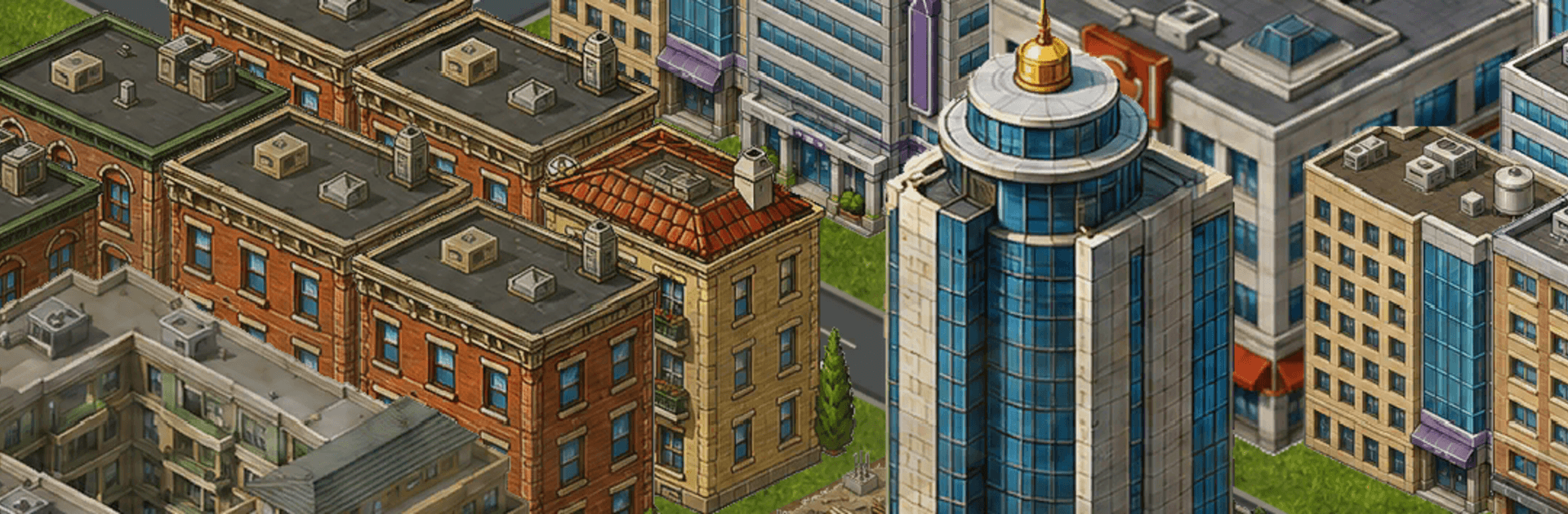
Mayor 4000: City Builder

Mayor 4000: City Builder

Simulation

| Septudio LLC

Play on PC with BlueStacks or from our cloud

  • Overview
  • Game Features
  • How to Play

Page Modified On: September 07, 2026

Play Mayor 4000: City Builder on PC or Mac

Explore a whole new adventure with Mayor 4000: City Builder, a Simulation game created by Septudio LLC. Experience great gameplay with BlueStacks, the most popular gaming platform to play Android games on your PC or Mac.

About the Game

Mayor 4000: City Builder hands you the map, the budget, and the big red mayoral pen from day one. It’s a player-first Simulation where you plan neighborhoods, lay down services, and shape a living, breathing region without waiting bars getting in your way. Want a chill sandbox or a full-on management puzzle? Both work—and it’s especially nice on BlueStacks when you want a broader view of your creation.

Game Features

  • Organic Zoning: Mark out residential, commercial, and industrial areas, then watch them evolve as demand, land value, and desirability shift over time.
  • Infrastructure, Your Way: Stitch together streets, avenues, highways, rail, and subways, plus power and water networks that keep the whole machine humming.
  • City Services That Matter: Fund police, fire, healthcare, schools, and parks wisely—or see coverage gaps turn into real problems.
  • A Real Market at Work: Homes, shops, and factories link through supply and demand; adjust taxes, pass ordinances, and issue bonds to steer the economy.
  • Disasters and Comebacks: Fires, quakes, floods, and tornadoes can hit; stabilize, rebuild, and come back stronger.
  • Happiness Is Data-Driven: Pollution, crime, traffic, and unemployment all feed into citizen satisfaction, with reports and alerts that nudge you toward better decisions.
  • Build a Whole Region: Connect multiple cities, share infrastructure, and grow them side by side for long-term synergy.
  • True Sandbox Freedom: No timers, no energy systems, no forced quests—play at your pace and chase the ideas that excite you.
  • Offline-Friendly Sessions: Pick it up anytime for deep, long-form building or quick tune-ups between bigger projects.
  • Scales to Massive Cities: A from-the-ground-up simulation engine keeps dense, complex layouts running smoothly.
  • Intuitive, Tap-First Controls: One-handed-friendly design makes placing roads, zoning blocks, and tweaking budgets feel quick and precise.

Start playing Mayor 4000: City Builder on BlueStacks and get a smoother, more comfortable PC or Mac setup.


Game Features

Enhancements

  • Macros
  • Multi Instance
  • Multi Instance Sync
  • Script
  • Enhancements
Macros

Macros

Automate the predictable in Mayor 4000: City Builder and transform your gameplay with Macros. Get access to inventive Macros in the BlueStacks Macro Community
Multi Instance

Multi Instance

Play Mayor 4000: City Builder on one window. And chat with your friend on the other. Press CTRL + Shift + 8 to open the Multi-Instance Manager. And start creating fresh instances or clone an existing one.
Multi Instance Sync

Multi Instance Sync

Play Mayor 4000: City Builder with the power of Multi-Instance Sync. Replicate what you are doing on the main instance on all other instances. Level up faster, play more.
Script

Script

Script your way to gaming glory in Mayor 4000: City Builder with BlueStacks Script. Write and run a set of commands to automate repeated tasks. Trigger the command by assigning it to any key.
Read More

How to Download and Play Mayor 4000: City Builder on PC or Mac

  • Download and install BlueStacks on your PC or Mac

  • Complete Google sign-in to access the Play Store, or do it later

  • Look for Mayor 4000: City Builder in the search bar at the top right corner

  • Click to install Mayor 4000: City Builder from the search results

  • Complete Google sign-in (if you skipped step 2) to install Mayor 4000: City Builder

  • Click the Mayor 4000: City Builder icon on the home screen to start playing

video
Watch Video

Minimum System Requirements

With BlueStacks 5, you can get started on a PC that fulfills the following requirements.

  • Operating System

    Microsoft Windows 7 or above, macOS 11 (Big Sur) or above

  • Processor

    Intel, AMD or Apple Silicon Processor

  • RAM

    at least 4GB

  • HDD

    10GB Free Disk Space

Note:

* You must be an Administrator on your PC. Up to date graphics drivers from Microsoft or the chipset vendor.

Mayor 4000: City Builder - FAQs

  • How to play Mayor 4000: City Builder on Windows PC & Mac?

    Play Mayor 4000: City Builder on your PC or Mac by following these simple steps.

    • Click on 'Play Mayor 4000: City Builder on PC’ to download BlueStacks
    • Install it and log-in to Google Play Store
    • Launch and play the game.
  • Why is BlueStacks the fastest and safest platform to play games on PC?

    BlueStacks respects your privacy and is always safe and secure to use. It does not carry any malware, spyware, or any sort of additional software that could harm your PC.

    It is engineered to optimize speed and performance for a seamless gaming experience.

  • What are Mayor 4000: City Builder PC requirements?

    Minimum requirement to run Mayor 4000: City Builder on your PC

    • OS: Microsoft Windows 7 or above MacOS 11 (Big Sur) or above
    • Processor: Intel, AMD or Apple Silicon Processor
    • RAM: Your PC must have at least 4GB of RAM. (Note that having 4GB or more disk space is not a substitute for RAM)
    • HDD: 10GB Free Disk Space.
    • You must be an Administrator on your PC.