Mine Block Craft
Mine Block Craft

Mine Block Craft

Simulation

| Minecraft Addons & Block Craft

Play on PC with BlueStacks or from our cloud

  • Overview
  • Game Features
  • How to Play

Page Modified On: September 12, 2025

Play Mine Block Craft on PC or Mac

Join millions to experience Mine Block Craft, an exciting Simulation game from Minecraft Addons & Block Craft. With BlueStacks App Player, you are always a step ahead of your opponent, ready to outplay them with faster gameplay and better control with the mouse and keyboard on your PC or Mac.

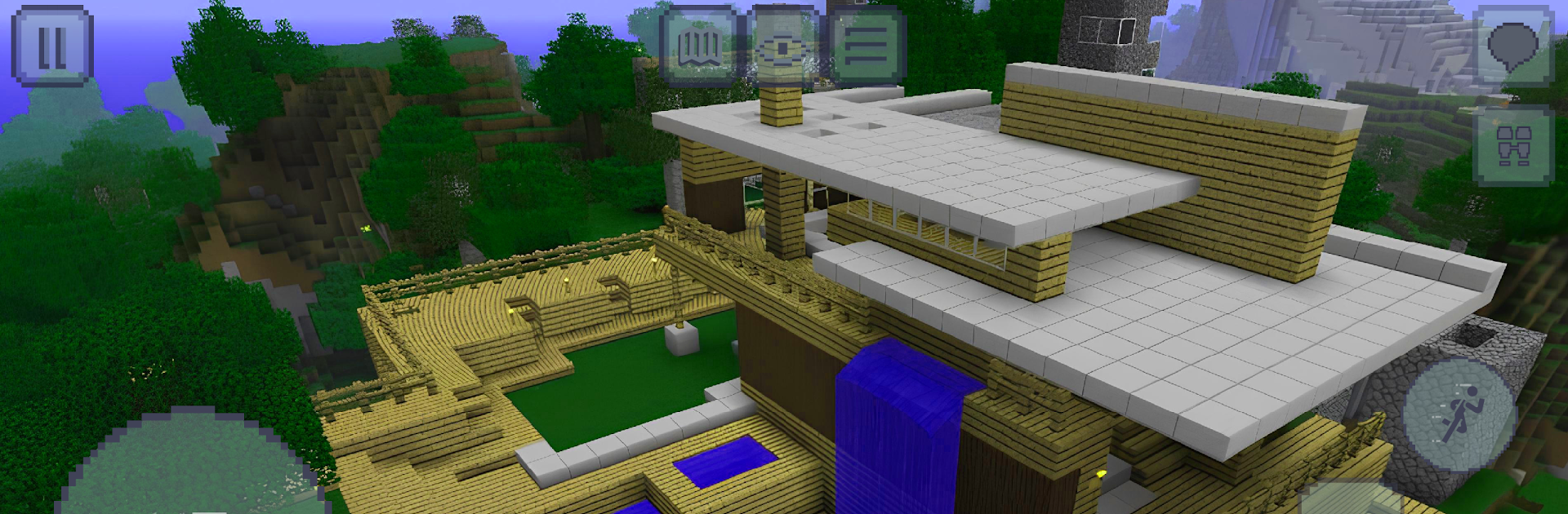
Mine Block Craft is a relaxed block builder that turns into a proper survival game once the sun goes down. Players punch trees, mine stone, grab ore, then craft tools, weapons, and little gadgets that make life easier. There are two main tracks. Sandbox lets someone build whatever they want at their own pace, even on a super flat world if that helps with big projects. Survival adds hunger and tougher nights with zombies, skeletons, spiders, and the usual farm animals wandering around in the day. The world rolls through day and night, weather shifts, and there are lots of biomes, from deserts to snowy hills. Boats, minecarts, and even wings help with travel. Farming, hunting, and fishing are all there, so food is not just about berries in a pinch. There is a neat blue ore that works like wiring, so doors, farms, and traps can be automated if someone wants to go nerdy with it.

On PC with BlueStacks, the bigger view and mouse aim make building feel cleaner, and hotkeys cut down the menu fiddling. Performance is steady, controls are simple, and the minimap, chat, sprint, and camera zoom are handy quality of life bits. Solo play works for quiet building sessions, while the multiplayer servers have people trading, showing off bases, or just poking around caves together. It does not demand a lot of explanation, which is nice, and there is enough block variety to keep a long project from feeling samey.

Get ready for a buttery smooth, high-performance gaming action only on BlueStacks.

Game Features

Enhancements

  • Macros
  • Multi Instance
  • Multi Instance Sync
  • Script
  • Enhancements
Macros

Macros

Automate the predictable in Mine Block Craft and transform your gameplay with Macros. Get access to inventive Macros in the BlueStacks Macro Community
Multi Instance

Multi Instance

Play Mine Block Craft on one window. And chat with your friend on the other. Press CTRL + Shift + 8 to open the Multi-Instance Manager. And start creating fresh instances or clone an existing one.
Multi Instance Sync

Multi Instance Sync

Play Mine Block Craft with the power of Multi-Instance Sync. Replicate what you are doing on the main instance on all other instances. Level up faster, play more.
Script

Script

Script your way to gaming glory in Mine Block Craft with BlueStacks Script. Write and run a set of commands to automate repeated tasks. Trigger the command by assigning it to any key.
Read More

How to Download and Play Mine Block Craft on PC or Mac

  • Download and install BlueStacks on your PC or Mac

  • Complete Google sign-in to access the Play Store, or do it later

  • Look for Mine Block Craft in the search bar at the top right corner

  • Click to install Mine Block Craft from the search results

  • Complete Google sign-in (if you skipped step 2) to install Mine Block Craft

  • Click the Mine Block Craft icon on the home screen to start playing

video
Watch Video

Minimum System Requirements

With BlueStacks 5, you can get started on a PC that fulfills the following requirements.

  • Operating System

    Microsoft Windows 7 or above, macOS 11 (Big Sur) or above

  • Processor

    Intel, AMD or Apple Silicon Processor

  • RAM

    at least 4GB

  • HDD

    10GB Free Disk Space

Note:

* You must be an Administrator on your PC. Up to date graphics drivers from Microsoft or the chipset vendor.

Mine Block Craft - FAQs

  • How to play Mine Block Craft on Windows PC & Mac?

    Play Mine Block Craft on your PC or Mac by following these simple steps.

    • Click on 'Play Mine Block Craft on PC’ to download BlueStacks
    • Install it and log-in to Google Play Store
    • Launch and play the game.
  • Why is BlueStacks the fastest and safest platform to play games on PC?

    BlueStacks respects your privacy and is always safe and secure to use. It does not carry any malware, spyware, or any sort of additional software that could harm your PC.

    It is engineered to optimize speed and performance for a seamless gaming experience.

  • What are Mine Block Craft PC requirements?

    Minimum requirement to run Mine Block Craft on your PC

    • OS: Microsoft Windows 7 or above MacOS 11 (Big Sur) or above
    • Processor: Intel, AMD or Apple Silicon Processor
    • RAM: Your PC must have at least 4GB of RAM. (Note that having 4GB or more disk space is not a substitute for RAM)
    • HDD: 10GB Free Disk Space.
    • You must be an Administrator on your PC.