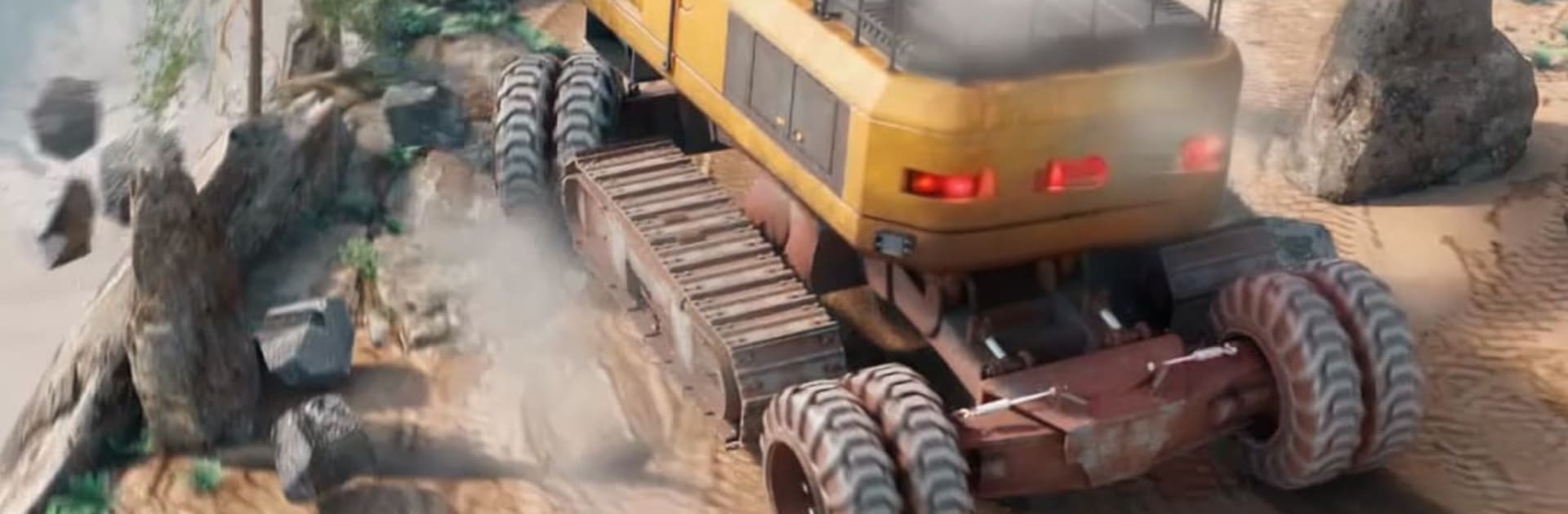
Mine Rider Destruction Sim

Mine Rider Destruction Sim

Simulation

| Skyloft Yazılım Bilişim ve Anonim Şirketi

Play on PC with BlueStacks or from our cloud

  • Overview
  • Game Features
  • How to Play

Page Modified On: April 07, 2026

Play Mine Rider Destruction Sim on PC or Mac

Explore a whole new adventure with Mine Rider Destruction Sim, a Simulation game created by Skyloft Yazılım Bilişim ve Anonim Şirketi. Experience great gameplay with BlueStacks, the most popular gaming platform to play Android games on your PC or Mac.

About the Game

Mine Rider Destruction Sim from Skyloft Yazılım Bilişim ve Anonim Şirketi hands you the keys to a gritty, grow-it-yourself mining operation. Start small, tear through stubborn rock, and turn raw finds into shiny profits while juggling upgrades, crew, and logistics. It’s a chunky, hands-on Simulation with big machines, bigger goals, and plenty of satisfying systems to tune—playable on mobile or comfortably on BlueStacks if you like a larger screen.

Game Features

  • Rock-Busting Machines: Fire up drills, dozers, and crushers to rip through thick formations and uncover the good stuff hiding underneath.
  • From Pit to Profit: Set up smooth routes for loaders and trucks, then move materials through crushers and refineries without clogging the works.
  • Ore Into Gold Bars: Oversee the full refining chain and watch tidy stacks of bars pile up as your processes get sharper.
  • Heavy Gear Upgrades: Expand your fleet and boost speed, capacity, durability, and efficiency to keep production humming.
  • Expand the Operation: Open new zones rich with resources and turn a modest site into a multi-location industrial setup.
  • Build the Town: Reinforce your workforce by investing in roads, power, housing, and support buildings that keep everything running better.
  • Side Jobs and Contracts: Tackle optional challenges for cash, blueprints, and unlocks that speed up your long-term plans.
  • Smart Management: Balance maintenance, storage, and delivery timing to prevent bottlenecks and keep those machines working, not idling.
  • Satisfying Progression: If you’re into builder sims, idle-tycoon vibes, or deep resource management, this steady climb from scrappy to sophisticated hits the spot.

Slay your opponents with your epic moves. Play it your way on BlueStacks and dominate the battlefield.


Game Features

Enhancements

  • Macros
  • Multi Instance
  • Multi Instance Sync
  • Script
  • Enhancements
Macros

Macros

Automate the predictable in Mine Rider Destruction Sim and transform your gameplay with Macros. Get access to inventive Macros in the BlueStacks Macro Community
Multi Instance

Multi Instance

Play Mine Rider Destruction Sim on one window. And chat with your friend on the other. Press CTRL + Shift + 8 to open the Multi-Instance Manager. And start creating fresh instances or clone an existing one.
Multi Instance Sync

Multi Instance Sync

Play Mine Rider Destruction Sim with the power of Multi-Instance Sync. Replicate what you are doing on the main instance on all other instances. Level up faster, play more.
Script

Script

Script your way to gaming glory in Mine Rider Destruction Sim with BlueStacks Script. Write and run a set of commands to automate repeated tasks. Trigger the command by assigning it to any key.
Read More

How to Download and Play Mine Rider Destruction Sim on PC or Mac

  • Download and install BlueStacks on your PC or Mac

  • Complete Google sign-in to access the Play Store, or do it later

  • Look for Mine Rider Destruction Sim in the search bar at the top right corner

  • Click to install Mine Rider Destruction Sim from the search results

  • Complete Google sign-in (if you skipped step 2) to install Mine Rider Destruction Sim

  • Click the Mine Rider Destruction Sim icon on the home screen to start playing

video
Watch Video

Minimum System Requirements

With BlueStacks 5, you can get started on a PC that fulfills the following requirements.

  • Operating System

    Microsoft Windows 7 or above, macOS 11 (Big Sur) or above

  • Processor

    Intel, AMD or Apple Silicon Processor

  • RAM

    at least 4GB

  • HDD

    10GB Free Disk Space

Note:

* You must be an Administrator on your PC. Up to date graphics drivers from Microsoft or the chipset vendor.

Mine Rider Destruction Sim - FAQs

  • How to play Mine Rider Destruction Sim on Windows PC & Mac?

    Play Mine Rider Destruction Sim on your PC or Mac by following these simple steps.

    • Click on 'Play Mine Rider Destruction Sim on PC’ to download BlueStacks
    • Install it and log-in to Google Play Store
    • Launch and play the game.
  • Why is BlueStacks the fastest and safest platform to play games on PC?

    BlueStacks respects your privacy and is always safe and secure to use. It does not carry any malware, spyware, or any sort of additional software that could harm your PC.

    It is engineered to optimize speed and performance for a seamless gaming experience.

  • What are Mine Rider Destruction Sim PC requirements?

    Minimum requirement to run Mine Rider Destruction Sim on your PC

    • OS: Microsoft Windows 7 or above MacOS 11 (Big Sur) or above
    • Processor: Intel, AMD or Apple Silicon Processor
    • RAM: Your PC must have at least 4GB of RAM. (Note that having 4GB or more disk space is not a substitute for RAM)
    • HDD: 10GB Free Disk Space.
    • You must be an Administrator on your PC.