Minicraft: Block Craft 3D

Minicraft: Block Craft 3D

Simulation

| Xojowa Trading Projects

Play on PC with BlueStacks or from our cloud

  • Overview
  • Game Features
  • How to Play

Page Modified On: June 10, 2026

Play Minicraft: Block Craft 3D on PC or Mac

Play Minicraft: Block Craft 3D by Xojowa Trading Projects on PC or Mac with BlueStacks. Use a bigger screen, mouse and keyboard controls, and smoother performance while you play.

About the Game

Minicraft: Block Craft 3D drops you into a sprawling, blocky world where curiosity pays off. Build a quiet cabin, engineer a bustling city, or try to outlast the monsters after dark—it’s up to you. This Simulation sandbox keeps things flexible, letting you switch between chill creativity and high-stakes survival whenever the mood hits.

Game Features

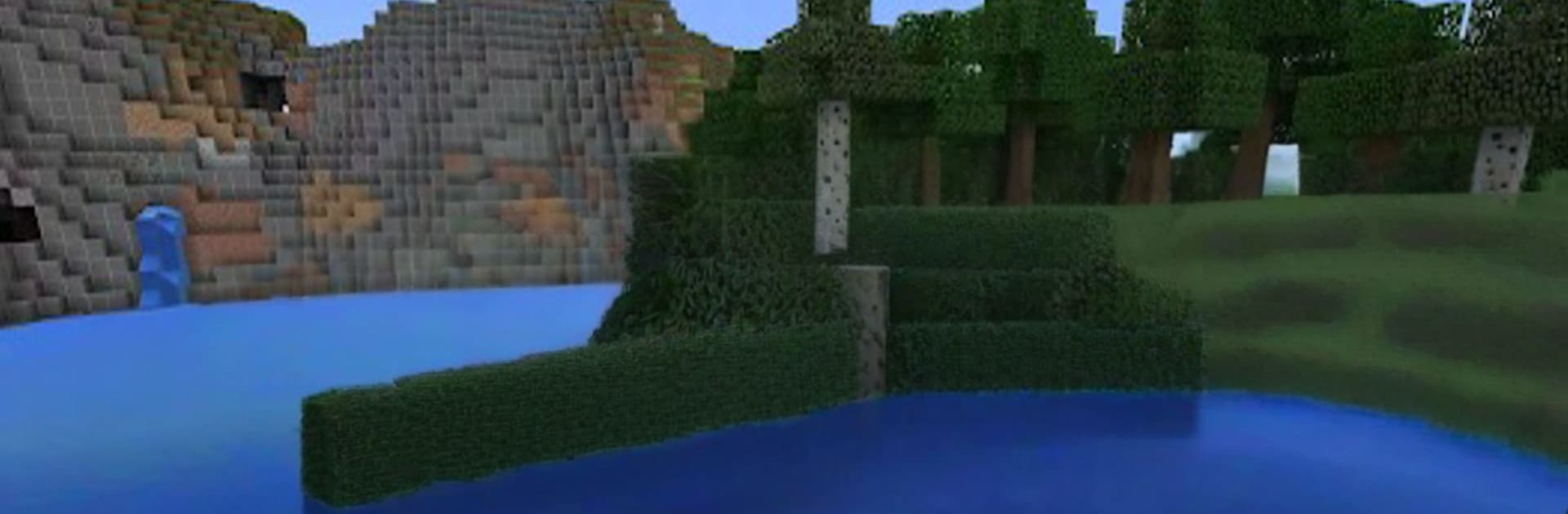
  • Open World, New Every Trip: Roam forests, deserts, mountains, caves, and oceans across a huge map that keeps surprising you with fresh sights and hidden nooks.
  • Build Anything You Can Picture: Stack blocks into cozy homes, sky-high towers, underground lairs—go simple or obsess over details. If you can sketch it in your head, you can put it together here.
  • Survival Mode, Stay Sharp: Gather resources, craft tools, and keep an eye on the sun. Night brings tougher creatures, so plan ahead, fortify, and fight back.
  • Creative Mode, No Limits: Unlimited materials and the ability to fly make big builds painless. Focus on design, experiment with shapes, and finish those “someday” projects.
  • Mine, Craft, Progress: Dig for ores and rare materials, then turn them into weapons, armor, gear, and more with a straightforward crafting system.
  • Enchanting and Potions: Enhance tools and equipment with special perks, brew helpful effects, and push deeper into risky zones with confidence.
  • Creatures with Attitude: Different mobs behave in their own ways, so you’ll tweak strategies—from quick defenses to clever traps—on the fly.
  • Biomes and Beyond: Explore varied climates and resources, then step into special dimensions for stronger foes and coveted items.
  • Redstone Engineering: Build doors that open themselves, farms that harvest on cue, and clever circuits that make your base feel alive.
  • Multiplayer Your Way: Team up to build colossal projects, set off on expeditions, or hop into friendly PvP skirmishes.
  • Play on PC with BlueStacks: Prefer a bigger screen and precise controls? Jump in on BlueStacks and keep your worlds going across sessions.

BlueStacks gives you more room to focus on the game and less time adjusting around mobile limitations.


Game Features

Enhancements

  • Macros
  • Multi Instance
  • Multi Instance Sync
  • Script
  • Enhancements
Macros

Macros

Automate the predictable in Minicraft: Block Craft 3D and transform your gameplay with Macros. Get access to inventive Macros in the BlueStacks Macro Community
Multi Instance

Multi Instance

Play Minicraft: Block Craft 3D on one window. And chat with your friend on the other. Press CTRL + Shift + 8 to open the Multi-Instance Manager. And start creating fresh instances or clone an existing one.
Multi Instance Sync

Multi Instance Sync

Play Minicraft: Block Craft 3D with the power of Multi-Instance Sync. Replicate what you are doing on the main instance on all other instances. Level up faster, play more.
Script

Script

Script your way to gaming glory in Minicraft: Block Craft 3D with BlueStacks Script. Write and run a set of commands to automate repeated tasks. Trigger the command by assigning it to any key.
Read More

How to Download and Play Minicraft: Block Craft 3D on PC or Mac

  • Download and install BlueStacks on your PC or Mac

  • Complete Google sign-in to access the Play Store, or do it later

  • Look for Minicraft: Block Craft 3D in the search bar at the top right corner

  • Click to install Minicraft: Block Craft 3D from the search results

  • Complete Google sign-in (if you skipped step 2) to install Minicraft: Block Craft 3D

  • Click the Minicraft: Block Craft 3D icon on the home screen to start playing

video
Watch Video

Minimum System Requirements

With BlueStacks 5, you can get started on a PC that fulfills the following requirements.

  • Operating System

    Microsoft Windows 7 or above, macOS 11 (Big Sur) or above

  • Processor

    Intel, AMD or Apple Silicon Processor

  • RAM

    at least 4GB

  • HDD

    10GB Free Disk Space

Note:

* You must be an Administrator on your PC. Up to date graphics drivers from Microsoft or the chipset vendor.

Minicraft: Block Craft 3D - FAQs

  • How to play Minicraft: Block Craft 3D on Windows PC & Mac?

    Play Minicraft: Block Craft 3D on your PC or Mac by following these simple steps.

    • Click on 'Play Minicraft: Block Craft 3D on PC’ to download BlueStacks
    • Install it and log-in to Google Play Store
    • Launch and play the game.
  • Why is BlueStacks the fastest and safest platform to play games on PC?

    BlueStacks respects your privacy and is always safe and secure to use. It does not carry any malware, spyware, or any sort of additional software that could harm your PC.

    It is engineered to optimize speed and performance for a seamless gaming experience.

  • What are Minicraft: Block Craft 3D PC requirements?

    Minimum requirement to run Minicraft: Block Craft 3D on your PC

    • OS: Microsoft Windows 7 or above MacOS 11 (Big Sur) or above
    • Processor: Intel, AMD or Apple Silicon Processor
    • RAM: Your PC must have at least 4GB of RAM. (Note that having 4GB or more disk space is not a substitute for RAM)
    • HDD: 10GB Free Disk Space.
    • You must be an Administrator on your PC.