Minicraft: Block Craftarena 3D

Minicraft: Block Craftarena 3D

Simulation

| Aromex Cowanta

Play on PC with BlueStacks or from our cloud

  • Overview
  • Game Features
  • How to Play

Page Modified On: September 14, 2026

Play Minicraft: Block Craftarena 3D on PC or Mac

Minicraft: Block Craftarena 3D brings the Simulation genre to life, and throws up exciting challenges for gamers. Developed by Aromex Cowanta, this Android game is best experienced on BlueStacks, the World’s #1 app player for PC and Mac users.

About the Game

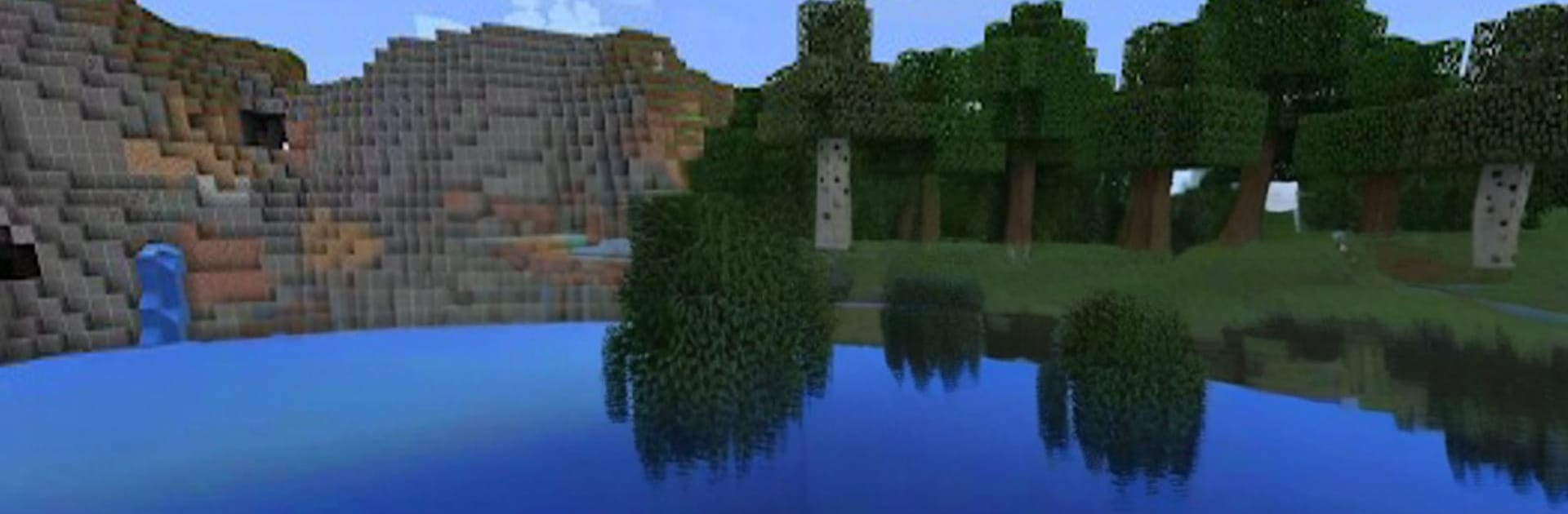
Minicraft: Block Craftarena 3D is a big, blocky playground where your ideas turn into actual places you can explore, build in, and survive. This Simulation world mixes relaxed creativity with a real sense of adventure—scavenge, craft, and shape a landscape that keeps surprising you. Prefer playing on a larger screen? You can jump in on PC with BlueStacks, too.

Game Features

  • Vast open worlds: Trek through forests, scale mountains, cross deserts, wade into oceans, and tunnel into sprawling cave systems—each new world feels different.
  • Creative Mode freedom: Get limitless materials and instant flight so you can sketch bold ideas, refine the details, and finish big builds without waiting.
  • Survival with stakes: Start from scratch, gather resources, craft tools, and keep your wits about you as nighttime amps up the danger.
  • Mining that matters: Hunt for rare ores underground, then turn your haul into sturdy armor, sharp weapons, and handy utilities with a clean crafting setup.
  • Enchants and brews: Power up your gear with helpful perks and mix potions that make exploring, fighting, and building a lot more manageable.
  • Build smart contraptions: Use circuit-style components to automate farms, open hidden doors, trigger traps, and wire up surprisingly complex machines.
  • Living ecosystems: Mobs behave differently by area, and each biome has its own climate, resources, and curveballs to learn and master.
  • Secret realms to conquer: Unlock special dimensions with tougher enemies and rarer loot for players who want higher risk and bigger payoffs.
  • Multiplayer your way: Team up for mega projects, roam fresh terrain together, or square off in brisk PvP on shared worlds with friends.

Start playing Minicraft: Block Craftarena 3D on BlueStacks and get a smoother, more comfortable PC or Mac setup.


Game Features

Enhancements

  • Macros
  • Multi Instance
  • Multi Instance Sync
  • Script
  • Enhancements
Macros

Macros

Automate the predictable in Minicraft: Block Craftarena 3D and transform your gameplay with Macros. Get access to inventive Macros in the BlueStacks Macro Community
Multi Instance

Multi Instance

Play Minicraft: Block Craftarena 3D on one window. And chat with your friend on the other. Press CTRL + Shift + 8 to open the Multi-Instance Manager. And start creating fresh instances or clone an existing one.
Multi Instance Sync

Multi Instance Sync

Play Minicraft: Block Craftarena 3D with the power of Multi-Instance Sync. Replicate what you are doing on the main instance on all other instances. Level up faster, play more.
Script

Script

Script your way to gaming glory in Minicraft: Block Craftarena 3D with BlueStacks Script. Write and run a set of commands to automate repeated tasks. Trigger the command by assigning it to any key.
Read More

How to Download and Play Minicraft: Block Craftarena 3D on PC or Mac

  • Download and install BlueStacks on your PC or Mac

  • Complete Google sign-in to access the Play Store, or do it later

  • Look for Minicraft: Block Craftarena 3D in the search bar at the top right corner

  • Click to install Minicraft: Block Craftarena 3D from the search results

  • Complete Google sign-in (if you skipped step 2) to install Minicraft: Block Craftarena 3D

  • Click the Minicraft: Block Craftarena 3D icon on the home screen to start playing

video
Watch Video

Minimum System Requirements

With BlueStacks 5, you can get started on a PC that fulfills the following requirements.

  • Operating System

    Microsoft Windows 7 or above, macOS 11 (Big Sur) or above

  • Processor

    Intel, AMD or Apple Silicon Processor

  • RAM

    at least 4GB

  • HDD

    10GB Free Disk Space

Note:

* You must be an Administrator on your PC. Up to date graphics drivers from Microsoft or the chipset vendor.

Minicraft: Block Craftarena 3D - FAQs

  • How to play Minicraft: Block Craftarena 3D on Windows PC & Mac?

    Play Minicraft: Block Craftarena 3D on your PC or Mac by following these simple steps.

    • Click on 'Play Minicraft: Block Craftarena 3D on PC’ to download BlueStacks
    • Install it and log-in to Google Play Store
    • Launch and play the game.
  • Why is BlueStacks the fastest and safest platform to play games on PC?

    BlueStacks respects your privacy and is always safe and secure to use. It does not carry any malware, spyware, or any sort of additional software that could harm your PC.

    It is engineered to optimize speed and performance for a seamless gaming experience.

  • What are Minicraft: Block Craftarena 3D PC requirements?

    Minimum requirement to run Minicraft: Block Craftarena 3D on your PC

    • OS: Microsoft Windows 7 or above MacOS 11 (Big Sur) or above
    • Processor: Intel, AMD or Apple Silicon Processor
    • RAM: Your PC must have at least 4GB of RAM. (Note that having 4GB or more disk space is not a substitute for RAM)
    • HDD: 10GB Free Disk Space.
    • You must be an Administrator on your PC.