
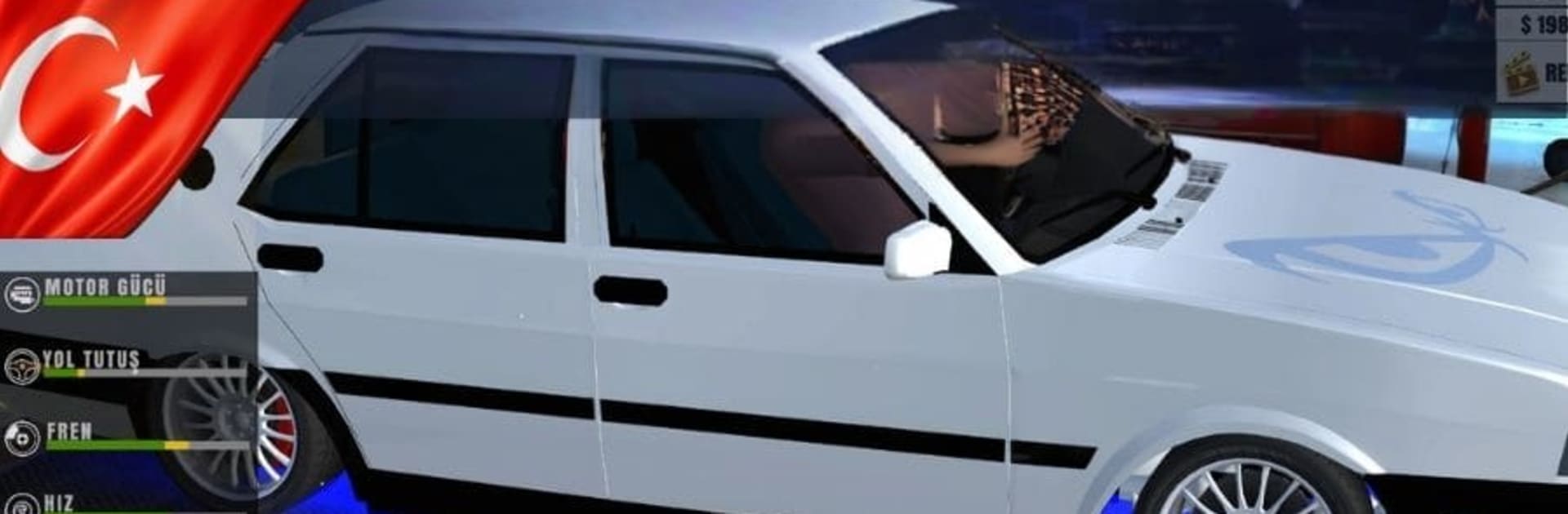
Modifiyeli Tofaş SLX Drift Pro

Modifiyeli Tofaş SLX Drift Pro

Simulation

| Gaga Games

Play on PC with BlueStacks or from our cloud

  • Overview
  • Game Features
  • How to Play

Page Modified On: August 11, 2026

Play Modifiyeli Tofaş SLX Drift Pro on PC or Mac

Bring your A-game to Modifiyeli Tofaş SLX Drift Pro, the Simulation game sensation from Gaga Games. Give your gameplay the much-needed boost with precise game controls, high FPS graphics, and top-tier features on your PC or Mac with BlueStacks.

About the Game

Modifiyeli Tofaş SLX Drift Pro is all about sliding classic Tofaş rides with style. It’s a Simulation game that blends realistic handling with score-chasing runs, letting you fine-tune your car and your lines until every corner feels clean. Want that perfect smoke trail and a scoreboard that lights up? You’ve got the tools—and the roads—to make it happen.

Game Features

  • Authentic Drift Scoring: Rack up points for smooth, controlled drifts. Clip a wall or get sloppy and you’ll watch that score slip away, so keep it precise.
  • Deep Garage Customization: Build your dream SLX in a private garage. Pick a custom plate, dial in the color palette, add full-body wraps, and throw on neon for that glow.
  • Adjustable Air Suspension: Slam it low or raise it up—tweak ride height to match your style and the way you like the car to feel in corners.
  • Stickers and Wind Deflectors: Layer on decals and windbreaker models to give your Tofaş extra attitude without touching the mechanics.
  • Earn and Upgrade: Run clean laps, earn cash, and reinvest it into performance tweaks and visual flair to keep improving your drift game.
  • True Tofaş Vibes: Classic Tofaş SLX culture is front and center, from the stance to the details that make these cars so recognizable.
  • Smooth on PC with BlueStacks: Prefer a bigger screen and steady controls? Play on PC with BlueStacks for a comfortable, responsive setup.

BlueStacks gives you more room to focus on the game and less time adjusting around mobile limitations.


Game Features

Enhancements

  • Macros
  • Multi Instance
  • Multi Instance Sync
  • Script
  • Enhancements
Macros

Macros

Automate the predictable in Modifiyeli Tofaş SLX Drift Pro and transform your gameplay with Macros. Get access to inventive Macros in the BlueStacks Macro Community
Multi Instance

Multi Instance

Play Modifiyeli Tofaş SLX Drift Pro on one window. And chat with your friend on the other. Press CTRL + Shift + 8 to open the Multi-Instance Manager. And start creating fresh instances or clone an existing one.
Multi Instance Sync

Multi Instance Sync

Play Modifiyeli Tofaş SLX Drift Pro with the power of Multi-Instance Sync. Replicate what you are doing on the main instance on all other instances. Level up faster, play more.
Script

Script

Script your way to gaming glory in Modifiyeli Tofaş SLX Drift Pro with BlueStacks Script. Write and run a set of commands to automate repeated tasks. Trigger the command by assigning it to any key.
Read More

How to Download and Play Modifiyeli Tofaş SLX Drift Pro on PC or Mac

  • Download and install BlueStacks on your PC or Mac

  • Complete Google sign-in to access the Play Store, or do it later

  • Look for Modifiyeli Tofaş SLX Drift Pro in the search bar at the top right corner

  • Click to install Modifiyeli Tofaş SLX Drift Pro from the search results

  • Complete Google sign-in (if you skipped step 2) to install Modifiyeli Tofaş SLX Drift Pro

  • Click the Modifiyeli Tofaş SLX Drift Pro icon on the home screen to start playing

video
Watch Video

Minimum System Requirements

With BlueStacks 5, you can get started on a PC that fulfills the following requirements.

  • Operating System

    Microsoft Windows 7 or above, macOS 11 (Big Sur) or above

  • Processor

    Intel, AMD or Apple Silicon Processor

  • RAM

    at least 4GB

  • HDD

    10GB Free Disk Space

Note:

* You must be an Administrator on your PC. Up to date graphics drivers from Microsoft or the chipset vendor.

Modifiyeli Tofaş SLX Drift Pro - FAQs

  • How to play Modifiyeli Tofaş SLX Drift Pro on Windows PC & Mac?

    Play Modifiyeli Tofaş SLX Drift Pro on your PC or Mac by following these simple steps.

    • Click on 'Play Modifiyeli Tofaş SLX Drift Pro on PC’ to download BlueStacks
    • Install it and log-in to Google Play Store
    • Launch and play the game.
  • Why is BlueStacks the fastest and safest platform to play games on PC?

    BlueStacks respects your privacy and is always safe and secure to use. It does not carry any malware, spyware, or any sort of additional software that could harm your PC.

    It is engineered to optimize speed and performance for a seamless gaming experience.

  • What are Modifiyeli Tofaş SLX Drift Pro PC requirements?

    Minimum requirement to run Modifiyeli Tofaş SLX Drift Pro on your PC

    • OS: Microsoft Windows 7 or above MacOS 11 (Big Sur) or above
    • Processor: Intel, AMD or Apple Silicon Processor
    • RAM: Your PC must have at least 4GB of RAM. (Note that having 4GB or more disk space is not a substitute for RAM)
    • HDD: 10GB Free Disk Space.
    • You must be an Administrator on your PC.







