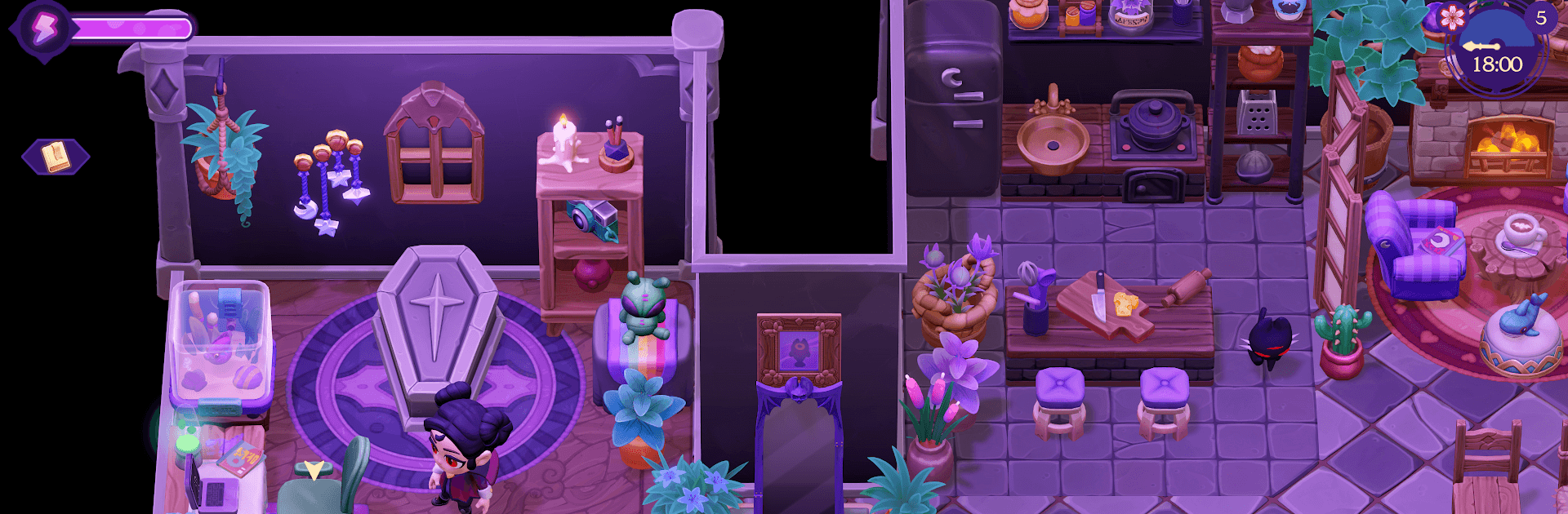
Moonlight Peaks
Moonlight Peaks

Moonlight Peaks

Simulation

| XSEED Games/Marvelous USA, Inc.

Play on PC with BlueStacks or from our cloud

  • Overview
  • Game Features
  • How to Play

Page Modified On: October 22, 2026

Play Moonlight Peaks on PC or Mac

Moonlight Peaks by XSEED Games/Marvelous USA, Inc. has plenty to keep you busy. BlueStacks lets you play it on PC or Mac with more screen space, better control, and fewer mobile limits.

About the Game

Moonlight Peaks is a cozy-goth Simulation where you try living a kinder kind of vampire life in a town packed with witches, werewolves, mermaids, and other night-loving neighbors. You’ll restore a creaky old cottage, tend a not-so-ordinary farm, and see if eternal nights can make room for real friendships—and maybe romance. Prefer a bigger screen and keyboard? You can jump in through BlueStacks while keeping the chill vibe intact.

Game Features

  • Vampire persona, your rules: Shape your look, attitude, and style, then build genuine relationships with quirky townsfolk who have more than a few secrets of their own.
  • Haunted home makeover: Turn your inherited cottage into a cozy gothic retreat with decor, layouts, and upgrades that reflect your taste—moody, elegant, or a little chaotic.
  • Enchanted farming: Sow bewitched crops, raise magical livestock, and upgrade tools to keep the harvest flowing, even when the moon’s doing something weird.
  • Powers that change the night: Shapeshift to reach hidden spots, use ancient abilities to gather faster, and expand your grimoire with spells that boost life on and off the farm.
  • Potions and practical magic: Brew helpful tonics that supercharge your chores, tweak resource yields, or make a midnight stroll a touch safer.
  • Secrets of seven families: Unravel tangled histories and local lore as you earn the trust of old bloodlines and bring a little warmth back to town.
  • Night-first routine: Plan around sunrise, respect your coffin curfew, and master a rhythm where late-night errands and moonlit tasks feel just right.
  • Cozy side pursuits: Go fishing and foraging, stitch up embroidery, arrange flowers, and collect cards for the local favorite, Nokturna, to challenge fellow residents.

Ready to top the leaderboard? We bet you do. Let precise controls and sharp visuals optimized on BlueStacks lead you to victory.


Game Features

Enhancements

  • Macros
  • Multi Instance
  • Multi Instance Sync
  • Script
  • Enhancements
Macros

Macros

Automate the predictable in Moonlight Peaks and transform your gameplay with Macros. Get access to inventive Macros in the BlueStacks Macro Community
Multi Instance

Multi Instance

Play Moonlight Peaks on one window. And chat with your friend on the other. Press CTRL + Shift + 8 to open the Multi-Instance Manager. And start creating fresh instances or clone an existing one.
Multi Instance Sync

Multi Instance Sync

Play Moonlight Peaks with the power of Multi-Instance Sync. Replicate what you are doing on the main instance on all other instances. Level up faster, play more.
Script

Script

Script your way to gaming glory in Moonlight Peaks with BlueStacks Script. Write and run a set of commands to automate repeated tasks. Trigger the command by assigning it to any key.
Read More

How to Download and Play Moonlight Peaks on PC or Mac

  • Download and install BlueStacks on your PC or Mac

  • Complete Google sign-in to access the Play Store, or do it later

  • Look for Moonlight Peaks in the search bar at the top right corner

  • Click to install Moonlight Peaks from the search results

  • Complete Google sign-in (if you skipped step 2) to install Moonlight Peaks

  • Click the Moonlight Peaks icon on the home screen to start playing

video
Watch Video

Minimum System Requirements

With BlueStacks 5, you can get started on a PC that fulfills the following requirements.

  • Operating System

    Microsoft Windows 7 or above, macOS 11 (Big Sur) or above

  • Processor

    Intel, AMD or Apple Silicon Processor

  • RAM

    at least 4GB

  • HDD

    10GB Free Disk Space

Note:

* You must be an Administrator on your PC. Up to date graphics drivers from Microsoft or the chipset vendor.

Moonlight Peaks - FAQs

  • How to play Moonlight Peaks on Windows PC & Mac?

    Play Moonlight Peaks on your PC or Mac by following these simple steps.

    • Click on 'Play Moonlight Peaks on PC’ to download BlueStacks
    • Install it and log-in to Google Play Store
    • Launch and play the game.
  • Why is BlueStacks the fastest and safest platform to play games on PC?

    BlueStacks respects your privacy and is always safe and secure to use. It does not carry any malware, spyware, or any sort of additional software that could harm your PC.

    It is engineered to optimize speed and performance for a seamless gaming experience.

  • What are Moonlight Peaks PC requirements?

    Minimum requirement to run Moonlight Peaks on your PC

    • OS: Microsoft Windows 7 or above MacOS 11 (Big Sur) or above
    • Processor: Intel, AMD or Apple Silicon Processor
    • RAM: Your PC must have at least 4GB of RAM. (Note that having 4GB or more disk space is not a substitute for RAM)
    • HDD: 10GB Free Disk Space.
    • You must be an Administrator on your PC.