Motel Horror Simulator

Motel Horror Simulator

Simulation

| Raycaster Games

Play on PC with BlueStacks or from our cloud

  • Overview
  • Game Features
  • How to Play

Page Modified On: August 20, 2026

Play Motel Horror Simulator on PC or Mac

Motel Horror Simulator brings the Simulation genre to life, and throws up exciting challenges for gamers. Developed by Raycaster Games, this Android game is best experienced on BlueStacks, the World’s #1 app player for PC and Mac users.

About the Game

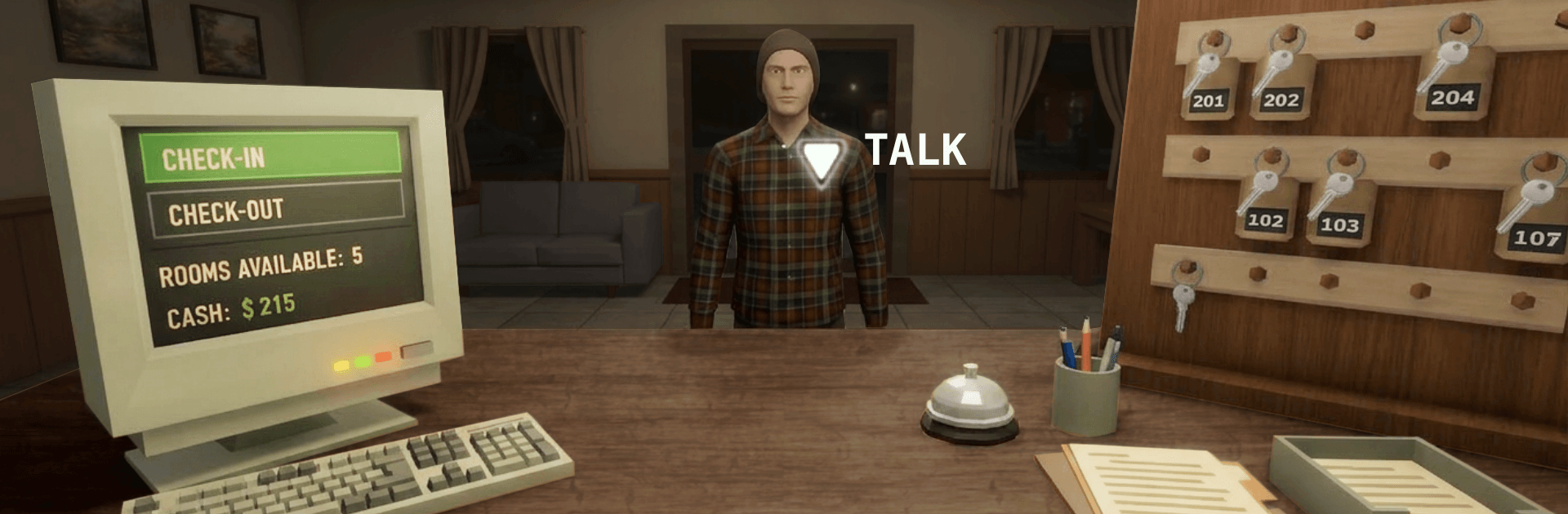
Motel Horror Simulator starts out like a quiet night behind the front desk—checking people in, changing sheets, balancing the register. It’s a Simulation that slowly slips from routine management into a tense, psychological head trip where your workday rules stop making sense. You’ll juggle chores, watch guests who feel a little too off, and make decisions that bend the story toward very different outcomes.

Game Features

  • Shift Management: Run the front desk, prep rooms, restock supplies, and meet daily targets while the clock ticks.
  • Strange Guests, Stranger Nights: Read the people who wander in, keep your cool during odd encounters, and handle behavior that gets weirder as darkness stretches on.
  • Escalating Cycles: Each new cycle ramps up pressure with fresh events, new tells to notice, and consequences that carry forward.
  • Choice-Driven Story: Your calls—who to trust, what to ignore, when to push—shape the narrative and lead to multiple endings.
  • Subtle to Sinister: Tiny inconsistencies snowball into reality-bending moments, turning familiar hallways and chores into something you can’t quite explain.
  • Work Under Pressure: Keep the motel profitable while fear gnaws at your focus; miss goals and everything feels that much more fragile.
  • Tools of the Trade: Use logs, keys, and cleaning gear to keep operations running while you watch for anything that’s out of place.
  • Atmosphere That Creeps: Low-light corridors, uneasy sound cues, and long, quiet beats that make you question what you just saw.
  • Replay Friendly: Try new strategies and different choices to uncover hidden details and chase other endings.
  • BlueStacks Option: Prefer a bigger screen and steady controls? Motel Horror Simulator plays comfortably on BlueStacks without getting in the way of the tension.

Start playing Motel Horror Simulator on BlueStacks and get a smoother, more comfortable PC or Mac setup.


Game Features

Enhancements

  • Macros
  • Multi Instance
  • Multi Instance Sync
  • Script
  • Enhancements
Macros

Macros

Automate the predictable in Motel Horror Simulator and transform your gameplay with Macros. Get access to inventive Macros in the BlueStacks Macro Community
Multi Instance

Multi Instance

Play Motel Horror Simulator on one window. And chat with your friend on the other. Press CTRL + Shift + 8 to open the Multi-Instance Manager. And start creating fresh instances or clone an existing one.
Multi Instance Sync

Multi Instance Sync

Play Motel Horror Simulator with the power of Multi-Instance Sync. Replicate what you are doing on the main instance on all other instances. Level up faster, play more.
Script

Script

Script your way to gaming glory in Motel Horror Simulator with BlueStacks Script. Write and run a set of commands to automate repeated tasks. Trigger the command by assigning it to any key.
Read More

How to Download and Play Motel Horror Simulator on PC or Mac

  • Download and install BlueStacks on your PC or Mac

  • Complete Google sign-in to access the Play Store, or do it later

  • Look for Motel Horror Simulator in the search bar at the top right corner

  • Click to install Motel Horror Simulator from the search results

  • Complete Google sign-in (if you skipped step 2) to install Motel Horror Simulator

  • Click the Motel Horror Simulator icon on the home screen to start playing

video
Watch Video

Minimum System Requirements

With BlueStacks 5, you can get started on a PC that fulfills the following requirements.

  • Operating System

    Microsoft Windows 7 or above, macOS 11 (Big Sur) or above

  • Processor

    Intel, AMD or Apple Silicon Processor

  • RAM

    at least 4GB

  • HDD

    10GB Free Disk Space

Note:

* You must be an Administrator on your PC. Up to date graphics drivers from Microsoft or the chipset vendor.

Motel Horror Simulator - FAQs

  • How to play Motel Horror Simulator on Windows PC & Mac?

    Play Motel Horror Simulator on your PC or Mac by following these simple steps.

    • Click on 'Play Motel Horror Simulator on PC’ to download BlueStacks
    • Install it and log-in to Google Play Store
    • Launch and play the game.
  • Why is BlueStacks the fastest and safest platform to play games on PC?

    BlueStacks respects your privacy and is always safe and secure to use. It does not carry any malware, spyware, or any sort of additional software that could harm your PC.

    It is engineered to optimize speed and performance for a seamless gaming experience.

  • What are Motel Horror Simulator PC requirements?

    Minimum requirement to run Motel Horror Simulator on your PC

    • OS: Microsoft Windows 7 or above MacOS 11 (Big Sur) or above
    • Processor: Intel, AMD or Apple Silicon Processor
    • RAM: Your PC must have at least 4GB of RAM. (Note that having 4GB or more disk space is not a substitute for RAM)
    • HDD: 10GB Free Disk Space.
    • You must be an Administrator on your PC.