Mountain Auto Tuk Tuk Rickshaw : New Games 2019

Mountain Auto Tuk Tuk Rickshaw : New Games 2019

Simulation

| Door to apps

Play on PC with BlueStacks or from our cloud

  • Overview
  • Game Features
  • How to Play

Page Modified On: November 20, 2025

Play Mountain Auto Tuk Tuk Rickshaw : New Games 2019 on PC or Mac

Bring your A-game to Mountain Auto Tuk Tuk Rickshaw : New Games 2019, the Simulation game sensation from Door to apps. Give your gameplay the much-needed boost with precise game controls, high FPS graphics, and top-tier features on your PC or Mac with BlueStacks.

About the Game

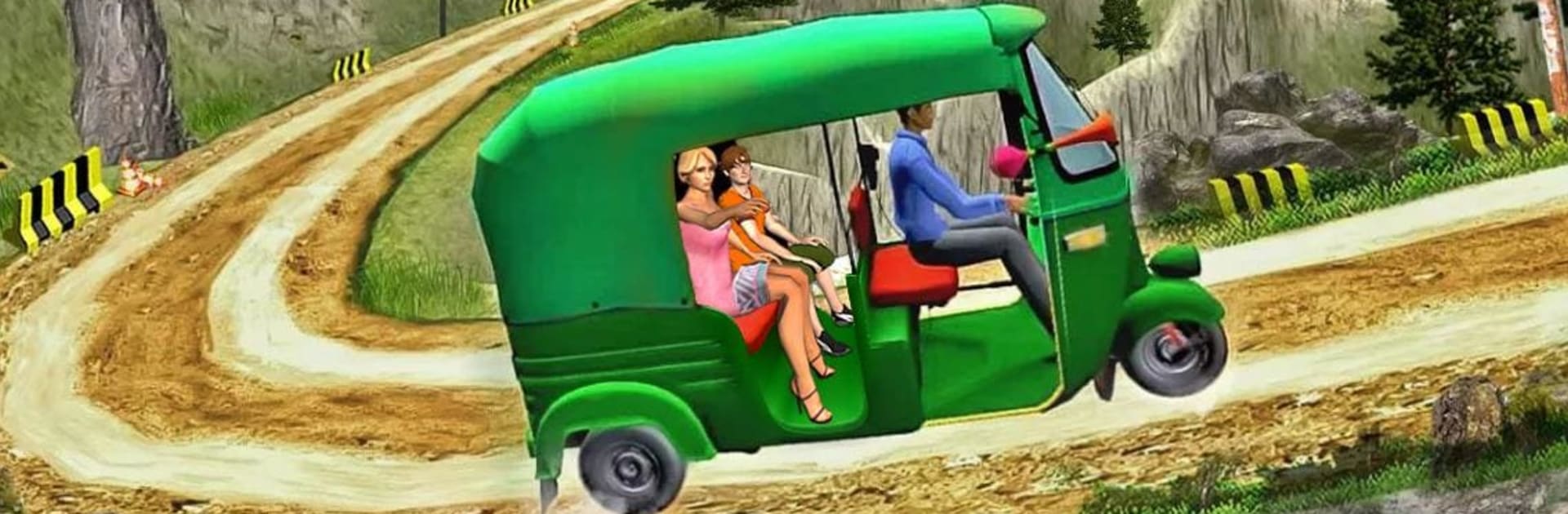
Mountain Auto Tuk Tuk Rickshaw : New Games 2019 puts you behind the handlebars of a nimble three-wheeler on narrow mountain roads. It’s a mix of sightseeing and steady nerves, where every turn matters and your passengers count on you to bring them back in one piece. Created by Door to apps, this Simulation leans into careful driving, neat parking, and that satisfying feeling of pulling off a clean run.

Game Features

  • Scenic mountain roads: Thread your tuk tuk along zigzag trails, cliffside bends, and riverside stretches with postcard views—and plenty of places to mess up if you’re careless.
  • Pickups and drop-offs: Head from the valley base to marked pickup points, line up in the bay, let riders hop in, and deliver them safely to their stop.
  • Mission-based progression: Tackle a long list of jobs that get trickier as you go, unlocking the next route by completing the last.
  • Free driving freedom: No strict timer breathing down your neck—take the route you want, explore side paths, and enjoy the road between tasks.
  • GPS guidance: A built-in mini-map and markers keep your goals clear so you can focus on driving instead of guessing where to go.
  • Tight parking and reversing: Overshoot the lines? Slip into reverse and correct your angle to nail those precise park-ins.
  • Real hill handling: Manage steep climbs, blind corners, and cambered dirt tracks while keeping the rickshaw upright and your passengers calm.
  • Accessible controls: Choose on-screen buttons or gyro tilt steering; throttle and brakes are responsive and double for reversing when you need a quick backup.
  • Offline play: No Wi‑Fi? No problem—keep driving wherever you are.
  • PC-friendly option: Prefer a bigger screen and sharper controls? You can play on your computer with BlueStacks.

Make your gaming sessions memorable with precise controls that give you an edge in close combats and visuals that pop up, bringing every character to life.


Game Features

Enhancements

  • Macros
  • Multi Instance
  • Multi Instance Sync
  • Script
  • Enhancements
Macros

Macros

Automate the predictable in Mountain Auto Tuk Tuk Rickshaw : New Games 2019 and transform your gameplay with Macros. Get access to inventive Macros in the BlueStacks Macro Community
Multi Instance

Multi Instance

Play Mountain Auto Tuk Tuk Rickshaw : New Games 2019 on one window. And chat with your friend on the other. Press CTRL + Shift + 8 to open the Multi-Instance Manager. And start creating fresh instances or clone an existing one.
Multi Instance Sync

Multi Instance Sync

Play Mountain Auto Tuk Tuk Rickshaw : New Games 2019 with the power of Multi-Instance Sync. Replicate what you are doing on the main instance on all other instances. Level up faster, play more.
Script

Script

Script your way to gaming glory in Mountain Auto Tuk Tuk Rickshaw : New Games 2019 with BlueStacks Script. Write and run a set of commands to automate repeated tasks. Trigger the command by assigning it to any key.
Read More

How to Download and Play Mountain Auto Tuk Tuk Rickshaw : New Games 2019 on PC or Mac

  • Download and install BlueStacks on your PC or Mac

  • Complete Google sign-in to access the Play Store, or do it later

  • Look for Mountain Auto Tuk Tuk Rickshaw : New Games 2019 in the search bar at the top right corner

  • Click to install Mountain Auto Tuk Tuk Rickshaw : New Games 2019 from the search results

  • Complete Google sign-in (if you skipped step 2) to install Mountain Auto Tuk Tuk Rickshaw : New Games 2019

  • Click the Mountain Auto Tuk Tuk Rickshaw : New Games 2019 icon on the home screen to start playing

video
Watch Video

Minimum System Requirements

With BlueStacks 5, you can get started on a PC that fulfills the following requirements.

  • Operating System

    Microsoft Windows 7 or above, macOS 11 (Big Sur) or above

  • Processor

    Intel, AMD or Apple Silicon Processor

  • RAM

    at least 4GB

  • HDD

    10GB Free Disk Space

Note:

* You must be an Administrator on your PC. Up to date graphics drivers from Microsoft or the chipset vendor.

Mountain Auto Tuk Tuk Rickshaw : New Games 2019 - FAQs

  • How to play Mountain Auto Tuk Tuk Rickshaw : New Games 2019 on Windows PC & Mac?

    Play Mountain Auto Tuk Tuk Rickshaw : New Games 2019 on your PC or Mac by following these simple steps.

    • Click on 'Play Mountain Auto Tuk Tuk Rickshaw : New Games 2019 on PC’ to download BlueStacks
    • Install it and log-in to Google Play Store
    • Launch and play the game.
  • Why is BlueStacks the fastest and safest platform to play games on PC?

    BlueStacks respects your privacy and is always safe and secure to use. It does not carry any malware, spyware, or any sort of additional software that could harm your PC.

    It is engineered to optimize speed and performance for a seamless gaming experience.

  • What are Mountain Auto Tuk Tuk Rickshaw : New Games 2019 PC requirements?

    Minimum requirement to run Mountain Auto Tuk Tuk Rickshaw : New Games 2019 on your PC

    • OS: Microsoft Windows 7 or above MacOS 11 (Big Sur) or above
    • Processor: Intel, AMD or Apple Silicon Processor
    • RAM: Your PC must have at least 4GB of RAM. (Note that having 4GB or more disk space is not a substitute for RAM)
    • HDD: 10GB Free Disk Space.
    • You must be an Administrator on your PC.