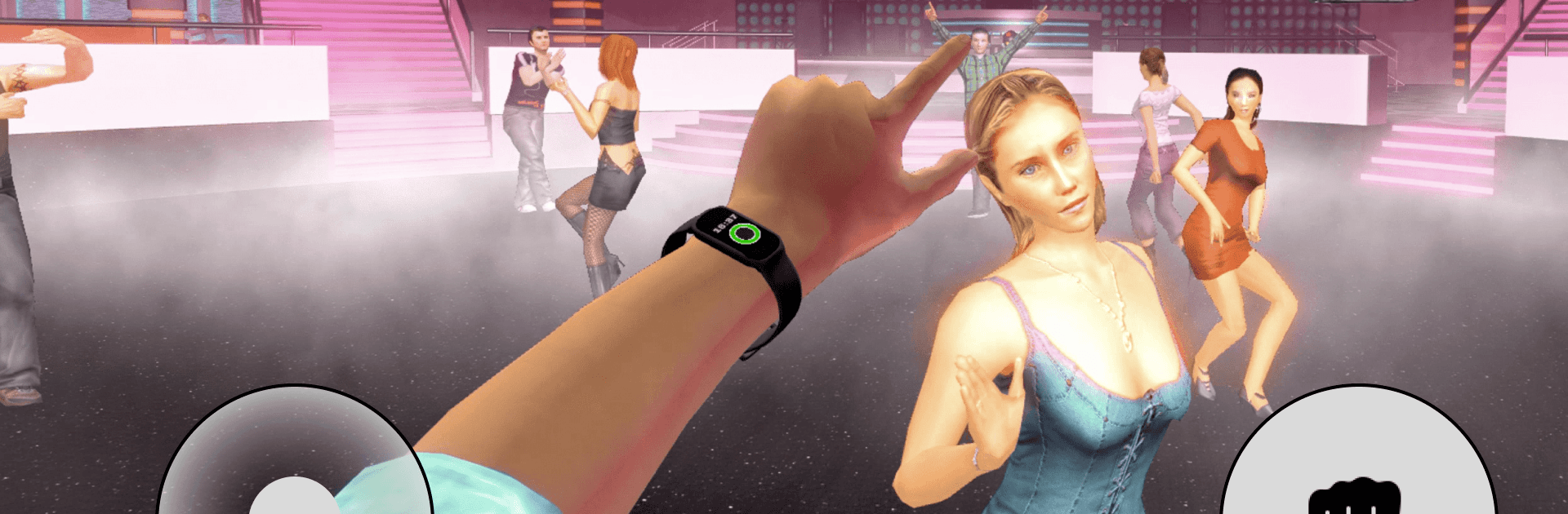
NightClub Simulator
NightClub Simulator

NightClub Simulator

Simulation

| Ant Hill Games

Play on PC with BlueStacks or from our cloud

  • Overview
  • Game Features
  • How to Play

Page Modified On: April 24, 2026

Play NightClub Simulator on PC or Mac

From the innovators and creators at Ant Hill Games, NightClub Simulator is another fun addition to the World of Simulation games. Go beyond your mobile screen and play it bigger and better on your PC or Mac. An immersive experience awaits you.

About the Game

NightClub Simulator throws you into a packed club where the music’s loud, the lights are harsh, and trouble flares up fast. One moment you’re weaving through dancers, the next you’re handling heated confrontations that can spiral in seconds. From Ant Hill Games, this Simulation title blends gritty hand-to-hand action with a tense nightlife story made for mobile—and it plays comfortably on BlueStacks if you prefer a bigger screen.

Game Features

  • Living Club Atmosphere: Move through a buzzing crowd, hit the dance floor, and bump into all kinds of personalities while the room reacts to what’s happening around you.
  • Fast, Close-Quarters Combat: Fights are up close, immediate, and messy by design. Read the room, respond to aggressive behavior, and adapt to different enemy tactics on the fly.
  • Story That Heats Up: Your decisions and clashes feed into a narrative of rival crews, personal grudges, and rising stakes as the night wears on.
  • Spawn Mode Mayhem: Want chaos without the backstory? Face nonstop waves of opponents and see how long you can keep control when things refuse to calm down.
  • Angry Mode Intensity: Crank the hostility and speed for fiercer enemies and faster reactions. It’s a stress test for your reflexes and judgment.
  • Official Mobile Adaptation: The original experience reimagined for phones—same mood and core gameplay, tuned for pockets without losing its bite.
  • Built for On-the-Go: Touch-friendly controls feel snappy, performance stays smooth, and it’s easy to jump in for a few minutes or stay for a full-length session.
  • Authentic Club Vibe: Thumping audio, moody lighting, and reactive crowds sell the late-night feel, making every encounter hit a little harder.

Ready to top the leaderboard? We bet you do. Let precise controls and sharp visuals optimized on BlueStacks lead you to victory.


Game Features

Enhancements

  • Macros
  • Multi Instance
  • Multi Instance Sync
  • Script
  • Enhancements
Macros

Macros

Automate the predictable in NightClub Simulator and transform your gameplay with Macros. Get access to inventive Macros in the BlueStacks Macro Community
Multi Instance

Multi Instance

Play NightClub Simulator on one window. And chat with your friend on the other. Press CTRL + Shift + 8 to open the Multi-Instance Manager. And start creating fresh instances or clone an existing one.
Multi Instance Sync

Multi Instance Sync

Play NightClub Simulator with the power of Multi-Instance Sync. Replicate what you are doing on the main instance on all other instances. Level up faster, play more.
Script

Script

Script your way to gaming glory in NightClub Simulator with BlueStacks Script. Write and run a set of commands to automate repeated tasks. Trigger the command by assigning it to any key.
Read More

How to Download and Play NightClub Simulator on PC or Mac

  • Download and install BlueStacks on your PC or Mac

  • Complete Google sign-in to access the Play Store, or do it later

  • Look for NightClub Simulator in the search bar at the top right corner

  • Click to install NightClub Simulator from the search results

  • Complete Google sign-in (if you skipped step 2) to install NightClub Simulator

  • Click the NightClub Simulator icon on the home screen to start playing

video
Watch Video

Minimum System Requirements

With BlueStacks 5, you can get started on a PC that fulfills the following requirements.

  • Operating System

    Microsoft Windows 7 or above, macOS 11 (Big Sur) or above

  • Processor

    Intel, AMD or Apple Silicon Processor

  • RAM

    at least 4GB

  • HDD

    10GB Free Disk Space

Note:

* You must be an Administrator on your PC. Up to date graphics drivers from Microsoft or the chipset vendor.

NightClub Simulator - FAQs

  • How to play NightClub Simulator on Windows PC & Mac?

    Play NightClub Simulator on your PC or Mac by following these simple steps.

    • Click on 'Play NightClub Simulator on PC’ to download BlueStacks
    • Install it and log-in to Google Play Store
    • Launch and play the game.
  • Why is BlueStacks the fastest and safest platform to play games on PC?

    BlueStacks respects your privacy and is always safe and secure to use. It does not carry any malware, spyware, or any sort of additional software that could harm your PC.

    It is engineered to optimize speed and performance for a seamless gaming experience.

  • What are NightClub Simulator PC requirements?

    Minimum requirement to run NightClub Simulator on your PC

    • OS: Microsoft Windows 7 or above MacOS 11 (Big Sur) or above
    • Processor: Intel, AMD or Apple Silicon Processor
    • RAM: Your PC must have at least 4GB of RAM. (Note that having 4GB or more disk space is not a substitute for RAM)
    • HDD: 10GB Free Disk Space.
    • You must be an Administrator on your PC.