Offline Bus Driving Bus Game

Offline Bus Driving Bus Game

Simulation

| Exogames

Play on PC with BlueStacks or from our cloud

  • Overview
  • Game Features
  • How to Play

Page Modified On: June 02, 2026

Play Offline Bus Driving Bus Game on PC or Mac

Bring your A-game to Offline Bus Driving Bus Game, the Simulation game sensation from Exogames. Give your gameplay the much-needed boost with precise game controls, high FPS graphics, and top-tier features on your PC or Mac with BlueStacks.

About the Game

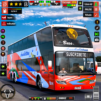
Offline Bus Driving Bus Game is a Simulation that hands you the keys to a full-size city bus. Navigate busy avenues, keep to your route, and feel the rhythm of real bus driving across sprawling urban maps. If you prefer a bigger screen and tighter controls, it also plays great on PC with BlueStacks.

Game Features

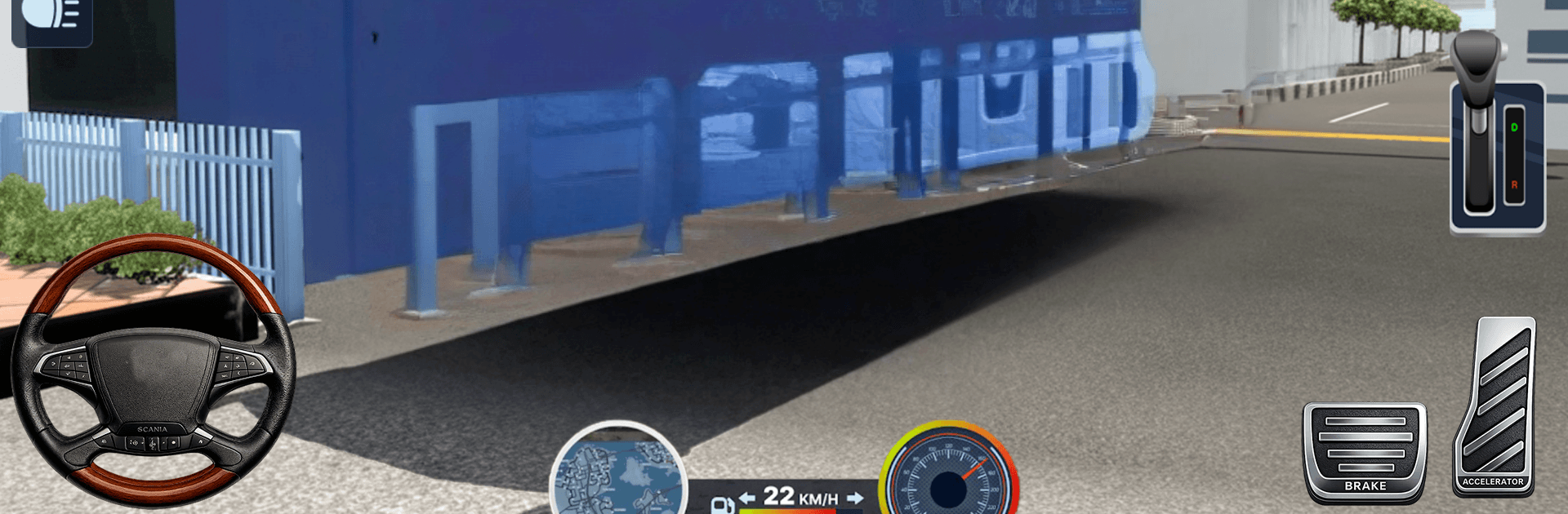
  • Authentic handling: Feel the heft of a city bus with responsive acceleration, careful braking, and smooth cornering that reward steady, patient driving.
  • Mission-based routes: Run stop-to-stop jobs, manage door timing, and make clean arrivals so passengers get where they’re going without a fuss.
  • Global-style cities: Cruise through varied districts—tight backstreets, wide boulevards, and busy downtowns—each asking for a slightly different driving touch.
  • Modern fleet: Get behind the wheel of contemporary city coaches with detailed interiors and clear dashboards that make every route feel professional.
  • Camera choices: Switch between cockpit, third-person, and mirror-friendly views to merge, park, and line up at the curb with confidence.
  • Flexible controls: Use steering wheel, buttons, or tilt—pick what feels natural and dial in sensitivity for smoother turns.
  • Traffic awareness: Respect lights and lanes, give yourself room for wide turns, and keep rides comfortable for everyone on board.
  • Play anywhere: It’s fully offline, so you can run routes and practice precision stops whenever you’ve got a few minutes.
  • Practice and progress: Replay favorite lines to sharpen timing, master tight corners, and chase smoother, safer runs.

Ready to top the leaderboard? We bet you do. Let precise controls and sharp visuals optimized on BlueStacks lead you to victory.


Game Features

Enhancements

  • Macros
  • Multi Instance
  • Multi Instance Sync
  • Script
  • Enhancements
Macros

Macros

Automate the predictable in Offline Bus Driving Bus Game and transform your gameplay with Macros. Get access to inventive Macros in the BlueStacks Macro Community
Multi Instance

Multi Instance

Play Offline Bus Driving Bus Game on one window. And chat with your friend on the other. Press CTRL + Shift + 8 to open the Multi-Instance Manager. And start creating fresh instances or clone an existing one.
Multi Instance Sync

Multi Instance Sync

Play Offline Bus Driving Bus Game with the power of Multi-Instance Sync. Replicate what you are doing on the main instance on all other instances. Level up faster, play more.
Script

Script

Script your way to gaming glory in Offline Bus Driving Bus Game with BlueStacks Script. Write and run a set of commands to automate repeated tasks. Trigger the command by assigning it to any key.
Read More

How to Download and Play Offline Bus Driving Bus Game on PC or Mac

  • Download and install BlueStacks on your PC or Mac

  • Complete Google sign-in to access the Play Store, or do it later

  • Look for Offline Bus Driving Bus Game in the search bar at the top right corner

  • Click to install Offline Bus Driving Bus Game from the search results

  • Complete Google sign-in (if you skipped step 2) to install Offline Bus Driving Bus Game

  • Click the Offline Bus Driving Bus Game icon on the home screen to start playing

video
Watch Video

Minimum System Requirements

With BlueStacks 5, you can get started on a PC that fulfills the following requirements.

  • Operating System

    Microsoft Windows 7 or above, macOS 11 (Big Sur) or above

  • Processor

    Intel, AMD or Apple Silicon Processor

  • RAM

    at least 4GB

  • HDD

    10GB Free Disk Space

Note:

* You must be an Administrator on your PC. Up to date graphics drivers from Microsoft or the chipset vendor.

Offline Bus Driving Bus Game - FAQs

  • How to play Offline Bus Driving Bus Game on Windows PC & Mac?

    Play Offline Bus Driving Bus Game on your PC or Mac by following these simple steps.

    • Click on 'Play Offline Bus Driving Bus Game on PC’ to download BlueStacks
    • Install it and log-in to Google Play Store
    • Launch and play the game.
  • Why is BlueStacks the fastest and safest platform to play games on PC?

    BlueStacks respects your privacy and is always safe and secure to use. It does not carry any malware, spyware, or any sort of additional software that could harm your PC.

    It is engineered to optimize speed and performance for a seamless gaming experience.

  • What are Offline Bus Driving Bus Game PC requirements?

    Minimum requirement to run Offline Bus Driving Bus Game on your PC

    • OS: Microsoft Windows 7 or above MacOS 11 (Big Sur) or above
    • Processor: Intel, AMD or Apple Silicon Processor
    • RAM: Your PC must have at least 4GB of RAM. (Note that having 4GB or more disk space is not a substitute for RAM)
    • HDD: 10GB Free Disk Space.
    • You must be an Administrator on your PC.