Offroad Bus Sim: Bus Games 3D

Offroad Bus Sim: Bus Games 3D

Simulation

| Fluffy Gamerz

Play on PC with BlueStacks or from our cloud

  • Overview
  • Game Features
  • How to Play

Page Modified On: September 25, 2026

Play Offroad Bus Sim: Bus Games 3D on PC or Mac

Play Offroad Bus Sim: Bus Games 3D by Fluffy Gamerz on PC or Mac with BlueStacks. Use a bigger screen, mouse and keyboard controls, and smoother performance while you play.

About the Game

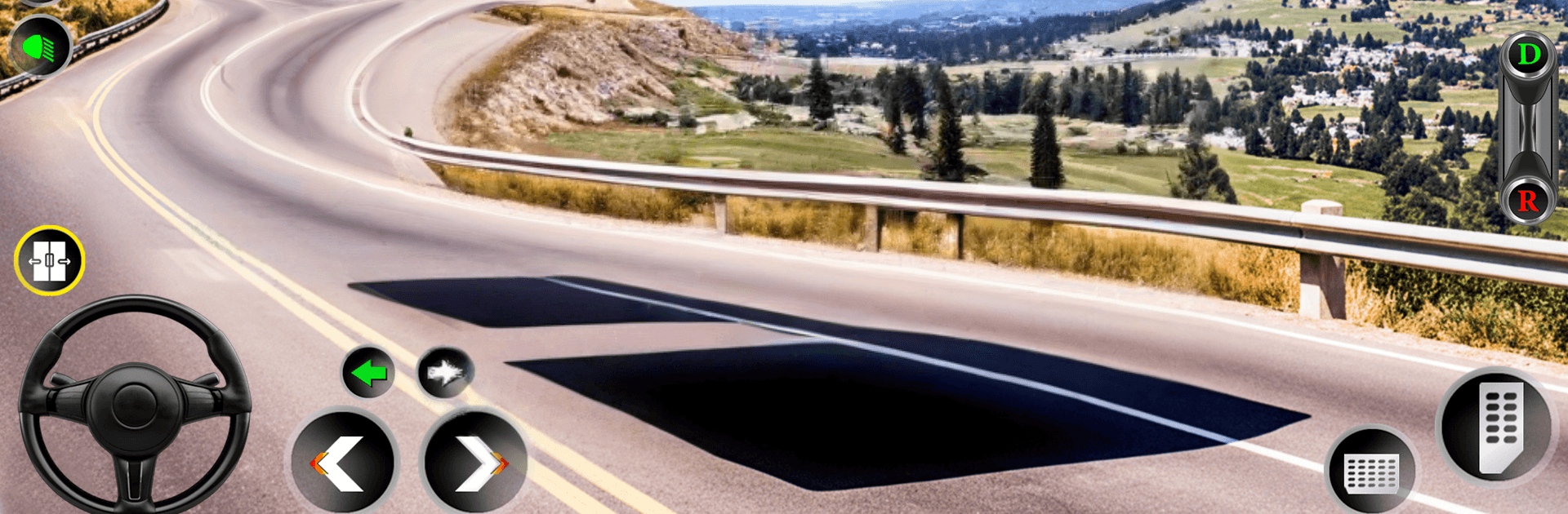
Offroad Bus Sim: Bus Games 3D is a relaxed Simulation experience built around slow, scenic drives on winding mountain roads. Your job’s simple and satisfying: pick people up, drop them off, and enjoy the view while you do it. Want a bigger screen and comfy controls? It also plays smoothly on PC with BlueStacks.

Game Features

  • Chill pick-and-drop missions: Take on bite-size routes that ease you in, from quick stops by a fast-food joint to family pickups at the station and peaceful rides to riverside spots and village parks.
  • Freeform driving feel: There aren’t strict timers breathing down your neck—set your own pace, coast through the hills, and keep it stress-free.
  • Intuitive controls: Drive the way you like with options for on-screen buttons, a steering wheel, or tilt steering for that hands-on vibe.
  • Dynamic weather and time: Switch between bright afternoons, quiet nights, or a moody rainy day to match your mood.
  • Immersive cameras and audio: Toggle through multiple camera angles and lean on ambient road sounds—plus a satisfying horn—so every run feels focused and real.
  • Mountain and village routes: Wind past rivers, parks, and small-town homes while navigating gentle traffic and narrow bends that reward smooth handling.
  • Short, story-like intros: Quick cutscenes set the scene for who’s waiting and where they’re headed, adding a simple, human touch to each ride.
  • Earn as you go: Complete pickups and drop-offs to collect small rewards that mark your progress.
  • Offline friendly: Play anywhere without needing an internet connection.
  • PC play with BlueStacks: Prefer a wider view and steady performance? BlueStacks makes cruising those curves feel extra comfortable.

Start your journey now. Download the game on BlueStacks, invite your friends, and march on a new adventure.


Game Features

Enhancements

  • Macros
  • Multi Instance
  • Multi Instance Sync
  • Script
  • Enhancements
Macros

Macros

Automate the predictable in Offroad Bus Sim: Bus Games 3D and transform your gameplay with Macros. Get access to inventive Macros in the BlueStacks Macro Community
Multi Instance

Multi Instance

Play Offroad Bus Sim: Bus Games 3D on one window. And chat with your friend on the other. Press CTRL + Shift + 8 to open the Multi-Instance Manager. And start creating fresh instances or clone an existing one.
Multi Instance Sync

Multi Instance Sync

Play Offroad Bus Sim: Bus Games 3D with the power of Multi-Instance Sync. Replicate what you are doing on the main instance on all other instances. Level up faster, play more.
Script

Script

Script your way to gaming glory in Offroad Bus Sim: Bus Games 3D with BlueStacks Script. Write and run a set of commands to automate repeated tasks. Trigger the command by assigning it to any key.
Read More

How to Download and Play Offroad Bus Sim: Bus Games 3D on PC or Mac

  • Download and install BlueStacks on your PC or Mac

  • Complete Google sign-in to access the Play Store, or do it later

  • Look for Offroad Bus Sim: Bus Games 3D in the search bar at the top right corner

  • Click to install Offroad Bus Sim: Bus Games 3D from the search results

  • Complete Google sign-in (if you skipped step 2) to install Offroad Bus Sim: Bus Games 3D

  • Click the Offroad Bus Sim: Bus Games 3D icon on the home screen to start playing

video
Watch Video

Minimum System Requirements

With BlueStacks 5, you can get started on a PC that fulfills the following requirements.

  • Operating System

    Microsoft Windows 7 or above, macOS 11 (Big Sur) or above

  • Processor

    Intel, AMD or Apple Silicon Processor

  • RAM

    at least 4GB

  • HDD

    10GB Free Disk Space

Note:

* You must be an Administrator on your PC. Up to date graphics drivers from Microsoft or the chipset vendor.

Offroad Bus Sim: Bus Games 3D - FAQs

  • How to play Offroad Bus Sim: Bus Games 3D on Windows PC & Mac?

    Play Offroad Bus Sim: Bus Games 3D on your PC or Mac by following these simple steps.

    • Click on 'Play Offroad Bus Sim: Bus Games 3D on PC’ to download BlueStacks
    • Install it and log-in to Google Play Store
    • Launch and play the game.
  • Why is BlueStacks the fastest and safest platform to play games on PC?

    BlueStacks respects your privacy and is always safe and secure to use. It does not carry any malware, spyware, or any sort of additional software that could harm your PC.

    It is engineered to optimize speed and performance for a seamless gaming experience.

  • What are Offroad Bus Sim: Bus Games 3D PC requirements?

    Minimum requirement to run Offroad Bus Sim: Bus Games 3D on your PC

    • OS: Microsoft Windows 7 or above MacOS 11 (Big Sur) or above
    • Processor: Intel, AMD or Apple Silicon Processor
    • RAM: Your PC must have at least 4GB of RAM. (Note that having 4GB or more disk space is not a substitute for RAM)
    • HDD: 10GB Free Disk Space.
    • You must be an Administrator on your PC.