Offroad Tractor Pulling Driver

Offroad Tractor Pulling Driver

Simulation

| Tech 3D Games Studios

Play on PC with BlueStacks or from our cloud

  • Overview
  • Game Features
  • How to Play

Page Modified On: September 07, 2026

Play Offroad Tractor Pulling Driver on PC or Mac

Bring your A-game to Offroad Tractor Pulling Driver, the Simulation game sensation from Tech 3D Games Studios. Give your gameplay the much-needed boost with precise game controls, high FPS graphics, and top-tier features on your PC or Mac with BlueStacks.

About the Game

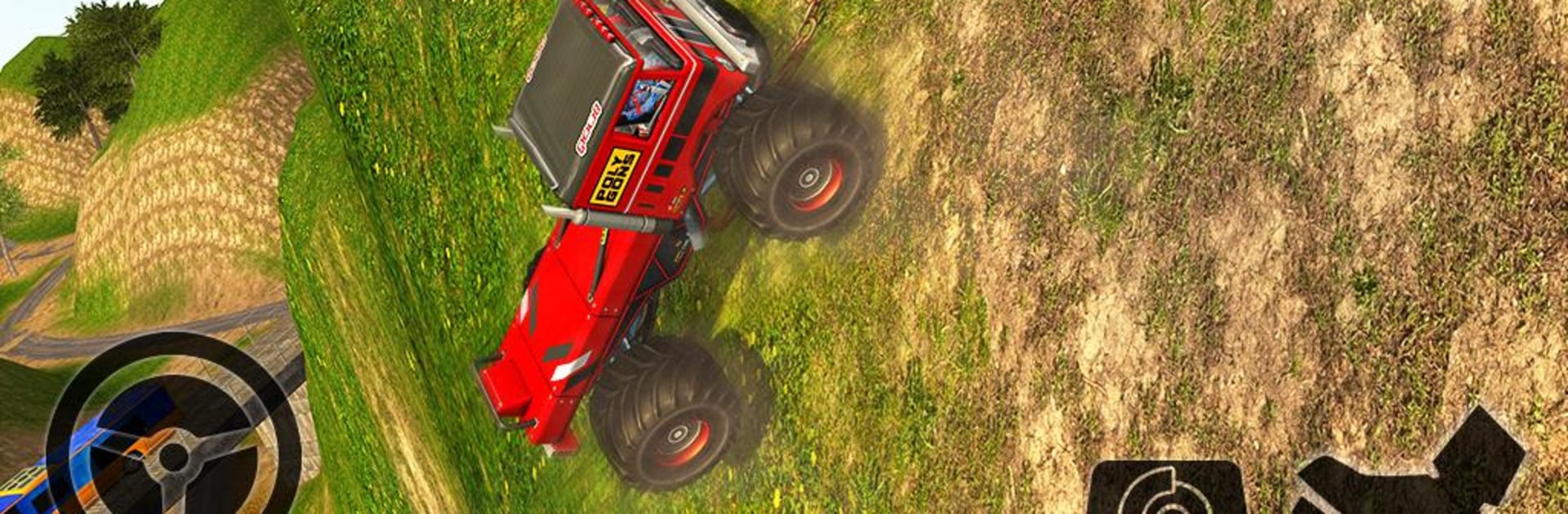
Hook up a chain, hit the throttle, and feel the weight pull back. Offroad Tractor Pulling Driver is a Simulation game where a hardworking tractor doubles as a rescue rig, hauling busted rides out of trouble across rough trails and tight city streets. Expect steep hills, slippery mud, and stubborn loads that make every delivery feel earned—also runs smoothly on PC with BlueStacks if you like a bigger view and steady controls.

Game Features

  • Heavy-duty towing: Attach chains to stranded vehicles—buses, trucks, limos, monster trucks, sports cars, even oil tankers—and drag them to safety.
  • Off-road and city routes: Switch between muddy paths, rocky climbs, narrow bridges, and busy urban roads that each demand a different approach.
  • Precision driving challenges: Keep the load stable, manage tight corners, and avoid bumps that could snap your setup.
  • Time-based missions: Hook, haul, and park under pressure with countdowns that keep every rescue on edge.
  • Multiple objectives: Take on parking tasks, recovery runs, and cargo deliveries that get trickier as you progress.
  • Control your way: Pick from gyro tilt, on-screen buttons, or a virtual steering wheel for the feel you prefer.
  • Earn and unlock: Score points for clean runs and use them to unlock heavier, tougher tractors built for serious pull power.
  • Realistic weight and traction: Feel the strain on climbs and descents as tires grip, slip, and fight for momentum.
  • Offline play: No connection? No problem—run missions and practice anywhere.
  • Big, varied environments: Work wide-open countryside and dense city maps crafted for towing grit and close calls.

Get ready for a buttery smooth, high-performance gaming action only on BlueStacks.

Game Features

Enhancements

  • Macros
  • Multi Instance
  • Multi Instance Sync
  • Script
  • Enhancements
Macros

Macros

Automate the predictable in Offroad Tractor Pulling Driver and transform your gameplay with Macros. Get access to inventive Macros in the BlueStacks Macro Community
Multi Instance

Multi Instance

Play Offroad Tractor Pulling Driver on one window. And chat with your friend on the other. Press CTRL + Shift + 8 to open the Multi-Instance Manager. And start creating fresh instances or clone an existing one.
Multi Instance Sync

Multi Instance Sync

Play Offroad Tractor Pulling Driver with the power of Multi-Instance Sync. Replicate what you are doing on the main instance on all other instances. Level up faster, play more.
Script

Script

Script your way to gaming glory in Offroad Tractor Pulling Driver with BlueStacks Script. Write and run a set of commands to automate repeated tasks. Trigger the command by assigning it to any key.
Read More

How to Download and Play Offroad Tractor Pulling Driver on PC or Mac

  • Download and install BlueStacks on your PC or Mac

  • Complete Google sign-in to access the Play Store, or do it later

  • Look for Offroad Tractor Pulling Driver in the search bar at the top right corner

  • Click to install Offroad Tractor Pulling Driver from the search results

  • Complete Google sign-in (if you skipped step 2) to install Offroad Tractor Pulling Driver

  • Click the Offroad Tractor Pulling Driver icon on the home screen to start playing

video
Watch Video

Minimum System Requirements

With BlueStacks 5, you can get started on a PC that fulfills the following requirements.

  • Operating System

    Microsoft Windows 7 or above, macOS 11 (Big Sur) or above

  • Processor

    Intel, AMD or Apple Silicon Processor

  • RAM

    at least 4GB

  • HDD

    10GB Free Disk Space

Note:

* You must be an Administrator on your PC. Up to date graphics drivers from Microsoft or the chipset vendor.

Offroad Tractor Pulling Driver - FAQs

  • How to play Offroad Tractor Pulling Driver on Windows PC & Mac?

    Play Offroad Tractor Pulling Driver on your PC or Mac by following these simple steps.

    • Click on 'Play Offroad Tractor Pulling Driver on PC’ to download BlueStacks
    • Install it and log-in to Google Play Store
    • Launch and play the game.
  • Why is BlueStacks the fastest and safest platform to play games on PC?

    BlueStacks respects your privacy and is always safe and secure to use. It does not carry any malware, spyware, or any sort of additional software that could harm your PC.

    It is engineered to optimize speed and performance for a seamless gaming experience.

  • What are Offroad Tractor Pulling Driver PC requirements?

    Minimum requirement to run Offroad Tractor Pulling Driver on your PC

    • OS: Microsoft Windows 7 or above MacOS 11 (Big Sur) or above
    • Processor: Intel, AMD or Apple Silicon Processor
    • RAM: Your PC must have at least 4GB of RAM. (Note that having 4GB or more disk space is not a substitute for RAM)
    • HDD: 10GB Free Disk Space.
    • You must be an Administrator on your PC.