Open World City Bike Driving

Open World City Bike Driving

Simulation

| GamesEight

Play on PC with BlueStacks or from our cloud

  • Overview
  • Game Features
  • How to Play

Page Modified On: November 03, 2025

Play Open World City Bike Driving on PC or Mac

From the innovators and creators at GamesEight, Open World City Bike Driving is another fun addition to the World of Simulation games. Go beyond your mobile screen and play it bigger and better on your PC or Mac. An immersive experience awaits you.

About the Game

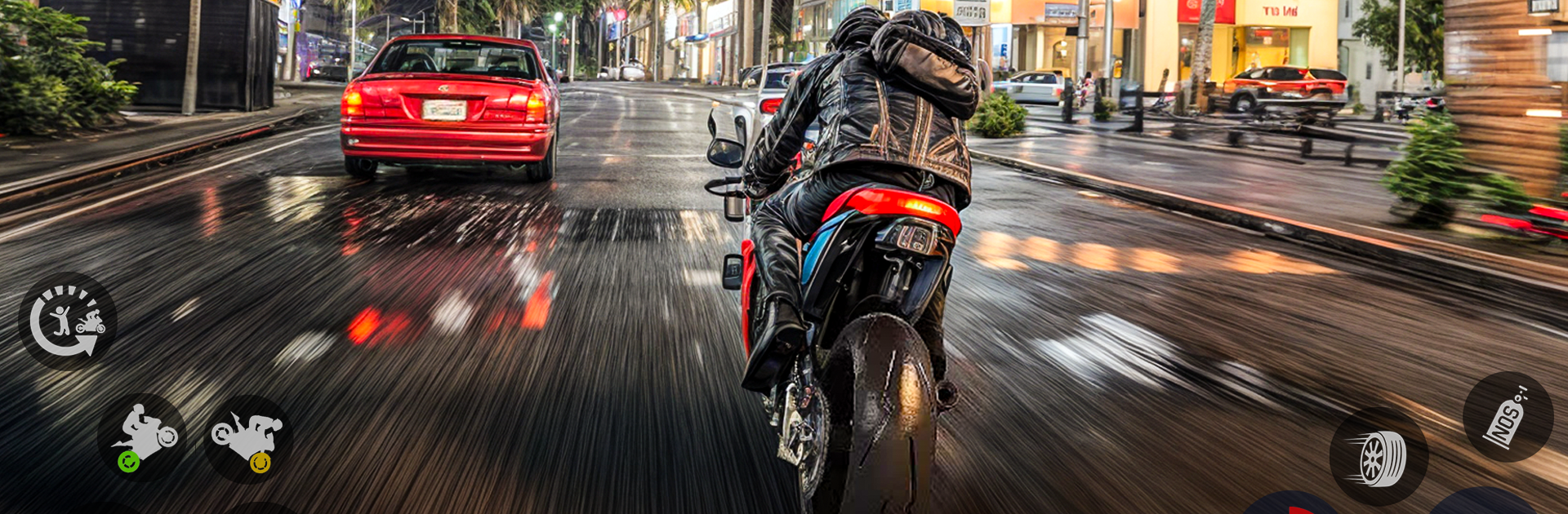
Open World City Bike Driving lets you roam a huge playground on two wheels, mixing city streets with rough backroads and wild terrain. This Simulation from GamesEight is all about feel: throttle control, weight shift, and the sweet moment when your tires reconnect after a big jump. Prefer more screen space and steady inputs? You can also play it on BlueStacks.

Game Features

  • Open-World Riding — Cruise wherever looks interesting, from steep mountain paths to forest tracks and dusty desert lines, with urban shortcuts sprinkled in.
  • Physics That Matter — Momentum, grip, and suspension actually count. Nail your approach, stick the landing, and you’ll feel the difference instantly.
  • Stunts and Big Air — Hit ramps, climb spirals, edge across narrow planks, and take on cliffside paths. Pull flips and clean airs when you’ve got the speed and angle right.
  • Smooth, Snappy Handling — Tight steering and responsive throttle help you correct midair, thread tight spots, and control sketchy descents without fighting the bike.
  • Detailed 3D Environments — Clear vistas, crisp terrain, and varied biomes make every route feel distinct, whether you’re carving through pines or skimming along canyon rims.
  • Choose Your Pace — Go for a chill ride and explore, or chase technical lines and trick spots to sharpen your timing and control.

Make your gaming sessions memorable with precise controls that give you an edge in close combats and visuals that pop up, bringing every character to life.


Game Features

Enhancements

  • Macros
  • Multi Instance
  • Multi Instance Sync
  • Script
  • Enhancements
Macros

Macros

Automate the predictable in Open World City Bike Driving and transform your gameplay with Macros. Get access to inventive Macros in the BlueStacks Macro Community
Multi Instance

Multi Instance

Play Open World City Bike Driving on one window. And chat with your friend on the other. Press CTRL + Shift + 8 to open the Multi-Instance Manager. And start creating fresh instances or clone an existing one.
Multi Instance Sync

Multi Instance Sync

Play Open World City Bike Driving with the power of Multi-Instance Sync. Replicate what you are doing on the main instance on all other instances. Level up faster, play more.
Script

Script

Script your way to gaming glory in Open World City Bike Driving with BlueStacks Script. Write and run a set of commands to automate repeated tasks. Trigger the command by assigning it to any key.
Read More

How to Download and Play Open World City Bike Driving on PC or Mac

  • Download and install BlueStacks on your PC or Mac

  • Complete Google sign-in to access the Play Store, or do it later

  • Look for Open World City Bike Driving in the search bar at the top right corner

  • Click to install Open World City Bike Driving from the search results

  • Complete Google sign-in (if you skipped step 2) to install Open World City Bike Driving

  • Click the Open World City Bike Driving icon on the home screen to start playing

video
Watch Video

Minimum System Requirements

With BlueStacks 5, you can get started on a PC that fulfills the following requirements.

  • Operating System

    Microsoft Windows 7 or above, macOS 11 (Big Sur) or above

  • Processor

    Intel, AMD or Apple Silicon Processor

  • RAM

    at least 4GB

  • HDD

    10GB Free Disk Space

Note:

* You must be an Administrator on your PC. Up to date graphics drivers from Microsoft or the chipset vendor.

Open World City Bike Driving - FAQs

  • How to play Open World City Bike Driving on Windows PC & Mac?

    Play Open World City Bike Driving on your PC or Mac by following these simple steps.

    • Click on 'Play Open World City Bike Driving on PC’ to download BlueStacks
    • Install it and log-in to Google Play Store
    • Launch and play the game.
  • Why is BlueStacks the fastest and safest platform to play games on PC?

    BlueStacks respects your privacy and is always safe and secure to use. It does not carry any malware, spyware, or any sort of additional software that could harm your PC.

    It is engineered to optimize speed and performance for a seamless gaming experience.

  • What are Open World City Bike Driving PC requirements?

    Minimum requirement to run Open World City Bike Driving on your PC

    • OS: Microsoft Windows 7 or above MacOS 11 (Big Sur) or above
    • Processor: Intel, AMD or Apple Silicon Processor
    • RAM: Your PC must have at least 4GB of RAM. (Note that having 4GB or more disk space is not a substitute for RAM)
    • HDD: 10GB Free Disk Space.
    • You must be an Administrator on your PC.