Oper Driving Simulator: Online & Lada Vaz

Oper Driving Simulator: Online & Lada Vaz

Simulation

| FozerApp

Play on PC with BlueStacks or from our cloud

  • Overview
  • Game Features
  • How to Play

Page Modified On: November 29, 2025

Play Oper Driving Simulator: Online & Lada Vaz on PC or Mac

Bring your A-game to Oper Driving Simulator: Online & Lada Vaz, the Simulation game sensation from FozerApp. Give your gameplay the much-needed boost with precise game controls, high FPS graphics, and top-tier features on your PC or Mac with BlueStacks.

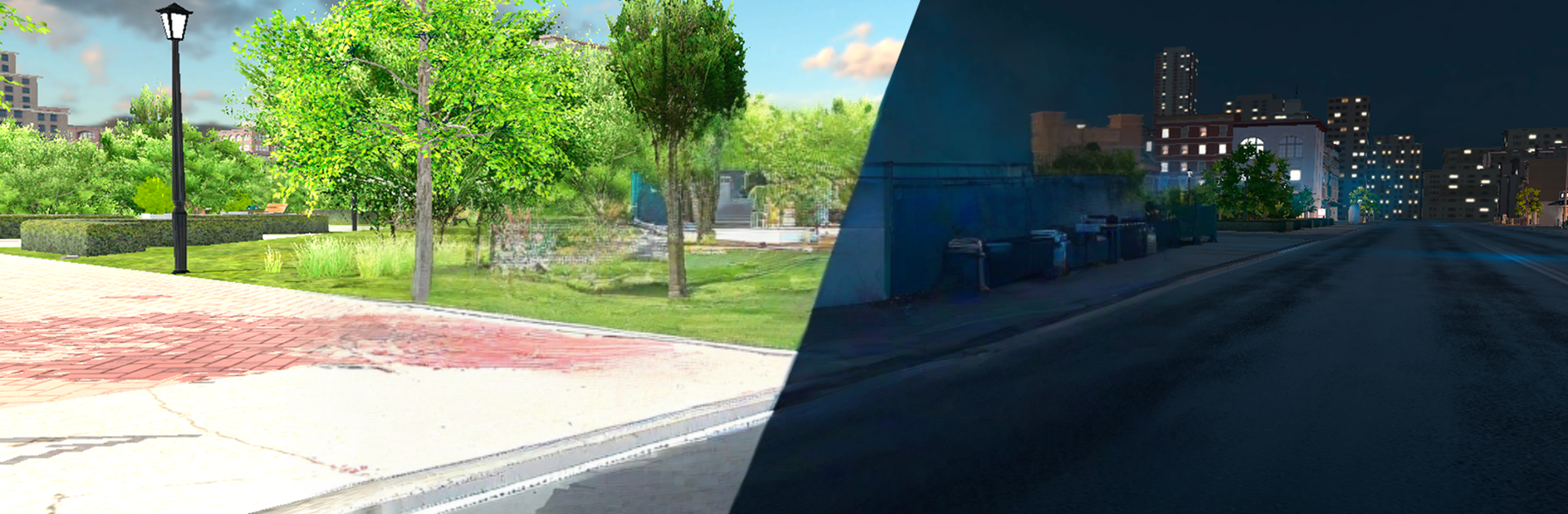
Oper Driving Simulator: Online & Lada Vaz is basically a love letter to old Lada boxes and the whole Russian street driving scene. It drops players into simple open areas that feel like Russian city blocks and highways, then hands over classics like the 2107 and 2114 and says go make some noise. The cars feel light in the rear and want to slide, so the drift system is the star. It is not a hardcore sim, but the physics have enough weight that a clean slide around a long corner feels earned. There is online play with casual rooms where everyone cruises, drifts, bumps into curbs, and laughs it off. No long tutorials or heavy menus, just pick a Lada and roll.

The graphics are modest but the cars have that honest detail that makes a VAZ look like a VAZ. Players will spot nods to Priora and Granta culture, police signs, the whole criminal-Russia flavor, all played with a wink. Steering on touch is fine, but on PC with BlueStacks and a keyboard, holding a line and feathering the throttle feels smoother, and mapping a handbrake key makes the rear step out exactly when wanted. It is the kind of game that works for quick sessions: free drive, park it, try a better drift line, chase a friend through a block, repeat. If someone likes boxy Ladas, tire squeal, and that slightly scrappy street energy, this scratches the itch without getting fussy about realism or story.

Start your journey now. Download the game on BlueStacks, invite your friends, and march on a new adventure.


Game Features

Enhancements

  • Macros
  • Multi Instance
  • Multi Instance Sync
  • Script
  • Enhancements
Macros

Macros

Automate the predictable in Oper Driving Simulator: Online & Lada Vaz and transform your gameplay with Macros. Get access to inventive Macros in the BlueStacks Macro Community
Multi Instance

Multi Instance

Play Oper Driving Simulator: Online & Lada Vaz on one window. And chat with your friend on the other. Press CTRL + Shift + 8 to open the Multi-Instance Manager. And start creating fresh instances or clone an existing one.
Multi Instance Sync

Multi Instance Sync

Play Oper Driving Simulator: Online & Lada Vaz with the power of Multi-Instance Sync. Replicate what you are doing on the main instance on all other instances. Level up faster, play more.
Script

Script

Script your way to gaming glory in Oper Driving Simulator: Online & Lada Vaz with BlueStacks Script. Write and run a set of commands to automate repeated tasks. Trigger the command by assigning it to any key.
Read More

How to Download and Play Oper Driving Simulator: Online & Lada Vaz on PC or Mac

  • Download and install BlueStacks on your PC or Mac

  • Complete Google sign-in to access the Play Store, or do it later

  • Look for Oper Driving Simulator: Online & Lada Vaz in the search bar at the top right corner

  • Click to install Oper Driving Simulator: Online & Lada Vaz from the search results

  • Complete Google sign-in (if you skipped step 2) to install Oper Driving Simulator: Online & Lada Vaz

  • Click the Oper Driving Simulator: Online & Lada Vaz icon on the home screen to start playing

video
Watch Video

Minimum System Requirements

With BlueStacks 5, you can get started on a PC that fulfills the following requirements.

  • Operating System

    Microsoft Windows 7 or above, macOS 11 (Big Sur) or above

  • Processor

    Intel, AMD or Apple Silicon Processor

  • RAM

    at least 4GB

  • HDD

    10GB Free Disk Space

Note:

* You must be an Administrator on your PC. Up to date graphics drivers from Microsoft or the chipset vendor.

Oper Driving Simulator: Online & Lada Vaz - FAQs

  • How to play Oper Driving Simulator: Online & Lada Vaz on Windows PC & Mac?

    Play Oper Driving Simulator: Online & Lada Vaz on your PC or Mac by following these simple steps.

    • Click on 'Play Oper Driving Simulator: Online & Lada Vaz on PC’ to download BlueStacks
    • Install it and log-in to Google Play Store
    • Launch and play the game.
  • Why is BlueStacks the fastest and safest platform to play games on PC?

    BlueStacks respects your privacy and is always safe and secure to use. It does not carry any malware, spyware, or any sort of additional software that could harm your PC.

    It is engineered to optimize speed and performance for a seamless gaming experience.

  • What are Oper Driving Simulator: Online & Lada Vaz PC requirements?

    Minimum requirement to run Oper Driving Simulator: Online & Lada Vaz on your PC

    • OS: Microsoft Windows 7 or above MacOS 11 (Big Sur) or above
    • Processor: Intel, AMD or Apple Silicon Processor
    • RAM: Your PC must have at least 4GB of RAM. (Note that having 4GB or more disk space is not a substitute for RAM)
    • HDD: 10GB Free Disk Space.
    • You must be an Administrator on your PC.