Pharmacy Manager Simulator!

Pharmacy Manager Simulator!

Simulation

| MILKYWAY OYUN YAZILIM BILISIM SAN. TIC. A.S.

Play on PC with BlueStacks or from our cloud

  • Overview
  • Game Features
  • How to Play

Page Modified On: May 11, 2026

Play Pharmacy Manager Simulator! on PC or Mac

From the innovators and creators at MILKYWAY OYUN YAZILIM BILISIM SAN. TIC. A.S., Pharmacy Manager Simulator! is another fun addition to the World of Simulation games. Go beyond your mobile screen and play it bigger and better on your PC or Mac. An immersive experience awaits you.

About the Game

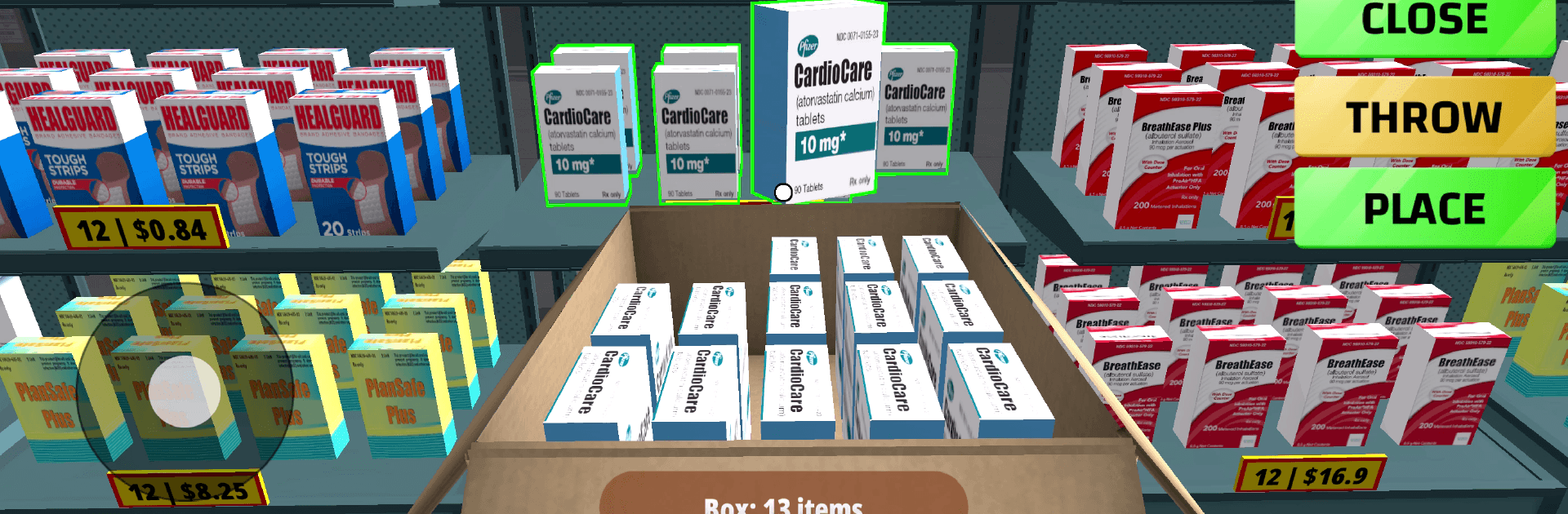
Pharmacy Manager Simulator! puts you behind the counter—and in the driver’s seat—of a growing neighborhood shop. You’re not just stocking pills and lotions; you’re planning shelves, setting prices, talking to customers, and turning a small storefront into something people rely on. It’s a hands-on, day-to-day Simulation from MILKYWAY OYUN YAZILIM BILISIM SAN. TIC. A.S. with just the right mix of chill routine and business brainpower.

Game Features

  • Real store management: Order medicines, beauty items, and everyday essentials, then organize them on shelves so they’re easy to find. Keep an eye on what sells and restock before the rush hits.

  • Pricing that matters: Set your own prices and balance profit with happy customers. Nudge a few items up, run a quiet discount on others—see what moves.

  • Checkout that feels authentic: Ring up purchases, handle cash the right way, or use a sleek card terminal. Quick math and a steady hand keep the line moving.

  • Upgrades with purpose: Add shelves, fridges, and premium products to boost traffic. Rearrange the layout and style to make the store both efficient and good-looking.

  • Business beyond the counter: Hop in your car to visit suppliers, meet vendors, and talk to real estate agents when it’s time to expand. Bigger space, better deals, more foot traffic.

  • Build your crew: Hire helpful staff to cover customer service and checkouts. A strong team keeps the store smooth during peak hours.

  • Simple, friendly controls: Easy to learn if you’re curious, satisfying if you’re a Simulation fan who likes tinkering with systems.

  • Play your way: Run the shop on mobile, or use BlueStacks for a wider view when you want to manage the floor plan and inventory on a larger screen.

Ready to top the leaderboard? We bet you do. Let precise controls and sharp visuals optimized on BlueStacks lead you to victory.


Game Features

Enhancements

  • Macros
  • Multi Instance
  • Multi Instance Sync
  • Script
  • Enhancements
Macros

Macros

Automate the predictable in Pharmacy Manager Simulator! and transform your gameplay with Macros. Get access to inventive Macros in the BlueStacks Macro Community
Multi Instance

Multi Instance

Play Pharmacy Manager Simulator! on one window. And chat with your friend on the other. Press CTRL + Shift + 8 to open the Multi-Instance Manager. And start creating fresh instances or clone an existing one.
Multi Instance Sync

Multi Instance Sync

Play Pharmacy Manager Simulator! with the power of Multi-Instance Sync. Replicate what you are doing on the main instance on all other instances. Level up faster, play more.
Script

Script

Script your way to gaming glory in Pharmacy Manager Simulator! with BlueStacks Script. Write and run a set of commands to automate repeated tasks. Trigger the command by assigning it to any key.
Read More

How to Download and Play Pharmacy Manager Simulator! on PC or Mac

  • Download and install BlueStacks on your PC or Mac

  • Complete Google sign-in to access the Play Store, or do it later

  • Look for Pharmacy Manager Simulator! in the search bar at the top right corner

  • Click to install Pharmacy Manager Simulator! from the search results

  • Complete Google sign-in (if you skipped step 2) to install Pharmacy Manager Simulator!

  • Click the Pharmacy Manager Simulator! icon on the home screen to start playing

video
Watch Video

Minimum System Requirements

With BlueStacks 5, you can get started on a PC that fulfills the following requirements.

  • Operating System

    Microsoft Windows 7 or above, macOS 11 (Big Sur) or above

  • Processor

    Intel, AMD or Apple Silicon Processor

  • RAM

    at least 4GB

  • HDD

    10GB Free Disk Space

Note:

* You must be an Administrator on your PC. Up to date graphics drivers from Microsoft or the chipset vendor.

Pharmacy Manager Simulator! - FAQs

  • How to play Pharmacy Manager Simulator! on Windows PC & Mac?

    Play Pharmacy Manager Simulator! on your PC or Mac by following these simple steps.

    • Click on 'Play Pharmacy Manager Simulator! on PC’ to download BlueStacks
    • Install it and log-in to Google Play Store
    • Launch and play the game.
  • Why is BlueStacks the fastest and safest platform to play games on PC?

    BlueStacks respects your privacy and is always safe and secure to use. It does not carry any malware, spyware, or any sort of additional software that could harm your PC.

    It is engineered to optimize speed and performance for a seamless gaming experience.

  • What are Pharmacy Manager Simulator! PC requirements?

    Minimum requirement to run Pharmacy Manager Simulator! on your PC

    • OS: Microsoft Windows 7 or above MacOS 11 (Big Sur) or above
    • Processor: Intel, AMD or Apple Silicon Processor
    • RAM: Your PC must have at least 4GB of RAM. (Note that having 4GB or more disk space is not a substitute for RAM)
    • HDD: 10GB Free Disk Space.
    • You must be an Administrator on your PC.