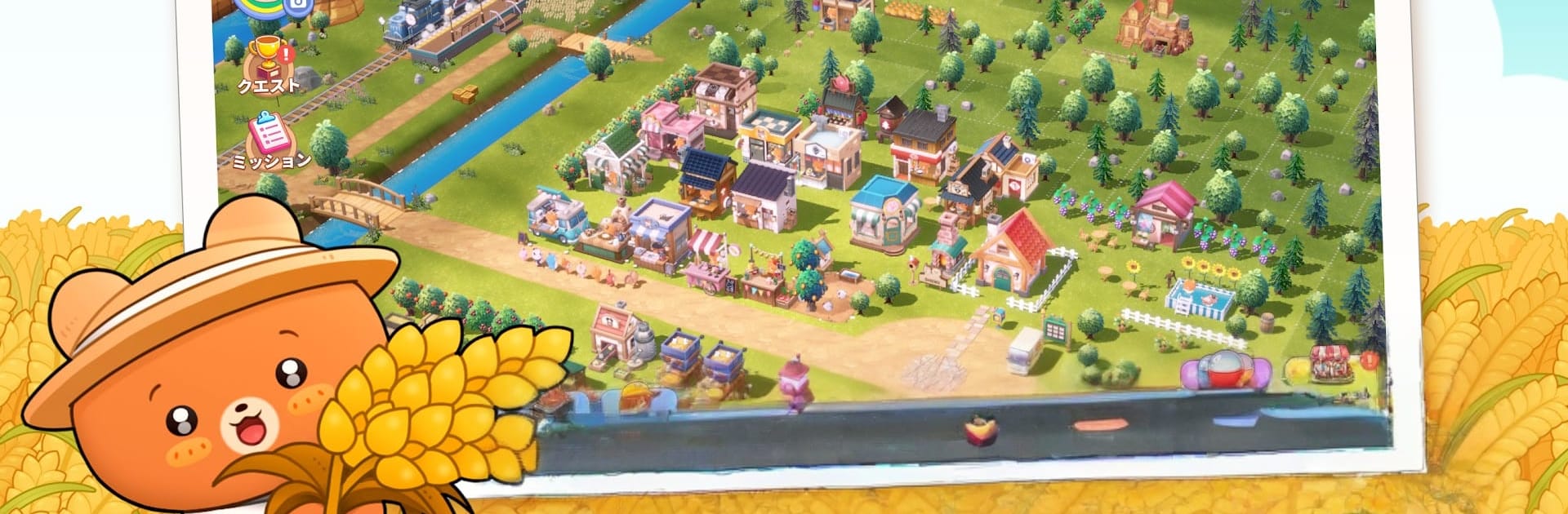


Explore a whole new adventure with PokeFarm – Cozy farm Game, a Simulation game created by Metascale Corp.. Experience great gameplay with BlueStacks, the most popular gaming platform to play Android games on your PC or Mac.
About the Game
PokeFarm – Cozy farm Game is a gentle, feel-good Simulation from Metascale Corp. where you build a woodland homestead alongside an endearing tribe of bears. Settle into Kuma no Mori (the Bear Forest), grow what you need, craft what you love, and shape a farm that feels like home—no rush, just cozy moments. It even plays smoothly on BlueStacks if you prefer relaxing on a bigger screen.
What’s New?
The Mine Ranking Event is live- time to dig deeper than ever and climb the leaderboard! You can now seamlessly visit other villages straight from the Ranking Board. A new update has rolled out, bringing balance tweaks to market prices and core gameplay. Updates have also been applied to Mystery Balloon rewards and other loot systems.
New QoL improvements and Mine Packages are also up for grabs. See you in Pokefarm, Kuma Tribe!
Game Features
- Cozy Bear Forest: Settle into a warm, storybook-like woods and become part of the Kuma tribe. Adorable bears and friendly critters bring your farm to life as you decorate and expand.
- Plant, Craft, Deliver: Raise crops, turn them into baked treats or handcrafted goods, then send out orders to keep the village bustling. It’s a simple loop that’s surprisingly satisfying.
- Collect Kuma Companions: Invite unique Kuma pals to your land. Place them around your farm and they’ll steadily hand you items, coins, and experience while adding personality to your village.
- Real Mining and Jewel Crafting: Team up with the Mining Kuma to dig for raw gemstones, then polish them into sparkling jewelry. There’s talk of a legendary treasure buried deep—curious?
- Friendly Co-op: Swing by a friend’s farm, lend a hand with deliveries, and trade gifts. It’s social when you want it, chill when you don’t.
- Decorating Without Deadlines: Rearrange, collect, and refine your look as often as you like. Short check-ins or slow sessions both feel relaxing.
- Friend Invite Quest Rewards: Complete the Friend Invite Quest to snag 1,100 Gems, a sweet boost for expanding your cozy corner of the forest.
Slay your opponents with your epic moves. Play it your way on BlueStacks and dominate the battlefield.