Prison Guard: Escape 76

Prison Guard: Escape 76

Simulation

| Take Top Entertainment

Play on PC with BlueStacks or from our cloud

  • Overview
  • Game Features
  • How to Play

Page Modified On: November 10, 2025

Play Prison Guard: Escape 76 on PC or Mac

Step into the World of Prison Guard: Escape 76, a thrilling Simulation game from the house of Take Top Entertainment. Play this Android game on BlueStacks App Player and experience immersive gaming on PC or Mac.

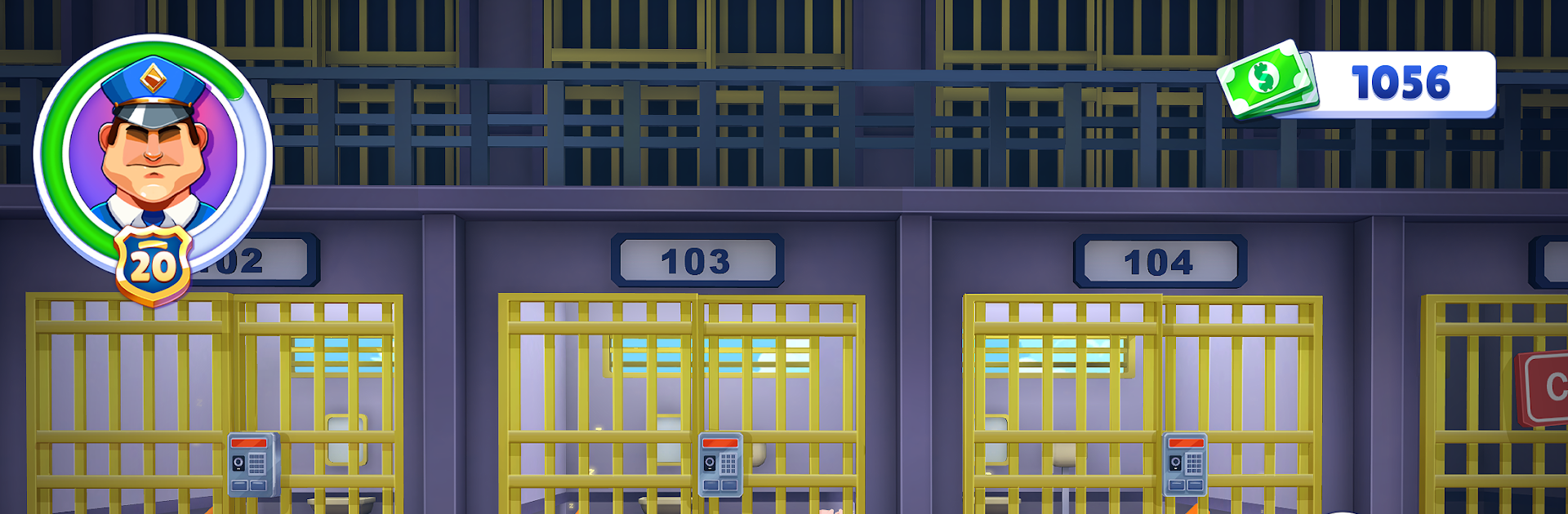
Prison Guard: Escape 76 plays like a day on the job inside a tense, crowded lockup. The player is the guard who walks the blocks, checks cells, and tries to keep a lid on trouble before it spreads. One minute it is quiet rounds and paperwork-style checks, the next there is a brawl in the yard, a siren, and a scramble to seal gates and get everyone back under control. It leans on quick decisions. Do you go straight to a lockdown or try to calm things first. Chase the runner or secure the corridor and cut them off. The game keeps tossing little problems that can snowball if handled poorly, which makes even routine patrols feel watchful.

The map looks like a believable prison with narrow halls, metal doors, and a yard that feels exposed. There are inspections, contraband searches, and moments where a choice matters, like deciding whether to trust an inmate tip or sweep the whole wing. It shifts between management and action, with small systems feeding into each other, so catching one shiv during a search might stop a riot later. On PC through BlueStacks, the keyboard mapping helps with movement and quick menu picks, which makes chasing an escape attempt or switching to lockdown faster than tapping. It is not just a beat-em-up either. Acting as a guard or warden brings rules to follow, pressure to keep order, and those tense beats where one mistake turns a hallway into chaos.

Ready to top the leaderboard? We bet you do. Let precise controls and sharp visuals optimized on BlueStacks lead you to victory.


Game Features

Enhancements

  • Macros
  • Multi Instance
  • Multi Instance Sync
  • Script
  • Enhancements
Macros

Macros

Automate the predictable in Prison Guard: Escape 76 and transform your gameplay with Macros. Get access to inventive Macros in the BlueStacks Macro Community
Multi Instance

Multi Instance

Play Prison Guard: Escape 76 on one window. And chat with your friend on the other. Press CTRL + Shift + 8 to open the Multi-Instance Manager. And start creating fresh instances or clone an existing one.
Multi Instance Sync

Multi Instance Sync

Play Prison Guard: Escape 76 with the power of Multi-Instance Sync. Replicate what you are doing on the main instance on all other instances. Level up faster, play more.
Script

Script

Script your way to gaming glory in Prison Guard: Escape 76 with BlueStacks Script. Write and run a set of commands to automate repeated tasks. Trigger the command by assigning it to any key.
Read More

How to Download and Play Prison Guard: Escape 76 on PC or Mac

  • Download and install BlueStacks on your PC or Mac

  • Complete Google sign-in to access the Play Store, or do it later

  • Look for Prison Guard: Escape 76 in the search bar at the top right corner

  • Click to install Prison Guard: Escape 76 from the search results

  • Complete Google sign-in (if you skipped step 2) to install Prison Guard: Escape 76

  • Click the Prison Guard: Escape 76 icon on the home screen to start playing

video
Watch Video

Minimum System Requirements

With BlueStacks 5, you can get started on a PC that fulfills the following requirements.

  • Operating System

    Microsoft Windows 7 or above, macOS 11 (Big Sur) or above

  • Processor

    Intel, AMD or Apple Silicon Processor

  • RAM

    at least 4GB

  • HDD

    10GB Free Disk Space

Note:

* You must be an Administrator on your PC. Up to date graphics drivers from Microsoft or the chipset vendor.

Prison Guard: Escape 76 - FAQs

  • How to play Prison Guard: Escape 76 on Windows PC & Mac?

    Play Prison Guard: Escape 76 on your PC or Mac by following these simple steps.

    • Click on 'Play Prison Guard: Escape 76 on PC’ to download BlueStacks
    • Install it and log-in to Google Play Store
    • Launch and play the game.
  • Why is BlueStacks the fastest and safest platform to play games on PC?

    BlueStacks respects your privacy and is always safe and secure to use. It does not carry any malware, spyware, or any sort of additional software that could harm your PC.

    It is engineered to optimize speed and performance for a seamless gaming experience.

  • What are Prison Guard: Escape 76 PC requirements?

    Minimum requirement to run Prison Guard: Escape 76 on your PC

    • OS: Microsoft Windows 7 or above MacOS 11 (Big Sur) or above
    • Processor: Intel, AMD or Apple Silicon Processor
    • RAM: Your PC must have at least 4GB of RAM. (Note that having 4GB or more disk space is not a substitute for RAM)
    • HDD: 10GB Free Disk Space.
    • You must be an Administrator on your PC.