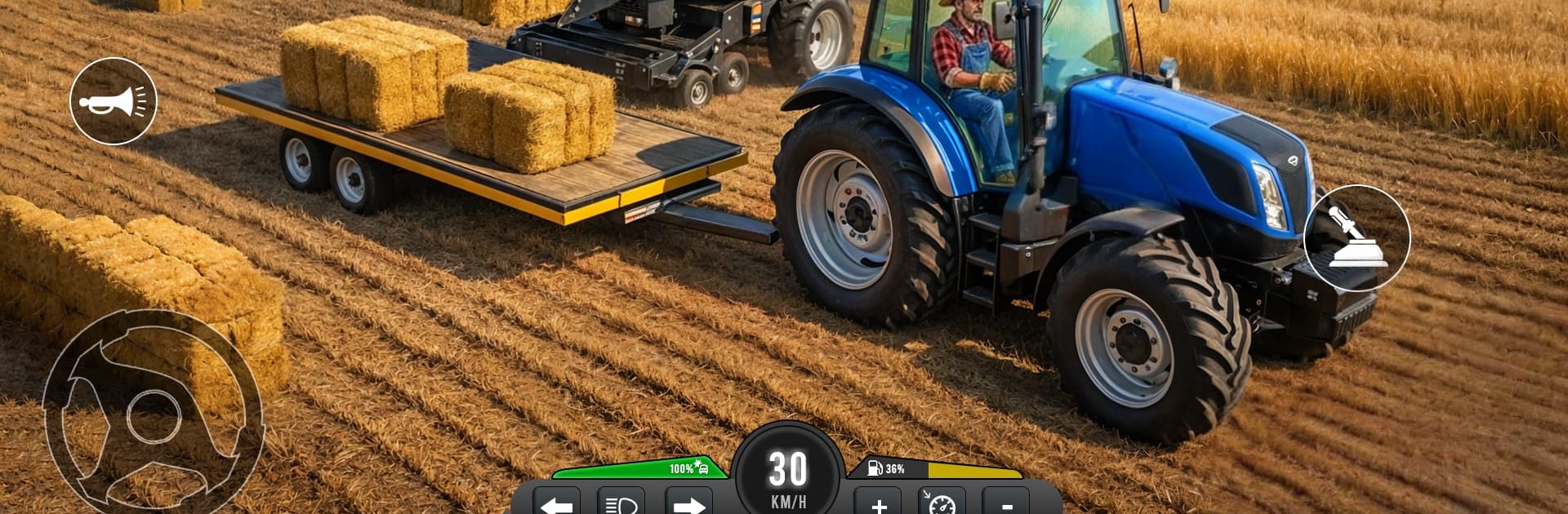
Real Tractor Farming Sim Games

Real Tractor Farming Sim Games

Simulation

| GamEmpires LLC

Play on PC with BlueStacks or from our cloud

  • Overview
  • Game Features
  • How to Play

Page Modified On: August 14, 2026

Play Real Tractor Farming Sim Games on PC or Mac

Real Tractor Farming Sim Games brings the Simulation genre to life, and throws up exciting challenges for gamers. Developed by GamEmpires LLC, this Android game is best experienced on BlueStacks, the World’s #1 app player for PC and Mac users.

About the Game
Real Tractor Farming Sim Games puts you behind the wheel of heavy-duty farm machines and a stretch of countryside that needs careful hands. It’s about prepping the land, planting with purpose, and timing your harvests just right—steady, satisfying, and hands-on. If you’ve been craving a grounded Simulation of real fieldwork, this one keeps it practical without feeling dull. Want a bigger view while you play? It runs smoothly on PC with BlueStacks, too.

Game Features
– Real field tasks: Plow, cultivate, sow, irrigate, and harvest in the proper order, with timing that actually matters for healthy yields.
– Modern machines: Switch between multiple tractors and useful implements—plows, seeders, trailers—and kit up for each job.
– Weighty handling: Feel the difference in traction and turning as realistic physics make big rigs feel, well, big.
– Mission-based play: Tackle focused objectives that walk you through farm life—from prepping soil to bringing crops in on schedule.
– Open countryside: Roll through village fields and quiet dirt tracks inside a detailed rural map that rewards unhurried exploration.
– Smooth controls: Intuitive controls make lining up rows, hitching tools, and managing speed straightforward and stress-free.
– Crop management: Keep an eye on planting, watering, and harvest windows to avoid missed patches and messy rows.
– Skills that stick: The more you work, the more comfortable you’ll get juggling fields, machines, and back-to-back tasks.

Ready to top the leaderboard? We bet you do. Let precise controls and sharp visuals optimized on BlueStacks lead you to victory.


Game Features

Enhancements

  • Macros
  • Multi Instance
  • Multi Instance Sync
  • Script
  • Enhancements
Macros

Macros

Automate the predictable in Real Tractor Farming Sim Games and transform your gameplay with Macros. Get access to inventive Macros in the BlueStacks Macro Community
Multi Instance

Multi Instance

Play Real Tractor Farming Sim Games on one window. And chat with your friend on the other. Press CTRL + Shift + 8 to open the Multi-Instance Manager. And start creating fresh instances or clone an existing one.
Multi Instance Sync

Multi Instance Sync

Play Real Tractor Farming Sim Games with the power of Multi-Instance Sync. Replicate what you are doing on the main instance on all other instances. Level up faster, play more.
Script

Script

Script your way to gaming glory in Real Tractor Farming Sim Games with BlueStacks Script. Write and run a set of commands to automate repeated tasks. Trigger the command by assigning it to any key.
Read More

How to Download and Play Real Tractor Farming Sim Games on PC or Mac

  • Download and install BlueStacks on your PC or Mac

  • Complete Google sign-in to access the Play Store, or do it later

  • Look for Real Tractor Farming Sim Games in the search bar at the top right corner

  • Click to install Real Tractor Farming Sim Games from the search results

  • Complete Google sign-in (if you skipped step 2) to install Real Tractor Farming Sim Games

  • Click the Real Tractor Farming Sim Games icon on the home screen to start playing

video
Watch Video

Minimum System Requirements

With BlueStacks 5, you can get started on a PC that fulfills the following requirements.

  • Operating System

    Microsoft Windows 7 or above, macOS 11 (Big Sur) or above

  • Processor

    Intel, AMD or Apple Silicon Processor

  • RAM

    at least 4GB

  • HDD

    10GB Free Disk Space

Note:

* You must be an Administrator on your PC. Up to date graphics drivers from Microsoft or the chipset vendor.

Real Tractor Farming Sim Games - FAQs

  • How to play Real Tractor Farming Sim Games on Windows PC & Mac?

    Play Real Tractor Farming Sim Games on your PC or Mac by following these simple steps.

    • Click on 'Play Real Tractor Farming Sim Games on PC’ to download BlueStacks
    • Install it and log-in to Google Play Store
    • Launch and play the game.
  • Why is BlueStacks the fastest and safest platform to play games on PC?

    BlueStacks respects your privacy and is always safe and secure to use. It does not carry any malware, spyware, or any sort of additional software that could harm your PC.

    It is engineered to optimize speed and performance for a seamless gaming experience.

  • What are Real Tractor Farming Sim Games PC requirements?

    Minimum requirement to run Real Tractor Farming Sim Games on your PC

    • OS: Microsoft Windows 7 or above MacOS 11 (Big Sur) or above
    • Processor: Intel, AMD or Apple Silicon Processor
    • RAM: Your PC must have at least 4GB of RAM. (Note that having 4GB or more disk space is not a substitute for RAM)
    • HDD: 10GB Free Disk Space.
    • You must be an Administrator on your PC.