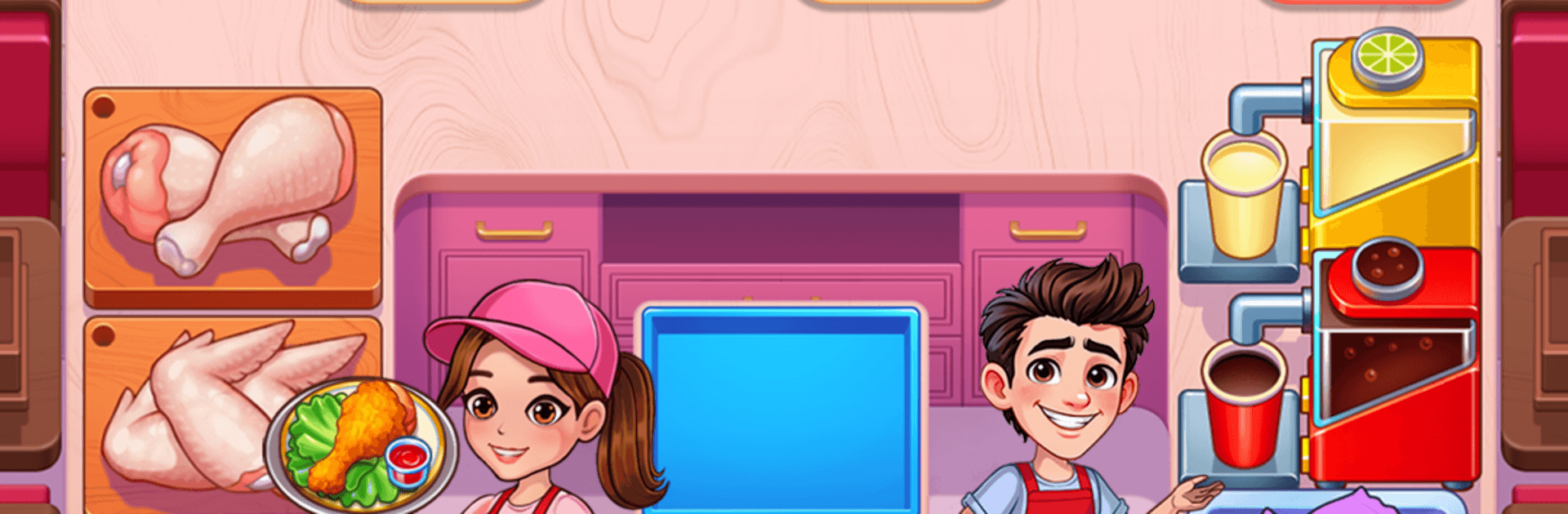
Recipe Rush - Cooking Games

Recipe Rush - Cooking Games

Simulation

| FlowMotion Entertainment

Play on PC with BlueStacks or from our cloud

  • Overview
  • Game Features
  • How to Play

Page Modified On: August 20, 2026

Play Recipe Rush - Cooking Games on PC or Mac

Explore a whole new adventure with Recipe Rush – Cooking Games, a Simulation game created by FlowMotion Entertainment. Experience great gameplay with BlueStacks, the most popular gaming platform to play Android games on your PC or Mac.

About the Game

Recipe Rush – Cooking Games is a fast, feel-good Simulation that’s all about keeping hungry customers happy while you crank out delicious plates. Expect snappy taps, quick decisions, and that satisfying rhythm of juggling orders as you bounce between grills, ovens, and prep stations. Prefer more screen space and crisp controls? It plays great on BlueStacks, too.

Game Features

  • Speedy Tap-to-Serve: Cook, assemble, and send out meals with responsive taps while the crowd piles in and the timer keeps ticking.
  • Merge for Mastery: Combine ingredients and prep items to craft richer recipes without digging through clunky menus—clean, satisfying merges do the heavy lifting.
  • Global Tastes, One City: Unlock new eateries inspired by cuisines from around the world, each with fresh flavors, layouts, and pacing.
  • Head-to-Head Moments: Hop into quick challenges and chase high scores against friends and other chefs for bragging rights and sweet rewards.
  • Tons of Stages, Tons of Upgrades: Work through a long list of levels and trick out your kitchen with faster grills, extra pans, and smarter prep gear.
  • Timing Is Everything: Keep an eye on timers, manage queues, and save dishes before they burn—smooth multitasking wins the rush.
  • Grow Your Food Story: Open new cafés and add chapters to your in-game journal as your tiny counter turns into a busy brand.

Ready to top the leaderboard? We bet you do. Let precise controls and sharp visuals optimized on BlueStacks lead you to victory.


Game Features

Enhancements

  • Macros
  • Multi Instance
  • Multi Instance Sync
  • Script
  • Enhancements
Macros

Macros

Automate the predictable in Recipe Rush - Cooking Games and transform your gameplay with Macros. Get access to inventive Macros in the BlueStacks Macro Community
Multi Instance

Multi Instance

Play Recipe Rush - Cooking Games on one window. And chat with your friend on the other. Press CTRL + Shift + 8 to open the Multi-Instance Manager. And start creating fresh instances or clone an existing one.
Multi Instance Sync

Multi Instance Sync

Play Recipe Rush - Cooking Games with the power of Multi-Instance Sync. Replicate what you are doing on the main instance on all other instances. Level up faster, play more.
Script

Script

Script your way to gaming glory in Recipe Rush - Cooking Games with BlueStacks Script. Write and run a set of commands to automate repeated tasks. Trigger the command by assigning it to any key.
Read More

How to Download and Play Recipe Rush - Cooking Games on PC or Mac

  • Download and install BlueStacks on your PC or Mac

  • Complete Google sign-in to access the Play Store, or do it later

  • Look for Recipe Rush - Cooking Games in the search bar at the top right corner

  • Click to install Recipe Rush - Cooking Games from the search results

  • Complete Google sign-in (if you skipped step 2) to install Recipe Rush - Cooking Games

  • Click the Recipe Rush - Cooking Games icon on the home screen to start playing

video
Watch Video

Minimum System Requirements

With BlueStacks 5, you can get started on a PC that fulfills the following requirements.

  • Operating System

    Microsoft Windows 7 or above, macOS 11 (Big Sur) or above

  • Processor

    Intel, AMD or Apple Silicon Processor

  • RAM

    at least 4GB

  • HDD

    10GB Free Disk Space

Note:

* You must be an Administrator on your PC. Up to date graphics drivers from Microsoft or the chipset vendor.

Recipe Rush - Cooking Games - FAQs

  • How to play Recipe Rush - Cooking Games on Windows PC & Mac?

    Play Recipe Rush - Cooking Games on your PC or Mac by following these simple steps.

    • Click on 'Play Recipe Rush - Cooking Games on PC’ to download BlueStacks
    • Install it and log-in to Google Play Store
    • Launch and play the game.
  • Why is BlueStacks the fastest and safest platform to play games on PC?

    BlueStacks respects your privacy and is always safe and secure to use. It does not carry any malware, spyware, or any sort of additional software that could harm your PC.

    It is engineered to optimize speed and performance for a seamless gaming experience.

  • What are Recipe Rush - Cooking Games PC requirements?

    Minimum requirement to run Recipe Rush - Cooking Games on your PC

    • OS: Microsoft Windows 7 or above MacOS 11 (Big Sur) or above
    • Processor: Intel, AMD or Apple Silicon Processor
    • RAM: Your PC must have at least 4GB of RAM. (Note that having 4GB or more disk space is not a substitute for RAM)
    • HDD: 10GB Free Disk Space.
    • You must be an Administrator on your PC.