Gym Mania - Gym Workout Game

Gym Mania - Gym Workout Game

Simulation

| FlowMotion Entertainment

Play on PC with BlueStacks or from our cloud

  • Overview
  • Game Features
  • How to Play

Page Modified On: June 25, 2026

Play Gym Mania - Gym Workout Game on PC or Mac

Step into the World of Gym Mania – Gym Workout Game, a thrilling Simulation game from the house of FlowMotion Entertainment. Play this Android game on BlueStacks App Player and experience immersive gaming on PC or Mac.

About the Game

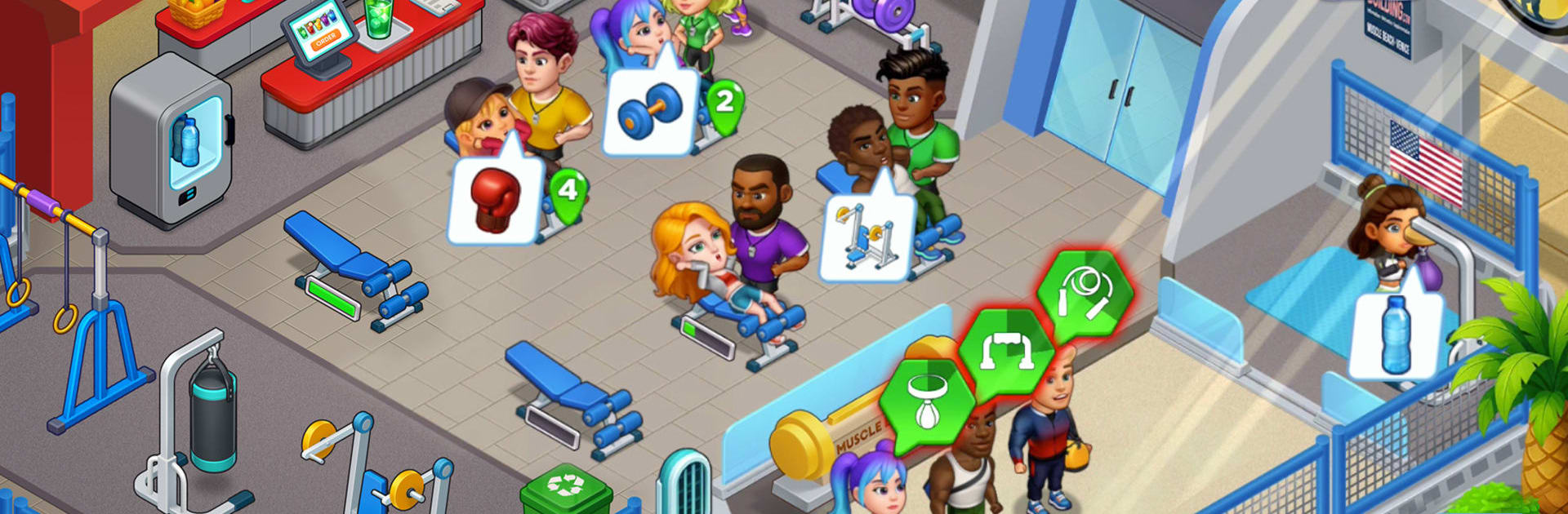
Gym Mania – Gym Workout Game puts you in charge of a busy fitness club where every second counts. It’s a time management Simulation with a satisfying loop: welcome guests, match them to the right workout, and keep the machines humming while you expand room by room. Prefer playing on PC? It feels super smooth on BlueStacks with simple clicks and a bigger view of your growing gym.

Game Features

  • Build Your Dream Gym: Set up weight racks, cardio corners, and calm spaces for yoga or gymnastics, then rearrange and upgrade as traffic grows.
  • Coach Every Visitor: Guide beginners and bodybuilders to the right stations, balance queues, and keep everyone sweating—not waiting.
  • Smart Time Management: Chain actions, plan ahead, and fix bottlenecks to keep that steady flow of reps, runs, and happy clients.
  • Hire Trainers & Automate: Bring on specialists to handle busy stations so your gym keeps earning even when you’re focused elsewhere.
  • Meaningful Upgrades: Boost machines, expand floors, and unlock new workout zones that change how your club runs.
  • From Small Studio to Empire: Open fresh areas, attract VIPs, and turn a humble start into a full-blown fitness destination.
  • Quick Taps, Big Gains: Enjoy that gym clicker feel—snappy boosts, timely upgrades, and satisfying progress that adds up fast.
  • Keep It Clean and Fast: Maintain equipment and tidy up to keep morale high and workouts smooth.
  • Play Your Way: Short sessions or long marathons both work—perfect for squeezing in a few runs between tasks or settling in for a bigger push.

Ready to top the leaderboard? We bet you do. Let precise controls and sharp visuals optimized on BlueStacks lead you to victory.


Game Features

Enhancements

  • Macros
  • Multi Instance
  • Multi Instance Sync
  • Script
  • Enhancements
Macros

Macros

Automate the predictable in Gym Mania - Gym Workout Game and transform your gameplay with Macros. Get access to inventive Macros in the BlueStacks Macro Community
Multi Instance

Multi Instance

Play Gym Mania - Gym Workout Game on one window. And chat with your friend on the other. Press CTRL + Shift + 8 to open the Multi-Instance Manager. And start creating fresh instances or clone an existing one.
Multi Instance Sync

Multi Instance Sync

Play Gym Mania - Gym Workout Game with the power of Multi-Instance Sync. Replicate what you are doing on the main instance on all other instances. Level up faster, play more.
Script

Script

Script your way to gaming glory in Gym Mania - Gym Workout Game with BlueStacks Script. Write and run a set of commands to automate repeated tasks. Trigger the command by assigning it to any key.
Read More

How to Download and Play Gym Mania - Gym Workout Game on PC or Mac

  • Download and install BlueStacks on your PC or Mac

  • Complete Google sign-in to access the Play Store, or do it later

  • Look for Gym Mania - Gym Workout Game in the search bar at the top right corner

  • Click to install Gym Mania - Gym Workout Game from the search results

  • Complete Google sign-in (if you skipped step 2) to install Gym Mania - Gym Workout Game

  • Click the Gym Mania - Gym Workout Game icon on the home screen to start playing

video
Watch Video

Minimum System Requirements

With BlueStacks 5, you can get started on a PC that fulfills the following requirements.

  • Operating System

    Microsoft Windows 7 or above, macOS 11 (Big Sur) or above

  • Processor

    Intel, AMD or Apple Silicon Processor

  • RAM

    at least 4GB

  • HDD

    10GB Free Disk Space

Note:

* You must be an Administrator on your PC. Up to date graphics drivers from Microsoft or the chipset vendor.

Gym Mania - Gym Workout Game - FAQs

  • How to play Gym Mania - Gym Workout Game on Windows PC & Mac?

    Play Gym Mania - Gym Workout Game on your PC or Mac by following these simple steps.

    • Click on 'Play Gym Mania - Gym Workout Game on PC’ to download BlueStacks
    • Install it and log-in to Google Play Store
    • Launch and play the game.
  • Why is BlueStacks the fastest and safest platform to play games on PC?

    BlueStacks respects your privacy and is always safe and secure to use. It does not carry any malware, spyware, or any sort of additional software that could harm your PC.

    It is engineered to optimize speed and performance for a seamless gaming experience.

  • What are Gym Mania - Gym Workout Game PC requirements?

    Minimum requirement to run Gym Mania - Gym Workout Game on your PC

    • OS: Microsoft Windows 7 or above MacOS 11 (Big Sur) or above
    • Processor: Intel, AMD or Apple Silicon Processor
    • RAM: Your PC must have at least 4GB of RAM. (Note that having 4GB or more disk space is not a substitute for RAM)
    • HDD: 10GB Free Disk Space.
    • You must be an Administrator on your PC.