RV Camper Simulator
RV Camper Simulator

RV Camper Simulator

Simulation

| Blingames

Play on PC with BlueStacks or from our cloud

  • Overview
  • Game Features
  • How to Play

Page Modified On: December 22, 2025

Play RV Camper Simulator on PC or Mac

From the innovators and creators at Blingames, RV Camper Simulator is another fun addition to the World of Simulation games. Go beyond your mobile screen and play it bigger and better on your PC or Mac. An immersive experience awaits you.

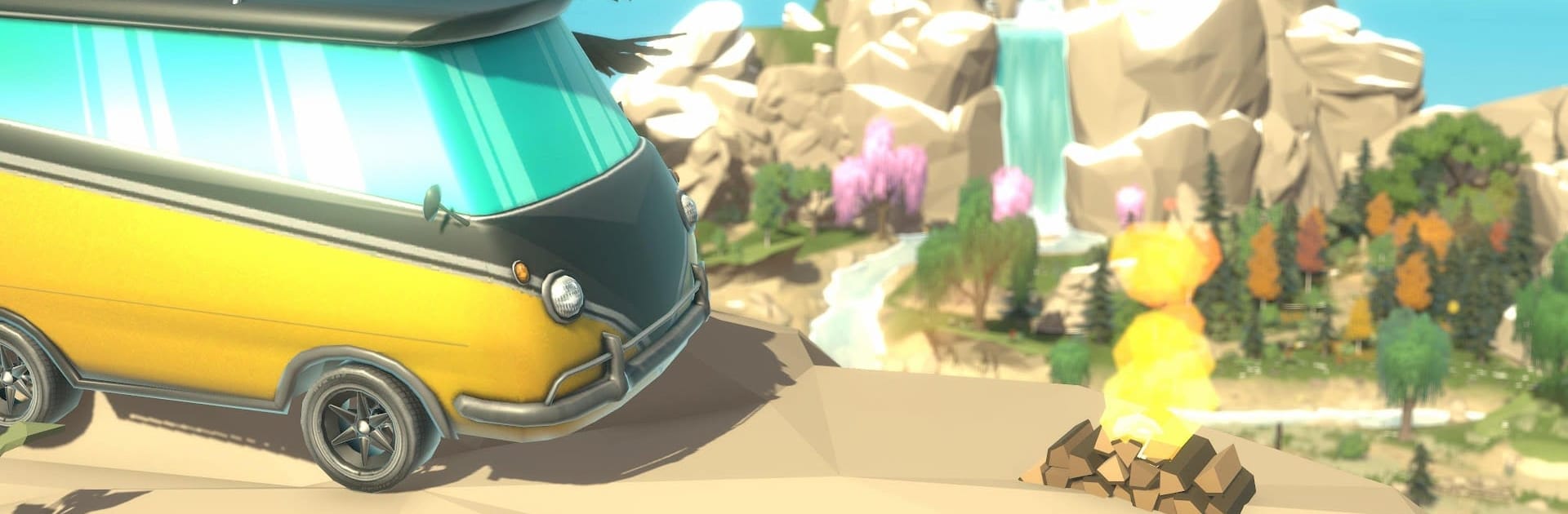
RV Camper Simulator plays like a chill survival builder about turning a plain van into a rolling home that actually works off-grid. Players collect and set up solar panels, a small wind rig, maybe something by running water, then route that power into batteries and appliances. Power choices matter, because the setup decides what can run and for how long. The RV itself is modular, so walls, furniture, storage, and little decorations snap into place, and a bit of paint makes it feel lived in. It is not just building either. There is a full crafting loop with benches, tools, and research that unlocks better parts, which nudges the van from scrappy to well equipped.

Food is a whole routine. Players plant crops and mushrooms, water them, then cook simple meals to keep energy up on the road. Campsites become mini bases for a night, then it is back to exploring a bright map with tucked away lookouts, streams, and side paths. There is no rush, just that light are we there yet feeling between stops. The game leans cozy more than intense, so anyone who enjoys tinkering and planning routes will probably have a good time, while action hunters may bounce. On PC with BlueStacks, driving with keyboard and steering the camera with a mouse feels cleaner, and placing parts in the RV is easier than touch.

Ready to top the leaderboard? We bet you do. Let precise controls and sharp visuals optimized on BlueStacks lead you to victory.


Game Features

Enhancements

  • Macros
  • Multi Instance
  • Multi Instance Sync
  • Script
  • Enhancements
Macros

Macros

Automate the predictable in RV Camper Simulator and transform your gameplay with Macros. Get access to inventive Macros in the BlueStacks Macro Community
Multi Instance

Multi Instance

Play RV Camper Simulator on one window. And chat with your friend on the other. Press CTRL + Shift + 8 to open the Multi-Instance Manager. And start creating fresh instances or clone an existing one.
Multi Instance Sync

Multi Instance Sync

Play RV Camper Simulator with the power of Multi-Instance Sync. Replicate what you are doing on the main instance on all other instances. Level up faster, play more.
Script

Script

Script your way to gaming glory in RV Camper Simulator with BlueStacks Script. Write and run a set of commands to automate repeated tasks. Trigger the command by assigning it to any key.
Read More

How to Download and Play RV Camper Simulator on PC or Mac

  • Download and install BlueStacks on your PC or Mac

  • Complete Google sign-in to access the Play Store, or do it later

  • Look for RV Camper Simulator in the search bar at the top right corner

  • Click to install RV Camper Simulator from the search results

  • Complete Google sign-in (if you skipped step 2) to install RV Camper Simulator

  • Click the RV Camper Simulator icon on the home screen to start playing

video
Watch Video

Minimum System Requirements

With BlueStacks 5, you can get started on a PC that fulfills the following requirements.

  • Operating System

    Microsoft Windows 7 or above, macOS 11 (Big Sur) or above

  • Processor

    Intel, AMD or Apple Silicon Processor

  • RAM

    at least 4GB

  • HDD

    10GB Free Disk Space

Note:

* You must be an Administrator on your PC. Up to date graphics drivers from Microsoft or the chipset vendor.

RV Camper Simulator - FAQs

  • How to play RV Camper Simulator on Windows PC & Mac?

    Play RV Camper Simulator on your PC or Mac by following these simple steps.

    • Click on 'Play RV Camper Simulator on PC’ to download BlueStacks
    • Install it and log-in to Google Play Store
    • Launch and play the game.
  • Why is BlueStacks the fastest and safest platform to play games on PC?

    BlueStacks respects your privacy and is always safe and secure to use. It does not carry any malware, spyware, or any sort of additional software that could harm your PC.

    It is engineered to optimize speed and performance for a seamless gaming experience.

  • What are RV Camper Simulator PC requirements?

    Minimum requirement to run RV Camper Simulator on your PC

    • OS: Microsoft Windows 7 or above MacOS 11 (Big Sur) or above
    • Processor: Intel, AMD or Apple Silicon Processor
    • RAM: Your PC must have at least 4GB of RAM. (Note that having 4GB or more disk space is not a substitute for RAM)
    • HDD: 10GB Free Disk Space.
    • You must be an Administrator on your PC.