Sabertooth Tiger Simulator

Sabertooth Tiger Simulator

Simulation

| Gluten Free Games LLC

Play on PC with BlueStacks or from our cloud

  • Overview
  • Game Features
  • How to Play

Page Modified On: July 27, 2026

Play Sabertooth Tiger Simulator on PC or Mac

Bring your A-game to Sabertooth Tiger Simulator, the Simulation game sensation from Gluten Free Games LLC. Give your gameplay the much-needed boost with precise game controls, high FPS graphics, and top-tier features on your PC or Mac with BlueStacks.

About the Game

Sabertooth Tiger Simulator drops you into the fur of a prehistoric predator and asks a simple question: can you make it through the day? Hunt, explore, and protect your territory in a world where dinosaurs, early hunters, and the elements are just as dangerous as your next meal. It’s a gritty, open-world Survival Simulation with surprising heart—especially once you’ve got cubs trailing behind you.

Game Features

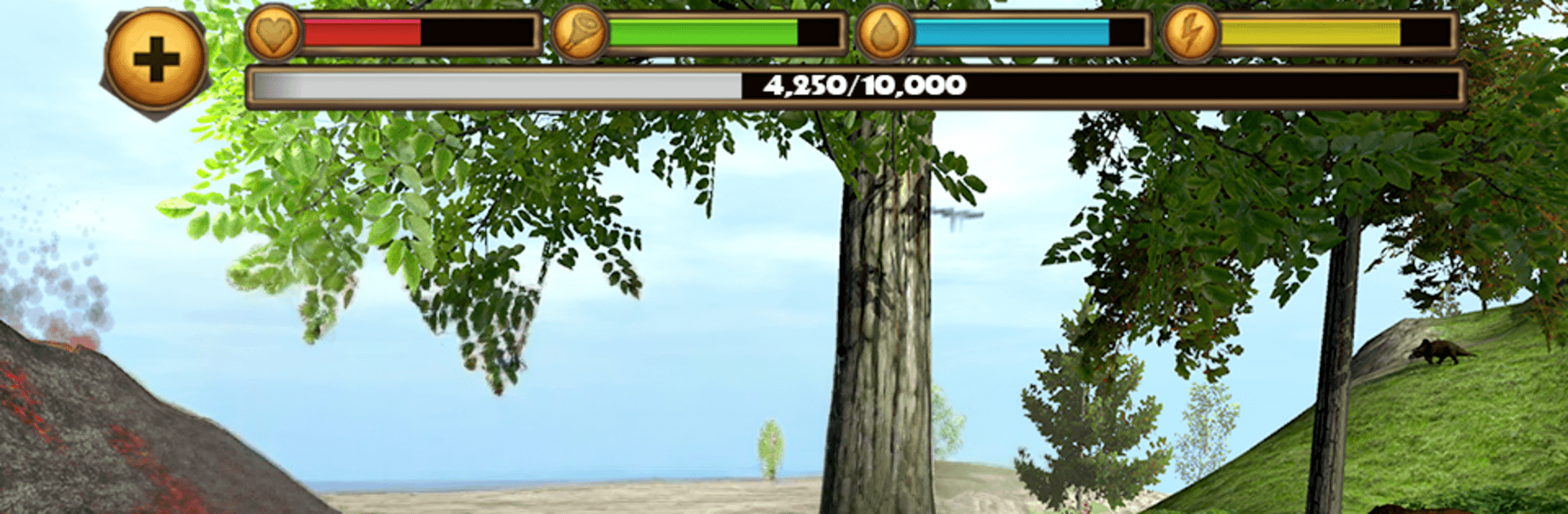
  • Survival That Matters – Keep an eye on health, hunger, thirst, and stamina as you roam wild lands. Miss a meal or two and you’ll feel it.
  • Pounce-and-Claw Combat – Stalk, lunge, and unleash heavy swipes in real-time fights against towering beasts like T. rex, Spinosaurus, and Mastodon.
  • Make a Family – Find a mate, raise cubs, and watch them grow into capable hunters who back you up when things get messy.
  • Progress Your Beast – Earn XP from hunts and missions, push toward a sky-high level cap, boost stats, unlock new coat colors, and tap powers like Stealth Mode.
  • Massive Open World – Trek across lava fields, icy peaks, and dense forests in a sprawling map built for free roaming and ambush routes.
  • Weather, Day, and Night – Thunderstorms, snow, shifting clouds, and even sudden meteor showers change how (and when) you hunt.
  • Four Brutal Boss Fights – Test your build and timing in showdowns that punish sloppy play and reward smart positioning.
  • Smooth Mobile Controls – Intuitive touch controls let you circle prey, sprint, and pounce; pinch to zoom for a close-up stalk or a wider tactical view.
  • Field Guide On Hand – Check creature intel, your map, customization options, and achievement progress without breaking your stride.
  • A Cast of Prehistoric Heavyweights – Face or feast on over 20 extinct species, from raptors and trikes to woolly tanks and more.
  • Looks Great Anywhere – HD visuals with adjustable quality settings. Prefer a bigger view? It also plays nicely on BlueStacks.

BlueStacks gives you more room to focus on the game and less time adjusting around mobile limitations.


Game Features

Enhancements

  • Macros
  • Multi Instance
  • Multi Instance Sync
  • Script
  • Enhancements
Macros

Macros

Automate the predictable in Sabertooth Tiger Simulator and transform your gameplay with Macros. Get access to inventive Macros in the BlueStacks Macro Community
Multi Instance

Multi Instance

Play Sabertooth Tiger Simulator on one window. And chat with your friend on the other. Press CTRL + Shift + 8 to open the Multi-Instance Manager. And start creating fresh instances or clone an existing one.
Multi Instance Sync

Multi Instance Sync

Play Sabertooth Tiger Simulator with the power of Multi-Instance Sync. Replicate what you are doing on the main instance on all other instances. Level up faster, play more.
Script

Script

Script your way to gaming glory in Sabertooth Tiger Simulator with BlueStacks Script. Write and run a set of commands to automate repeated tasks. Trigger the command by assigning it to any key.
Read More

How to Download and Play Sabertooth Tiger Simulator on PC or Mac

  • Download and install BlueStacks on your PC or Mac

  • Complete Google sign-in to access the Play Store, or do it later

  • Look for Sabertooth Tiger Simulator in the search bar at the top right corner

  • Click to install Sabertooth Tiger Simulator from the search results

  • Complete Google sign-in (if you skipped step 2) to install Sabertooth Tiger Simulator

  • Click the Sabertooth Tiger Simulator icon on the home screen to start playing

video
Watch Video

Minimum System Requirements

With BlueStacks 5, you can get started on a PC that fulfills the following requirements.

  • Operating System

    Microsoft Windows 7 or above, macOS 11 (Big Sur) or above

  • Processor

    Intel, AMD or Apple Silicon Processor

  • RAM

    at least 4GB

  • HDD

    10GB Free Disk Space

Note:

* You must be an Administrator on your PC. Up to date graphics drivers from Microsoft or the chipset vendor.

Sabertooth Tiger Simulator - FAQs

  • How to play Sabertooth Tiger Simulator on Windows PC & Mac?

    Play Sabertooth Tiger Simulator on your PC or Mac by following these simple steps.

    • Click on 'Play Sabertooth Tiger Simulator on PC’ to download BlueStacks
    • Install it and log-in to Google Play Store
    • Launch and play the game.
  • Why is BlueStacks the fastest and safest platform to play games on PC?

    BlueStacks respects your privacy and is always safe and secure to use. It does not carry any malware, spyware, or any sort of additional software that could harm your PC.

    It is engineered to optimize speed and performance for a seamless gaming experience.

  • What are Sabertooth Tiger Simulator PC requirements?

    Minimum requirement to run Sabertooth Tiger Simulator on your PC

    • OS: Microsoft Windows 7 or above MacOS 11 (Big Sur) or above
    • Processor: Intel, AMD or Apple Silicon Processor
    • RAM: Your PC must have at least 4GB of RAM. (Note that having 4GB or more disk space is not a substitute for RAM)
    • HDD: 10GB Free Disk Space.
    • You must be an Administrator on your PC.