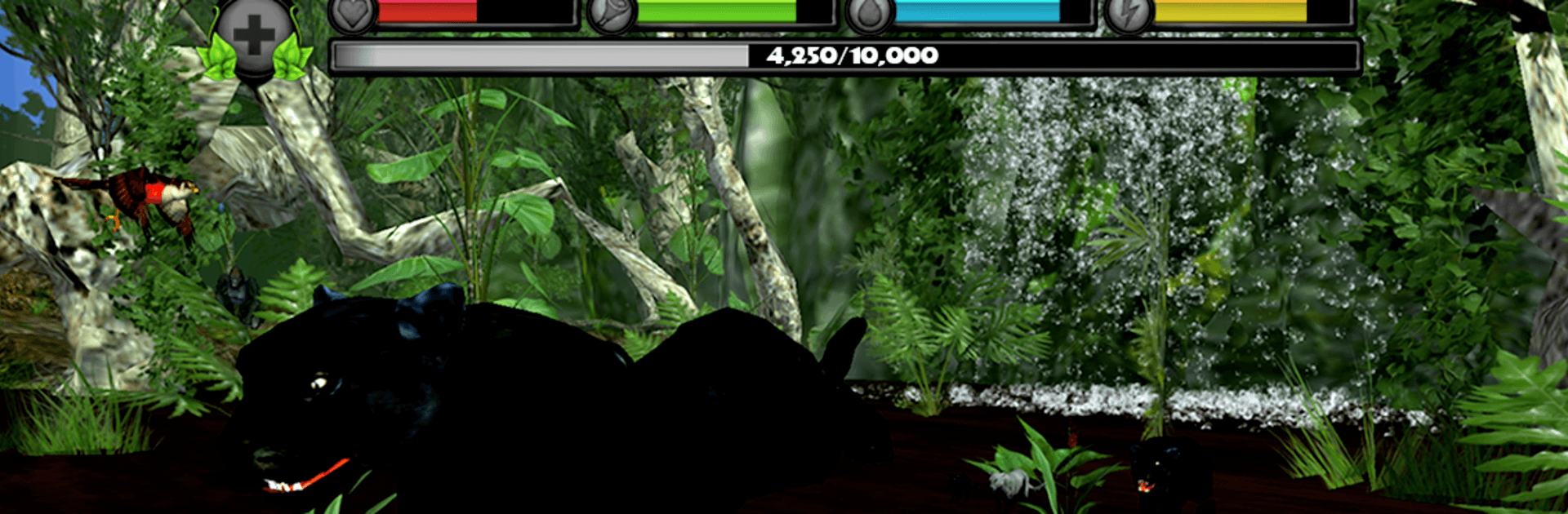
Panther Simulator
Panther Simulator

Panther Simulator

Simulation

| Gluten Free Games LLC

Play on PC with BlueStacks or from our cloud

  • Overview
  • Game Features
  • How to Play

Page Modified On: June 25, 2026

Play Panther Simulator on PC or Mac

Step into the World of Panther Simulator, a thrilling Simulation game from the house of Gluten Free Games LLC. Play this Android game on BlueStacks App Player and experience immersive gaming on PC or Mac.

About the Game

Panther Simulator lets you live the life of a sleek jungle hunter in a sprawling rainforest. It’s an open-world Simulation where you stalk prey, claim territory, and protect your growing family while staying on top of hunger, thirst, and energy. Expect tense hunts, close calls with bigger predators, and plenty of quiet moments perched in a tree watching the world roll by.

Game Features

  • Survival basics: Keep an eye on health, hunger, thirst, and stamina—every hunt and sprint matters when the jungle fights back.
  • Family life: Find a mate, raise cubs, and teach them to hunt. As they grow, they’ll help you fend off trouble.
  • Predator Vision: Flip on a special sense to spot prey and threats through dense foliage, then line up that perfect pounce.
  • Massive rainforest: Roam a wide open world packed with rivers, cliffs, temples, and hidden nooks worth exploring.
  • Climb and swim: Scale trees for a vantage point, leap branch to branch, and fish in fast-moving streams.
  • Real weather and time: Sudden storms, foggy mornings, and a full day/night cycle change how you track, hide, and hunt.
  • Real threats: Watch for bee swarms, quicksand, and steel traps that punish careless steps.
  • Fierce wildlife: Face off against tigers, gorillas, anacondas, crocs, elephants, and more than 20 other species.
  • Progress your panther: Earn experience through hunts and missions to boost stats, unlock new coats, and gain powerful abilities.
  • Missions and achievements: A steady flow of objectives and milestones keeps the XP coming as you explore.
  • Cameras and controls: Play with smooth, intuitive controls and switch to an immersive first-person view whenever you want.
  • In-game guide: A handy field manual tracks wildlife info, your map, customization options, and progress.
  • Visual options: Crisp HD graphics with quality settings let you tune performance and detail your way.
  • Optional gore: Prefer a wilder fight? Toggle blood effects on or off.
  • Play your way: Like using a keyboard and mouse? It runs nicely on PC with BlueStacks.

Ready to top the leaderboard? We bet you do. Let precise controls and sharp visuals optimized on BlueStacks lead you to victory.


Game Features

Enhancements

  • Macros
  • Multi Instance
  • Multi Instance Sync
  • Script
  • Enhancements
Macros

Macros

Automate the predictable in Panther Simulator and transform your gameplay with Macros. Get access to inventive Macros in the BlueStacks Macro Community
Multi Instance

Multi Instance

Play Panther Simulator on one window. And chat with your friend on the other. Press CTRL + Shift + 8 to open the Multi-Instance Manager. And start creating fresh instances or clone an existing one.
Multi Instance Sync

Multi Instance Sync

Play Panther Simulator with the power of Multi-Instance Sync. Replicate what you are doing on the main instance on all other instances. Level up faster, play more.
Script

Script

Script your way to gaming glory in Panther Simulator with BlueStacks Script. Write and run a set of commands to automate repeated tasks. Trigger the command by assigning it to any key.
Read More

How to Download and Play Panther Simulator on PC or Mac

  • Download and install BlueStacks on your PC or Mac

  • Complete Google sign-in to access the Play Store, or do it later

  • Look for Panther Simulator in the search bar at the top right corner

  • Click to install Panther Simulator from the search results

  • Complete Google sign-in (if you skipped step 2) to install Panther Simulator

  • Click the Panther Simulator icon on the home screen to start playing

video
Watch Video

Minimum System Requirements

With BlueStacks 5, you can get started on a PC that fulfills the following requirements.

  • Operating System

    Microsoft Windows 7 or above, macOS 11 (Big Sur) or above

  • Processor

    Intel, AMD or Apple Silicon Processor

  • RAM

    at least 4GB

  • HDD

    10GB Free Disk Space

Note:

* You must be an Administrator on your PC. Up to date graphics drivers from Microsoft or the chipset vendor.

Panther Simulator - FAQs

  • How to play Panther Simulator on Windows PC & Mac?

    Play Panther Simulator on your PC or Mac by following these simple steps.

    • Click on 'Play Panther Simulator on PC’ to download BlueStacks
    • Install it and log-in to Google Play Store
    • Launch and play the game.
  • Why is BlueStacks the fastest and safest platform to play games on PC?

    BlueStacks respects your privacy and is always safe and secure to use. It does not carry any malware, spyware, or any sort of additional software that could harm your PC.

    It is engineered to optimize speed and performance for a seamless gaming experience.

  • What are Panther Simulator PC requirements?

    Minimum requirement to run Panther Simulator on your PC

    • OS: Microsoft Windows 7 or above MacOS 11 (Big Sur) or above
    • Processor: Intel, AMD or Apple Silicon Processor
    • RAM: Your PC must have at least 4GB of RAM. (Note that having 4GB or more disk space is not a substitute for RAM)
    • HDD: 10GB Free Disk Space.
    • You must be an Administrator on your PC.