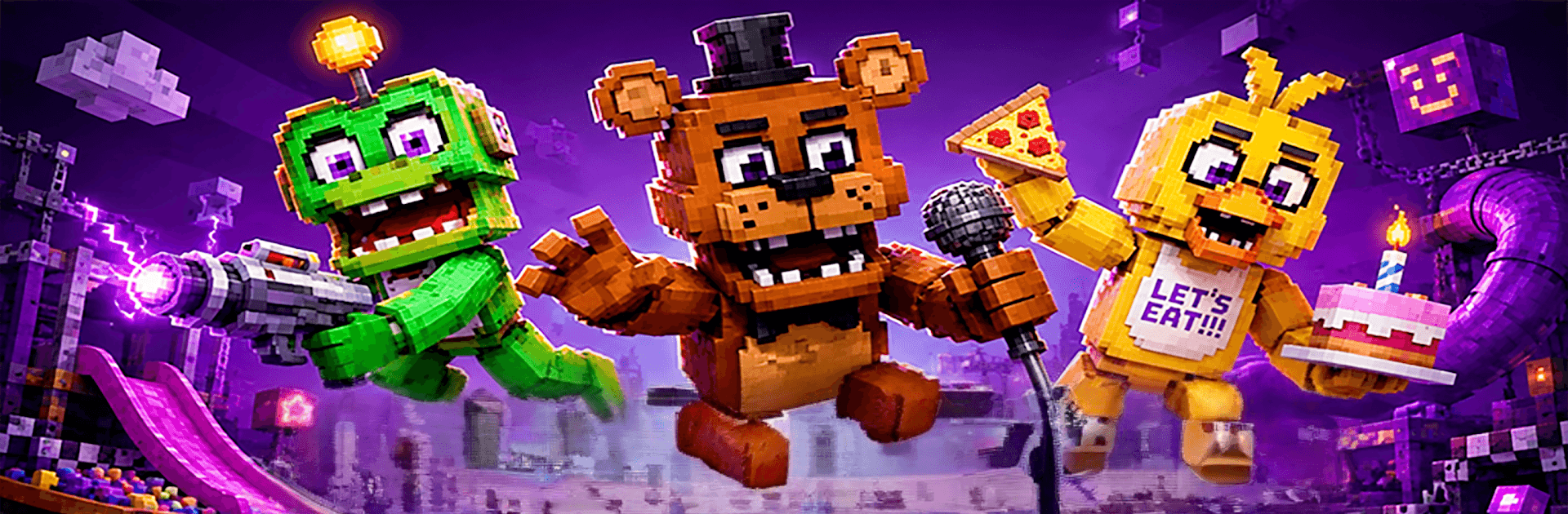
Sandbox FNAF: Playground War

Sandbox FNAF: Playground War

Simulation

| Kradapp

Play on PC with BlueStacks or from our cloud

  • Overview
  • Game Features
  • How to Play

Page Modified On: September 01, 2026

Play Sandbox FNAF: Playground War on PC or Mac

Play Sandbox FNAF: Playground War by Kradapp on PC or Mac with BlueStacks. Use a bigger screen, mouse and keyboard controls, and smoother performance while you play.

About the Game

Sandbox FNAF: Playground War is all about building smart and staying alive when things get loud and scary. This Simulation drops you in a haunted stretch of woods where you scavenge, craft, and set up mean defenses before the animatronics come out at night. Want gritty survival or a laid-back physics sandbox to mess around in? You can lean either way, and it also runs great on BlueStacks if you prefer a bigger screen and precise controls.

Game Features

  • Open-world sandbox survival: Roam a shadowy forest, scavenge supplies, and turn scraps into the gear you need to keep breathing.
  • Build, craft, and fortify: Gather wood and metal to whip up walls, spike traps, and layered forts that actually hold when things get chaotic.
  • Day-and-night pressure: Use daylight to explore and prep; after sunset, expect relentless animatronic incursions that test every plan you made.
  • Physics-driven chaos: Ragdoll reactions, tumbling props, and explosive chain reactions make every fight messy in the best way.
  • Weapons, traps, and toys: Mix ranged tools, melee options, and timed explosives to set ambushes or go loud when it’s worth the risk.
  • Destructible spaces: Barricades splinter, objects fly, and your creations can break—so placement matters as much as firepower.
  • Explore and experiment: Hunt for tucked-away spots, try weird contraptions, and treat the map like a playground for creative problem-solving.
  • Offline friendly: No connection needed—tinker, build, and survive whenever you’ve got a minute.
  • PC play with BlueStacks: Prefer keyboard-and-mouse accuracy and a wide view? Boot it up on BlueStacks and make every placement count.

Get ready for a buttery smooth, high-performance gaming action only on BlueStacks.

Game Features

Enhancements

  • Macros
  • Multi Instance
  • Multi Instance Sync
  • Script
  • Enhancements
Macros

Macros

Automate the predictable in Sandbox FNAF: Playground War and transform your gameplay with Macros. Get access to inventive Macros in the BlueStacks Macro Community
Multi Instance

Multi Instance

Play Sandbox FNAF: Playground War on one window. And chat with your friend on the other. Press CTRL + Shift + 8 to open the Multi-Instance Manager. And start creating fresh instances or clone an existing one.
Multi Instance Sync

Multi Instance Sync

Play Sandbox FNAF: Playground War with the power of Multi-Instance Sync. Replicate what you are doing on the main instance on all other instances. Level up faster, play more.
Script

Script

Script your way to gaming glory in Sandbox FNAF: Playground War with BlueStacks Script. Write and run a set of commands to automate repeated tasks. Trigger the command by assigning it to any key.
Read More

How to Download and Play Sandbox FNAF: Playground War on PC or Mac

  • Download and install BlueStacks on your PC or Mac

  • Complete Google sign-in to access the Play Store, or do it later

  • Look for Sandbox FNAF: Playground War in the search bar at the top right corner

  • Click to install Sandbox FNAF: Playground War from the search results

  • Complete Google sign-in (if you skipped step 2) to install Sandbox FNAF: Playground War

  • Click the Sandbox FNAF: Playground War icon on the home screen to start playing

video
Watch Video

Minimum System Requirements

With BlueStacks 5, you can get started on a PC that fulfills the following requirements.

  • Operating System

    Microsoft Windows 7 or above, macOS 11 (Big Sur) or above

  • Processor

    Intel, AMD or Apple Silicon Processor

  • RAM

    at least 4GB

  • HDD

    10GB Free Disk Space

Note:

* You must be an Administrator on your PC. Up to date graphics drivers from Microsoft or the chipset vendor.

Sandbox FNAF: Playground War - FAQs

  • How to play Sandbox FNAF: Playground War on Windows PC & Mac?

    Play Sandbox FNAF: Playground War on your PC or Mac by following these simple steps.

    • Click on 'Play Sandbox FNAF: Playground War on PC’ to download BlueStacks
    • Install it and log-in to Google Play Store
    • Launch and play the game.
  • Why is BlueStacks the fastest and safest platform to play games on PC?

    BlueStacks respects your privacy and is always safe and secure to use. It does not carry any malware, spyware, or any sort of additional software that could harm your PC.

    It is engineered to optimize speed and performance for a seamless gaming experience.

  • What are Sandbox FNAF: Playground War PC requirements?

    Minimum requirement to run Sandbox FNAF: Playground War on your PC

    • OS: Microsoft Windows 7 or above MacOS 11 (Big Sur) or above
    • Processor: Intel, AMD or Apple Silicon Processor
    • RAM: Your PC must have at least 4GB of RAM. (Note that having 4GB or more disk space is not a substitute for RAM)
    • HDD: 10GB Free Disk Space.
    • You must be an Administrator on your PC.