Ship Captain Simulator Pro

Ship Captain Simulator Pro

Simulation

| Can Mobile App

Play on PC with BlueStacks or from our cloud

  • Overview
  • Game Features
  • How to Play

Page Modified On: August 03, 2026

Play Ship Captain Simulator Pro on PC or Mac

Bring your A-game to Ship Captain Simulator Pro, the Simulation game sensation from Can Mobile App. Give your gameplay the much-needed boost with precise game controls, high FPS graphics, and top-tier features on your PC or Mac with BlueStacks.

About the Game

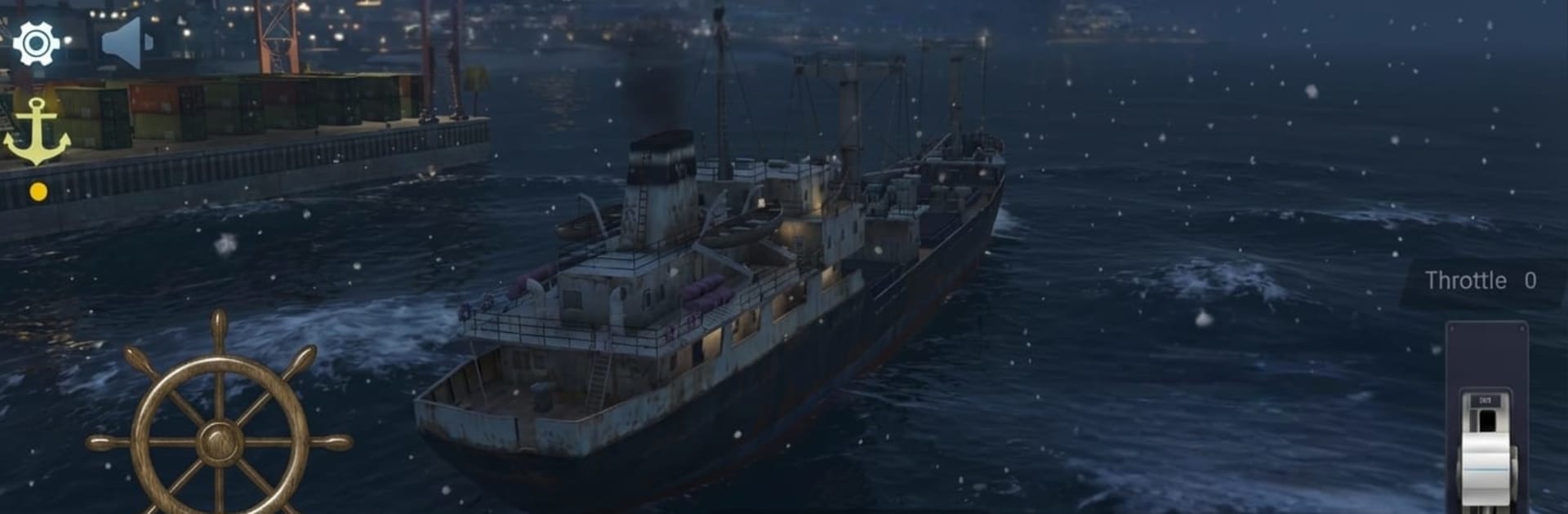
Ship Captain Simulator Pro hands you the wheel and asks a simple question: can you get these massive vessels where they need to go without a scratch? It’s a hands-on Simulation experience about reading the sea, planning smart routes, and easing thousands of tons into tight harbors. Prefer playing on a bigger screen? It also runs smoothly on BlueStacks.

Game Features

  • Real-World Ports
  • Visit more than twenty authentic harbors across different regions, each with its own layout, traffic, and quirks that change how you approach every arrival and departure.

  • A Fleet to Master

  • Command cargo ships, bulk carriers, oil tankers, and passenger vessels. Sizes, drafts, and turn radiuses vary, so what works for a nimble liner won’t cut it for a loaded tanker.

  • Physics That Make You Think

  • Momentum matters. Weight, speed, and rudder dynamics affect how your ship responds, so planning ahead and managing throttle become part of the challenge.

  • Weather and Sea That Won’t Sit Still

  • Roll through calm mornings, choppy afternoons, and low-visibility nights. Waves and conditions shift your handling from trip to trip.

  • Controls That Feel Natural

  • Simple, responsive inputs make steering straightforward, while still leaving room for careful maneuvering and precise docking.

  • Open-Ocean Freedom

  • Cruise between ports at your own pace, take on tasks, and build confidence as you handle tougher routes and tighter berths.

  • Smart Route Planning

  • Think through headings, speed, and turning space before you commit. A good plan makes port entries smoother—and mistakes a lot less costly.

Start playing Ship Captain Simulator Pro on BlueStacks and get a smoother, more comfortable PC or Mac setup.


Game Features

Enhancements

  • Macros
  • Multi Instance
  • Multi Instance Sync
  • Script
  • Enhancements
Macros

Macros

Automate the predictable in Ship Captain Simulator Pro and transform your gameplay with Macros. Get access to inventive Macros in the BlueStacks Macro Community
Multi Instance

Multi Instance

Play Ship Captain Simulator Pro on one window. And chat with your friend on the other. Press CTRL + Shift + 8 to open the Multi-Instance Manager. And start creating fresh instances or clone an existing one.
Multi Instance Sync

Multi Instance Sync

Play Ship Captain Simulator Pro with the power of Multi-Instance Sync. Replicate what you are doing on the main instance on all other instances. Level up faster, play more.
Script

Script

Script your way to gaming glory in Ship Captain Simulator Pro with BlueStacks Script. Write and run a set of commands to automate repeated tasks. Trigger the command by assigning it to any key.
Read More

How to Download and Play Ship Captain Simulator Pro on PC or Mac

  • Download and install BlueStacks on your PC or Mac

  • Complete Google sign-in to access the Play Store, or do it later

  • Look for Ship Captain Simulator Pro in the search bar at the top right corner

  • Click to install Ship Captain Simulator Pro from the search results

  • Complete Google sign-in (if you skipped step 2) to install Ship Captain Simulator Pro

  • Click the Ship Captain Simulator Pro icon on the home screen to start playing

video
Watch Video

Minimum System Requirements

With BlueStacks 5, you can get started on a PC that fulfills the following requirements.

  • Operating System

    Microsoft Windows 7 or above, macOS 11 (Big Sur) or above

  • Processor

    Intel, AMD or Apple Silicon Processor

  • RAM

    at least 4GB

  • HDD

    10GB Free Disk Space

Note:

* You must be an Administrator on your PC. Up to date graphics drivers from Microsoft or the chipset vendor.

Ship Captain Simulator Pro - FAQs

  • How to play Ship Captain Simulator Pro on Windows PC & Mac?

    Play Ship Captain Simulator Pro on your PC or Mac by following these simple steps.

    • Click on 'Play Ship Captain Simulator Pro on PC’ to download BlueStacks
    • Install it and log-in to Google Play Store
    • Launch and play the game.
  • Why is BlueStacks the fastest and safest platform to play games on PC?

    BlueStacks respects your privacy and is always safe and secure to use. It does not carry any malware, spyware, or any sort of additional software that could harm your PC.

    It is engineered to optimize speed and performance for a seamless gaming experience.

  • What are Ship Captain Simulator Pro PC requirements?

    Minimum requirement to run Ship Captain Simulator Pro on your PC

    • OS: Microsoft Windows 7 or above MacOS 11 (Big Sur) or above
    • Processor: Intel, AMD or Apple Silicon Processor
    • RAM: Your PC must have at least 4GB of RAM. (Note that having 4GB or more disk space is not a substitute for RAM)
    • HDD: 10GB Free Disk Space.
    • You must be an Administrator on your PC.