Carros Socados BR Lite

Carros Socados BR Lite

Simulation

| Android Games BR

Play on PC with BlueStacks or from our cloud

  • Overview
  • Game Features
  • How to Play

Page Modified On: June 02, 2026

Play Carros Socados BR Lite on PC or Mac

Carros Socados BR Lite brings the Simulation genre to life, and throws up exciting challenges for gamers. Developed by Android Games BR, this Android game is best experienced on BlueStacks, the World’s #1 app player for PC and Mac users.

About the Game

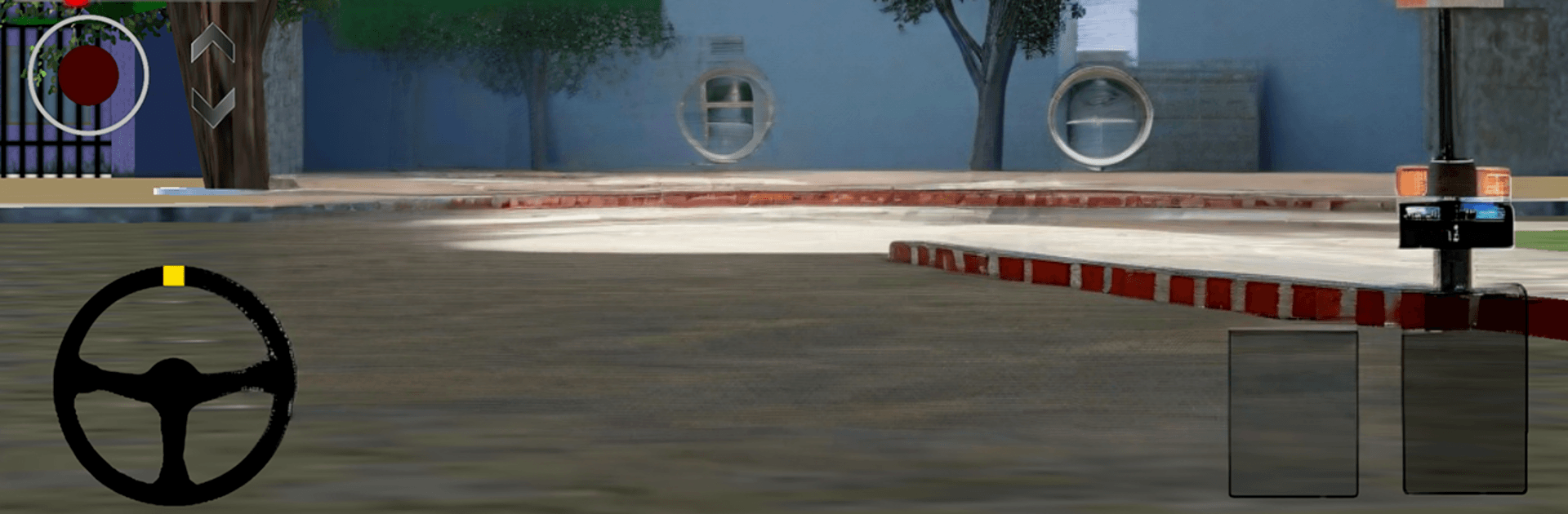
Carros Socados BR Lite is a chill, open-world Simulation where the dream is simple: build your garage, show off a slammed ride or a sporty bike, and work toward that mega house. Cruise a Brazil-inspired map, switch between walking around and driving, and spend way too much time tweaking every little detail. Prefer playing on a bigger screen? It also feels great on BlueStacks.

Game Features

  • Open-world cruising: Roam freely through neighborhoods and gated communities, on foot or behind the wheel.
  • Brazil-inspired map: Streets, scenery, and car culture vibes drawn from everyday life in Brazil.
  • Big garage potential: Pick from 10+ cars and 11 motorcycles, from slammed daily drivers to speedy machines.
  • Real customization: Use a functional workshop to drop suspension, swap wheels, change paint, and fine-tune your setup.
  • Audio culture, loud and proud: Build sound systems with boxes and massive paredões, then crank it just right.
  • Step inside: Enter houses, hang out indoors, and plan that dream mega home piece by piece.
  • Realistic visuals: Clean, detailed graphics that make polished paint, rims, and environments pop.
  • Your music, your ride: Play tracks from your device directly through your in-game car’s sound system.
  • Steady improvements: Regular updates bring new vehicles, features, and polish to keep things fresh.

Start playing Carros Socados BR Lite on BlueStacks and get a smoother, more comfortable PC or Mac setup.


Game Features

Enhancements

  • Macros
  • Multi Instance
  • Multi Instance Sync
  • Script
  • Enhancements
Macros

Macros

Automate the predictable in Carros Socados BR Lite and transform your gameplay with Macros. Get access to inventive Macros in the BlueStacks Macro Community
Multi Instance

Multi Instance

Play Carros Socados BR Lite on one window. And chat with your friend on the other. Press CTRL + Shift + 8 to open the Multi-Instance Manager. And start creating fresh instances or clone an existing one.
Multi Instance Sync

Multi Instance Sync

Play Carros Socados BR Lite with the power of Multi-Instance Sync. Replicate what you are doing on the main instance on all other instances. Level up faster, play more.
Script

Script

Script your way to gaming glory in Carros Socados BR Lite with BlueStacks Script. Write and run a set of commands to automate repeated tasks. Trigger the command by assigning it to any key.
Read More

How to Download and Play Carros Socados BR Lite on PC or Mac

  • Download and install BlueStacks on your PC or Mac

  • Complete Google sign-in to access the Play Store, or do it later

  • Look for Carros Socados BR Lite in the search bar at the top right corner

  • Click to install Carros Socados BR Lite from the search results

  • Complete Google sign-in (if you skipped step 2) to install Carros Socados BR Lite

  • Click the Carros Socados BR Lite icon on the home screen to start playing

video
Watch Video

Minimum System Requirements

With BlueStacks 5, you can get started on a PC that fulfills the following requirements.

  • Operating System

    Microsoft Windows 7 or above, macOS 11 (Big Sur) or above

  • Processor

    Intel, AMD or Apple Silicon Processor

  • RAM

    at least 4GB

  • HDD

    10GB Free Disk Space

Note:

* You must be an Administrator on your PC. Up to date graphics drivers from Microsoft or the chipset vendor.

Carros Socados BR Lite - FAQs

  • How to play Carros Socados BR Lite on Windows PC & Mac?

    Play Carros Socados BR Lite on your PC or Mac by following these simple steps.

    • Click on 'Play Carros Socados BR Lite on PC’ to download BlueStacks
    • Install it and log-in to Google Play Store
    • Launch and play the game.
  • Why is BlueStacks the fastest and safest platform to play games on PC?

    BlueStacks respects your privacy and is always safe and secure to use. It does not carry any malware, spyware, or any sort of additional software that could harm your PC.

    It is engineered to optimize speed and performance for a seamless gaming experience.

  • What are Carros Socados BR Lite PC requirements?

    Minimum requirement to run Carros Socados BR Lite on your PC

    • OS: Microsoft Windows 7 or above MacOS 11 (Big Sur) or above
    • Processor: Intel, AMD or Apple Silicon Processor
    • RAM: Your PC must have at least 4GB of RAM. (Note that having 4GB or more disk space is not a substitute for RAM)
    • HDD: 10GB Free Disk Space.
    • You must be an Administrator on your PC.