Space miner
Space miner

Space miner

Simulation

| Alice Game Studio

Play on PC with BlueStacks or from our cloud

  • Overview
  • Game Features
  • How to Play

Page Modified On: April 21, 2026

Play Space miner on PC or Mac

From the innovators and creators at Alice Game Studio, Space miner is another fun addition to the World of Simulation games. Go beyond your mobile screen and play it bigger and better on your PC or Mac. An immersive experience awaits you.

About the Game

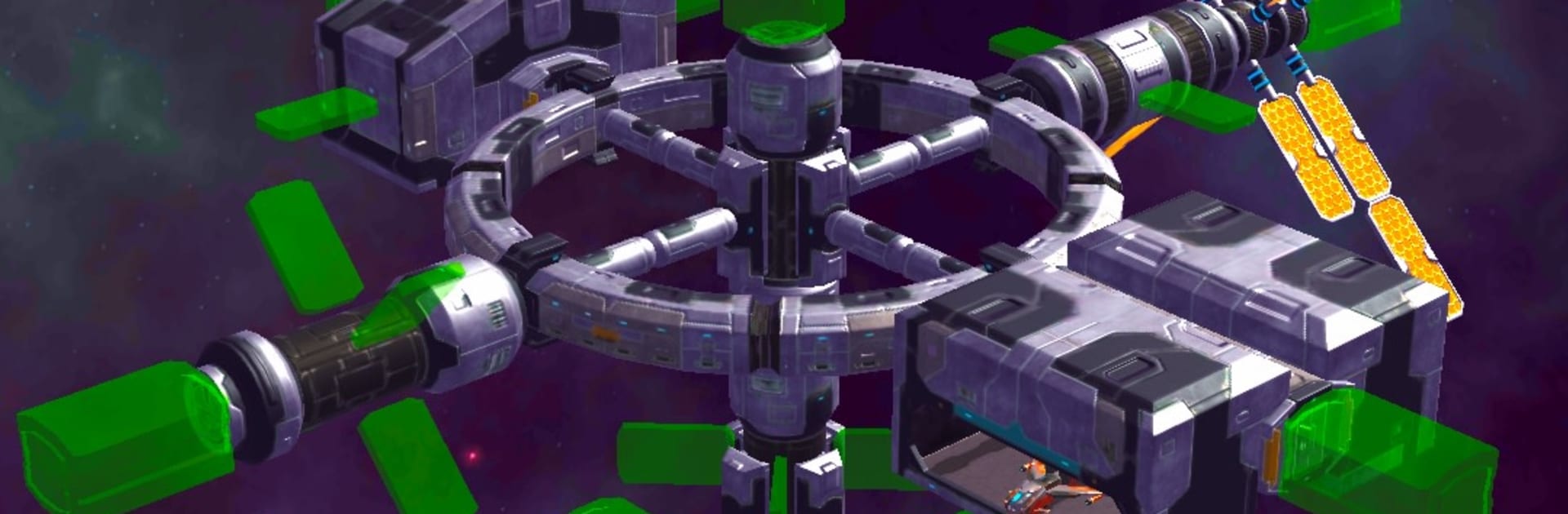
Space miner is a hands-on space economy Simulation from Alice Game Studio where you run a scrappy industrial outfit at the edge of known space. You start with a modest orbital platform and a dream, then grow it into a busy operation that chews through asteroids, refines rare materials, and keeps the credits flowing—while pirates, deadlines, and hard choices keep you on your toes.

Game Features

  • Build your station: Snap on new modules—power, storage, labs, docks—to turn a starter hub into a serious industrial complex.
  • Grow a real fleet: Construct hangars and field mining rigs, heavy haulers, and combat escorts, each filling a specific role in your supply chain.
  • Find the good stuff: Scout sectors, mark resource-rich belts, blast apart asteroids, and scoop up minerals before rivals get there.
  • Refine and produce: Feed raw ore into processing blocks to craft alloys and advanced parts, then route them through efficient production lines.
  • Trade and deliver: Sell goods on the open market or take special delivery contracts that pay extra if you hit the specs and timing.
  • Research new tech: Unlock better drills, sturdier hulls, faster engines, and smarter tools that push productivity higher.
  • Quests that matter: Follow mission chains that nudge your expansion, with optional challenges that reward smart planning.
  • Face real threats: Outfit escorts and counter pirate raids, choosing when to stand your ground or cut your losses.
  • Strategy your way: Balance risk and reward—invest in automation, chase high-value orders, or play it safe with steady commodities.
  • Smooth on any screen: Touch-friendly on mobile, and it feels right at home on BlueStacks if you like a wider view for management.

Ready to top the leaderboard? We bet you do. Let precise controls and sharp visuals optimized on BlueStacks lead you to victory.


Game Features

Enhancements

  • Macros
  • Multi Instance
  • Multi Instance Sync
  • Script
  • Enhancements
Macros

Macros

Automate the predictable in Space miner and transform your gameplay with Macros. Get access to inventive Macros in the BlueStacks Macro Community
Multi Instance

Multi Instance

Play Space miner on one window. And chat with your friend on the other. Press CTRL + Shift + 8 to open the Multi-Instance Manager. And start creating fresh instances or clone an existing one.
Multi Instance Sync

Multi Instance Sync

Play Space miner with the power of Multi-Instance Sync. Replicate what you are doing on the main instance on all other instances. Level up faster, play more.
Script

Script

Script your way to gaming glory in Space miner with BlueStacks Script. Write and run a set of commands to automate repeated tasks. Trigger the command by assigning it to any key.
Read More

How to Download and Play Space miner on PC or Mac

  • Download and install BlueStacks on your PC or Mac

  • Complete Google sign-in to access the Play Store, or do it later

  • Look for Space miner in the search bar at the top right corner

  • Click to install Space miner from the search results

  • Complete Google sign-in (if you skipped step 2) to install Space miner

  • Click the Space miner icon on the home screen to start playing

video
Watch Video

Minimum System Requirements

With BlueStacks 5, you can get started on a PC that fulfills the following requirements.

  • Operating System

    Microsoft Windows 7 or above, macOS 11 (Big Sur) or above

  • Processor

    Intel, AMD or Apple Silicon Processor

  • RAM

    at least 4GB

  • HDD

    10GB Free Disk Space

Note:

* You must be an Administrator on your PC. Up to date graphics drivers from Microsoft or the chipset vendor.

Space miner - FAQs

  • How to play Space miner on Windows PC & Mac?

    Play Space miner on your PC or Mac by following these simple steps.

    • Click on 'Play Space miner on PC’ to download BlueStacks
    • Install it and log-in to Google Play Store
    • Launch and play the game.
  • Why is BlueStacks the fastest and safest platform to play games on PC?

    BlueStacks respects your privacy and is always safe and secure to use. It does not carry any malware, spyware, or any sort of additional software that could harm your PC.

    It is engineered to optimize speed and performance for a seamless gaming experience.

  • What are Space miner PC requirements?

    Minimum requirement to run Space miner on your PC

    • OS: Microsoft Windows 7 or above MacOS 11 (Big Sur) or above
    • Processor: Intel, AMD or Apple Silicon Processor
    • RAM: Your PC must have at least 4GB of RAM. (Note that having 4GB or more disk space is not a substitute for RAM)
    • HDD: 10GB Free Disk Space.
    • You must be an Administrator on your PC.