Spin Mud Truck Driving Game

Spin Mud Truck Driving Game

Simulation

| Simplyplay

Play on PC with BlueStacks or from our cloud

  • Overview
  • Game Features
  • How to Play

Page Modified On: September 18, 2026

Play Spin Mud Truck Driving Game on PC or Mac

Play Spin Mud Truck Driving Game by Simplyplay on PC or Mac with BlueStacks. Use a bigger screen, mouse and keyboard controls, and smoother performance while you play.

About the Game

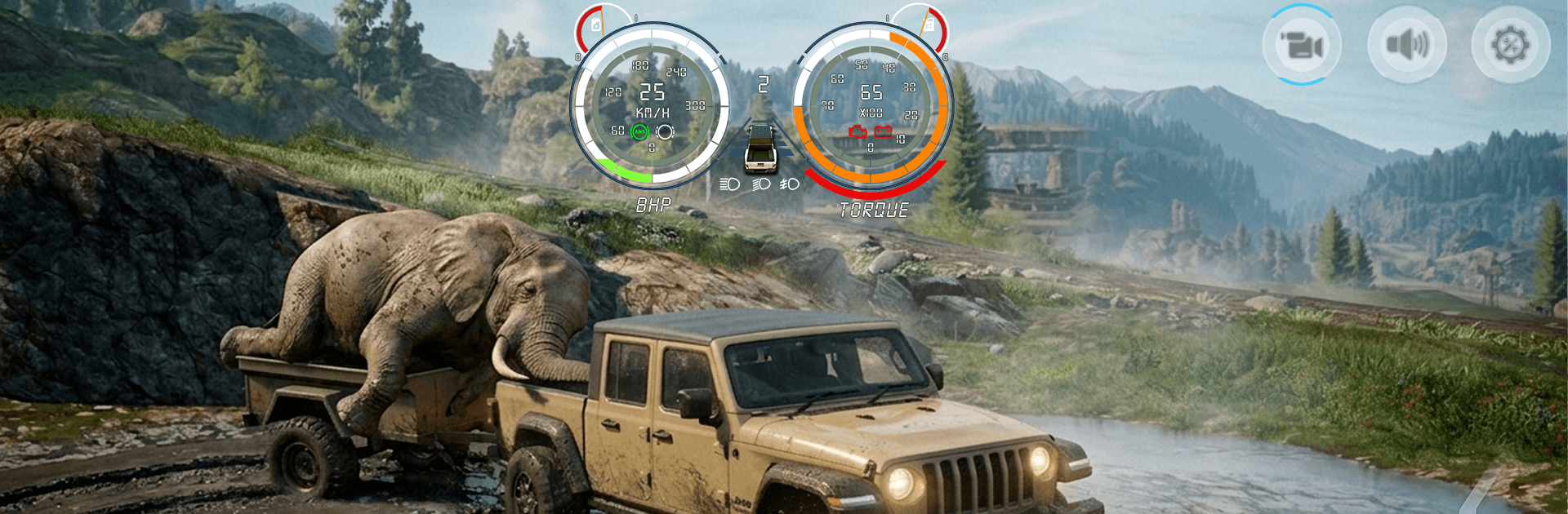
Spin Mud Truck Driving Game drops you into the kind of off-road routes that chew up tires and spit out broken axles. As a Simulation, it’s all about believable physics, smart planning, and keeping your cargo intact while mud, hills, and sketchy trails try to ruin your day. Want a bigger view and steadier inputs? It also plays nicely on BlueStacks when you’re at your desk.

Game Features

  • Realistic terrain physics: Feel ruts deepen, tires slip, and weight shift as mud, water, and loose soil constantly change your grip.
  • Open-map navigation: You get a map and a compass—choose your lines, pick your crossings, and figure out how to thread a heavy rig through the wild.
  • Purposeful hauling: Take on contracts that ask you to move fragile loads safely, not just quickly, rewarding careful driving and good planning.
  • Vehicle variety: Drive rugged jeeps, sturdy pickups, and big haulers—each with its own quirks and plenty of muscle for nasty climbs.
  • Upgrades that count: Tackle suspension upgrades and diesel swaps to suit your style, whether you crawl, slog, or sprint through the muck.
  • Dynamic conditions: Day turns to night, weather changes traction, and visibility drops—adjust your approach or pay the price.
  • Skill-first controls: Feather the throttle, time your shifts, and use momentum wisely; brute force just buries you deeper.
  • Fuel and damage management: Keep an eye on the gauge and the health of your truck—run dry or push too hard, and you’re stuck.
  • Tasks and races: Deliver loads across brutal routes, chase time attacks, and square off against rivals in rough-and-tumble sprints.
  • Diverse routes: From muddy pits to rocky climbs and river edges, every trail asks different things from you and your setup.

BlueStacks gives you more room to focus on the game and less time adjusting around mobile limitations.


Game Features

Enhancements

  • Macros
  • Multi Instance
  • Multi Instance Sync
  • Script
  • Enhancements
Macros

Macros

Automate the predictable in Spin Mud Truck Driving Game and transform your gameplay with Macros. Get access to inventive Macros in the BlueStacks Macro Community
Multi Instance

Multi Instance

Play Spin Mud Truck Driving Game on one window. And chat with your friend on the other. Press CTRL + Shift + 8 to open the Multi-Instance Manager. And start creating fresh instances or clone an existing one.
Multi Instance Sync

Multi Instance Sync

Play Spin Mud Truck Driving Game with the power of Multi-Instance Sync. Replicate what you are doing on the main instance on all other instances. Level up faster, play more.
Script

Script

Script your way to gaming glory in Spin Mud Truck Driving Game with BlueStacks Script. Write and run a set of commands to automate repeated tasks. Trigger the command by assigning it to any key.
Read More

How to Download and Play Spin Mud Truck Driving Game on PC or Mac

  • Download and install BlueStacks on your PC or Mac

  • Complete Google sign-in to access the Play Store, or do it later

  • Look for Spin Mud Truck Driving Game in the search bar at the top right corner

  • Click to install Spin Mud Truck Driving Game from the search results

  • Complete Google sign-in (if you skipped step 2) to install Spin Mud Truck Driving Game

  • Click the Spin Mud Truck Driving Game icon on the home screen to start playing

video
Watch Video

Minimum System Requirements

With BlueStacks 5, you can get started on a PC that fulfills the following requirements.

  • Operating System

    Microsoft Windows 7 or above, macOS 11 (Big Sur) or above

  • Processor

    Intel, AMD or Apple Silicon Processor

  • RAM

    at least 4GB

  • HDD

    10GB Free Disk Space

Note:

* You must be an Administrator on your PC. Up to date graphics drivers from Microsoft or the chipset vendor.

Spin Mud Truck Driving Game - FAQs

  • How to play Spin Mud Truck Driving Game on Windows PC & Mac?

    Play Spin Mud Truck Driving Game on your PC or Mac by following these simple steps.

    • Click on 'Play Spin Mud Truck Driving Game on PC’ to download BlueStacks
    • Install it and log-in to Google Play Store
    • Launch and play the game.
  • Why is BlueStacks the fastest and safest platform to play games on PC?

    BlueStacks respects your privacy and is always safe and secure to use. It does not carry any malware, spyware, or any sort of additional software that could harm your PC.

    It is engineered to optimize speed and performance for a seamless gaming experience.

  • What are Spin Mud Truck Driving Game PC requirements?

    Minimum requirement to run Spin Mud Truck Driving Game on your PC

    • OS: Microsoft Windows 7 or above MacOS 11 (Big Sur) or above
    • Processor: Intel, AMD or Apple Silicon Processor
    • RAM: Your PC must have at least 4GB of RAM. (Note that having 4GB or more disk space is not a substitute for RAM)
    • HDD: 10GB Free Disk Space.
    • You must be an Administrator on your PC.