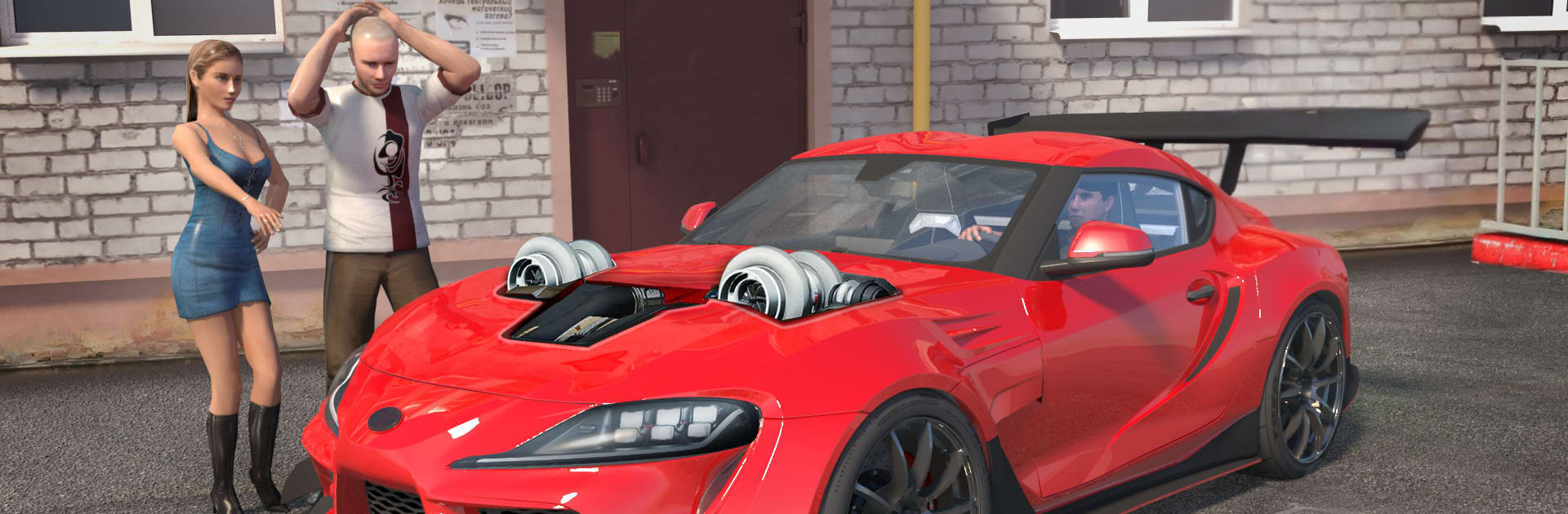
Street Racing Car Bike Driver

Street Racing Car Bike Driver

Simulation

| Simplyplay

Play on PC with BlueStacks or from our cloud

  • Overview
  • Game Features
  • How to Play

Page Modified On: August 14, 2026

Play Street Racing Car Bike Driver on PC or Mac

Bring your A-game to Street Racing Car Bike Driver, the Simulation game sensation from Simplyplay. Give your gameplay the much-needed boost with precise game controls, high FPS graphics, and top-tier features on your PC or Mac with BlueStacks.

About the Game

Street Racing Car Bike Driver throws you into a no‑rules street scene where high-speed cars meet stunt-hungry bikes. This fast, crash-happy Simulation blends believable handling with wild, arcade-style chaos—perfect for drifting hard, pulling wheelies, and collecting new rides and locations as you go. Want steadier steering? It plays great on PC with BlueStacks, too.

Game Features

  • Cars and Bikes, One Garage: Jump between performance cars and aggressive stunt bikes, each with its own feel and attitude on the road.
  • Takedowns, Street-Racer Style: Trade paint, bump rivals, and send them spinning to own the lane and keep your momentum rolling.
  • Stunts That Actually Matter: Pop wheelies, link near-misses, and chain drifts to score big and unlock fresh vehicles and environments.
  • Drifting With Bite: Slide around tight corners with responsive control that makes holding a line feel risky and rewarding.
  • Heat From the Law: Push too hard and cops show up—shake the pursuit, outsmart roadblocks, and get back to chasing that next record.
  • Missions and Unlocks: Tackle driving challenges and bike stunt goals to earn new rides and open up more places to tear through.
  • Smash-Friendly Physics: A soft-body damage model sells every crunch and scrape, so collisions look gnarly and feel weighty.
  • Traffic? What Traffic?: Street cars won’t end your run—blast straight through without slamming the brakes or losing speed.
  • Online Competition: Go head-to-head with real players and climb worldwide leaderboards with clean laps or brutal takedowns—your call.

Start playing Street Racing Car Bike Driver on BlueStacks and get a smoother, more comfortable PC or Mac setup.


Game Features

Enhancements

  • Macros
  • Multi Instance
  • Multi Instance Sync
  • Script
  • Enhancements
Macros

Macros

Automate the predictable in Street Racing Car Bike Driver and transform your gameplay with Macros. Get access to inventive Macros in the BlueStacks Macro Community
Multi Instance

Multi Instance

Play Street Racing Car Bike Driver on one window. And chat with your friend on the other. Press CTRL + Shift + 8 to open the Multi-Instance Manager. And start creating fresh instances or clone an existing one.
Multi Instance Sync

Multi Instance Sync

Play Street Racing Car Bike Driver with the power of Multi-Instance Sync. Replicate what you are doing on the main instance on all other instances. Level up faster, play more.
Script

Script

Script your way to gaming glory in Street Racing Car Bike Driver with BlueStacks Script. Write and run a set of commands to automate repeated tasks. Trigger the command by assigning it to any key.
Read More

How to Download and Play Street Racing Car Bike Driver on PC or Mac

  • Download and install BlueStacks on your PC or Mac

  • Complete Google sign-in to access the Play Store, or do it later

  • Look for Street Racing Car Bike Driver in the search bar at the top right corner

  • Click to install Street Racing Car Bike Driver from the search results

  • Complete Google sign-in (if you skipped step 2) to install Street Racing Car Bike Driver

  • Click the Street Racing Car Bike Driver icon on the home screen to start playing

video
Watch Video

Minimum System Requirements

With BlueStacks 5, you can get started on a PC that fulfills the following requirements.

  • Operating System

    Microsoft Windows 7 or above, macOS 11 (Big Sur) or above

  • Processor

    Intel, AMD or Apple Silicon Processor

  • RAM

    at least 4GB

  • HDD

    10GB Free Disk Space

Note:

* You must be an Administrator on your PC. Up to date graphics drivers from Microsoft or the chipset vendor.

Street Racing Car Bike Driver - FAQs

  • How to play Street Racing Car Bike Driver on Windows PC & Mac?

    Play Street Racing Car Bike Driver on your PC or Mac by following these simple steps.

    • Click on 'Play Street Racing Car Bike Driver on PC’ to download BlueStacks
    • Install it and log-in to Google Play Store
    • Launch and play the game.
  • Why is BlueStacks the fastest and safest platform to play games on PC?

    BlueStacks respects your privacy and is always safe and secure to use. It does not carry any malware, spyware, or any sort of additional software that could harm your PC.

    It is engineered to optimize speed and performance for a seamless gaming experience.

  • What are Street Racing Car Bike Driver PC requirements?

    Minimum requirement to run Street Racing Car Bike Driver on your PC

    • OS: Microsoft Windows 7 or above MacOS 11 (Big Sur) or above
    • Processor: Intel, AMD or Apple Silicon Processor
    • RAM: Your PC must have at least 4GB of RAM. (Note that having 4GB or more disk space is not a substitute for RAM)
    • HDD: 10GB Free Disk Space.
    • You must be an Administrator on your PC.