Stars and Planets Simulator

Stars and Planets Simulator

Simulation

| 3dgalaxymap.com

Play on PC with BlueStacks or from our cloud

  • Overview
  • Game Features
  • How to Play

Page Modified On: June 02, 2026

Play Stars and Planets Simulator on PC or Mac

Play Stars and Planets Simulator by 3dgalaxymap.com on PC or Mac with BlueStacks. Use a bigger screen, mouse and keyboard controls, and smoother performance while you play.

About the Game
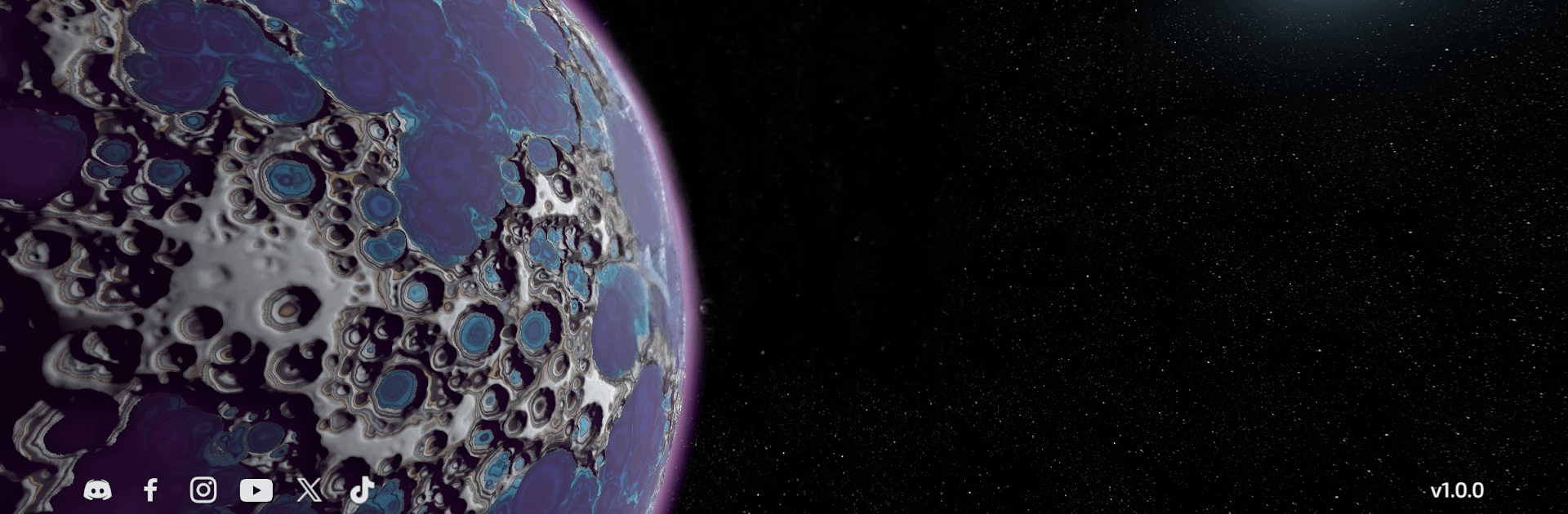
Ever wished you could build your own solar system and then actually go there? Stars and Planets Simulator is a hands-on Simulation sandbox that lets you shape the cosmos, then strap into a ship and explore what you just made. One minute you’re forging a star; the next you’re hiking across the surface of a brand-new world and snapping views of the sky you designed.

Game Features
– Build entire star systems: Create blazing suns, extreme magnetars and pulsars, and even yawning black holes. Arrange your systems however you like and watch them come to life.
– Sculpt unique worlds: Form rocky planets or massive gas giants. Tweak atmospheres, lay down terrain, and imagine oceans—or crank up the heat for a molten core.
– Pilot your own spaceship: Customize your craft and fly between planets and stars you built yourself, from low orbit to deep space, seamlessly.
– Land and explore on foot: Touch down, step out, and roam. Wander harsh deserts, clamber over craters, or stroll through strange, colorful landscapes.
– Descend through gas giants: Drop below the cloud tops, weave through raging storms, and push into dense, metallic layers on your way toward the hidden core.
– Creator to explorer, instantly: Swap from building to piloting to walking without breaking the flow. Everything you see exists because you made it.
– Big-screen friendly: Want a broader view and smooth controls? Play on your PC with BlueStacks and really take in those starfields.

Get ready for a buttery smooth, high-performance gaming action only on BlueStacks.

Game Features

Enhancements

  • Macros
  • Multi Instance
  • Multi Instance Sync
  • Script
  • Enhancements
Macros

Macros

Automate the predictable in Stars and Planets Simulator and transform your gameplay with Macros. Get access to inventive Macros in the BlueStacks Macro Community
Multi Instance

Multi Instance

Play Stars and Planets Simulator on one window. And chat with your friend on the other. Press CTRL + Shift + 8 to open the Multi-Instance Manager. And start creating fresh instances or clone an existing one.
Multi Instance Sync

Multi Instance Sync

Play Stars and Planets Simulator with the power of Multi-Instance Sync. Replicate what you are doing on the main instance on all other instances. Level up faster, play more.
Script

Script

Script your way to gaming glory in Stars and Planets Simulator with BlueStacks Script. Write and run a set of commands to automate repeated tasks. Trigger the command by assigning it to any key.
Read More

How to Download and Play Stars and Planets Simulator on PC or Mac

  • Download and install BlueStacks on your PC or Mac

  • Complete Google sign-in to access the Play Store, or do it later

  • Look for Stars and Planets Simulator in the search bar at the top right corner

  • Click to install Stars and Planets Simulator from the search results

  • Complete Google sign-in (if you skipped step 2) to install Stars and Planets Simulator

  • Click the Stars and Planets Simulator icon on the home screen to start playing

video
Watch Video

Minimum System Requirements

With BlueStacks 5, you can get started on a PC that fulfills the following requirements.

  • Operating System

    Microsoft Windows 7 or above, macOS 11 (Big Sur) or above

  • Processor

    Intel, AMD or Apple Silicon Processor

  • RAM

    at least 4GB

  • HDD

    10GB Free Disk Space

Note:

* You must be an Administrator on your PC. Up to date graphics drivers from Microsoft or the chipset vendor.

Stars and Planets Simulator - FAQs

  • How to play Stars and Planets Simulator on Windows PC & Mac?

    Play Stars and Planets Simulator on your PC or Mac by following these simple steps.

    • Click on 'Play Stars and Planets Simulator on PC’ to download BlueStacks
    • Install it and log-in to Google Play Store
    • Launch and play the game.
  • Why is BlueStacks the fastest and safest platform to play games on PC?

    BlueStacks respects your privacy and is always safe and secure to use. It does not carry any malware, spyware, or any sort of additional software that could harm your PC.

    It is engineered to optimize speed and performance for a seamless gaming experience.

  • What are Stars and Planets Simulator PC requirements?

    Minimum requirement to run Stars and Planets Simulator on your PC

    • OS: Microsoft Windows 7 or above MacOS 11 (Big Sur) or above
    • Processor: Intel, AMD or Apple Silicon Processor
    • RAM: Your PC must have at least 4GB of RAM. (Note that having 4GB or more disk space is not a substitute for RAM)
    • HDD: 10GB Free Disk Space.
    • You must be an Administrator on your PC.