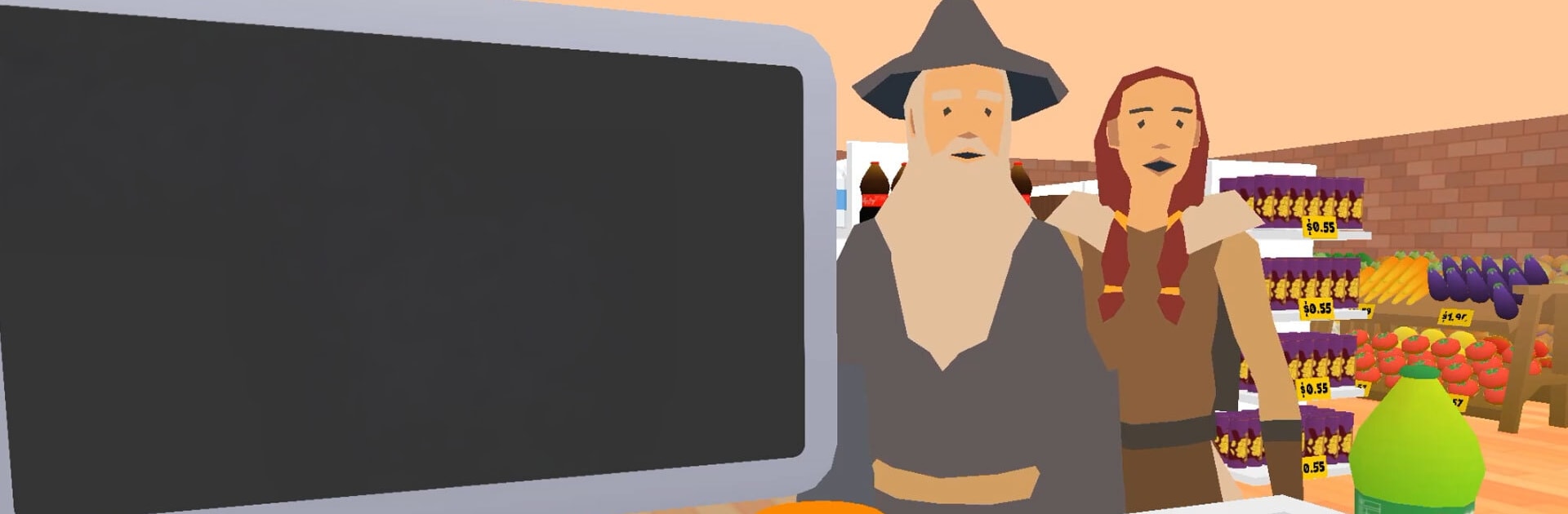
Supermarket Tycoon: Together

Supermarket Tycoon: Together

Simulation

| CrazyGames.com

Play on PC with BlueStacks or from our cloud

  • Overview
  • Game Features
  • How to Play

Page Modified On: June 29, 2026

Play Supermarket Tycoon: Together on PC or Mac

Explore a whole new adventure with Supermarket Tycoon: Together, a Simulation game created by CrazyGames.com. Experience great gameplay with BlueStacks, the most popular gaming platform to play Android games on your PC or Mac.

About the Game

Supermarket Tycoon: Together puts you and your friends behind the registers, in the stockroom, and everywhere in between. It’s a hands-on Simulation where you build a smooth-running store, keep shoppers happy, and grow from a tiny corner shop into something that actually feels big. Play solo or hop online with others—the fun is in keeping the whole operation humming.

Game Features

  • Co-op Store Management: Team up online and split responsibilities. One person handles deliveries, another restocks, someone else helps customers—everyone pitches in to keep the place from falling apart.
  • Solo-Friendly Play: Want to go it alone? You can manage the entire supermarket yourself at your own pace, perfecting routines and tightening up the workflow.
  • Stocking That Feels Real: Unpack shipments, refill shelves, and make sure top sellers never run dry. If the aisles look messy, shoppers notice—so keep things tidy and moving.
  • Customer Care, Fast: Answer questions, guide folks to the right aisle, and keep lines short. Happy customers stick around longer and spend more.
  • Grow the Backroom: Expand storage to handle bigger deliveries and keep a healthier buffer of products, so you’re not scrambling during rush hour.
  • Unlock New Products: Introduce fresh items as you progress and shape what your store is known for—essentials, treats, or a bit of everything.
  • Redesign Your Layout: Move shelves, rethink traffic flow, and create smarter aisles that turn chaos into a clean, efficient path from door to checkout.
  • Smooth on BlueStacks: Prefer playing with a keyboard and mouse? The game feels right at home on BlueStacks without getting in the way of the teamwork.

BlueStacks gives you more room to focus on the game and less time adjusting around mobile limitations.


Game Features

Enhancements

  • Macros
  • Multi Instance
  • Multi Instance Sync
  • Script
  • Enhancements
Macros

Macros

Automate the predictable in Supermarket Tycoon: Together and transform your gameplay with Macros. Get access to inventive Macros in the BlueStacks Macro Community
Multi Instance

Multi Instance

Play Supermarket Tycoon: Together on one window. And chat with your friend on the other. Press CTRL + Shift + 8 to open the Multi-Instance Manager. And start creating fresh instances or clone an existing one.
Multi Instance Sync

Multi Instance Sync

Play Supermarket Tycoon: Together with the power of Multi-Instance Sync. Replicate what you are doing on the main instance on all other instances. Level up faster, play more.
Script

Script

Script your way to gaming glory in Supermarket Tycoon: Together with BlueStacks Script. Write and run a set of commands to automate repeated tasks. Trigger the command by assigning it to any key.
Read More

How to Download and Play Supermarket Tycoon: Together on PC or Mac

  • Download and install BlueStacks on your PC or Mac

  • Complete Google sign-in to access the Play Store, or do it later

  • Look for Supermarket Tycoon: Together in the search bar at the top right corner

  • Click to install Supermarket Tycoon: Together from the search results

  • Complete Google sign-in (if you skipped step 2) to install Supermarket Tycoon: Together

  • Click the Supermarket Tycoon: Together icon on the home screen to start playing

video
Watch Video

Minimum System Requirements

With BlueStacks 5, you can get started on a PC that fulfills the following requirements.

  • Operating System

    Microsoft Windows 7 or above, macOS 11 (Big Sur) or above

  • Processor

    Intel, AMD or Apple Silicon Processor

  • RAM

    at least 4GB

  • HDD

    10GB Free Disk Space

Note:

* You must be an Administrator on your PC. Up to date graphics drivers from Microsoft or the chipset vendor.

Supermarket Tycoon: Together - FAQs

  • How to play Supermarket Tycoon: Together on Windows PC & Mac?

    Play Supermarket Tycoon: Together on your PC or Mac by following these simple steps.

    • Click on 'Play Supermarket Tycoon: Together on PC’ to download BlueStacks
    • Install it and log-in to Google Play Store
    • Launch and play the game.
  • Why is BlueStacks the fastest and safest platform to play games on PC?

    BlueStacks respects your privacy and is always safe and secure to use. It does not carry any malware, spyware, or any sort of additional software that could harm your PC.

    It is engineered to optimize speed and performance for a seamless gaming experience.

  • What are Supermarket Tycoon: Together PC requirements?

    Minimum requirement to run Supermarket Tycoon: Together on your PC

    • OS: Microsoft Windows 7 or above MacOS 11 (Big Sur) or above
    • Processor: Intel, AMD or Apple Silicon Processor
    • RAM: Your PC must have at least 4GB of RAM. (Note that having 4GB or more disk space is not a substitute for RAM)
    • HDD: 10GB Free Disk Space.
    • You must be an Administrator on your PC.