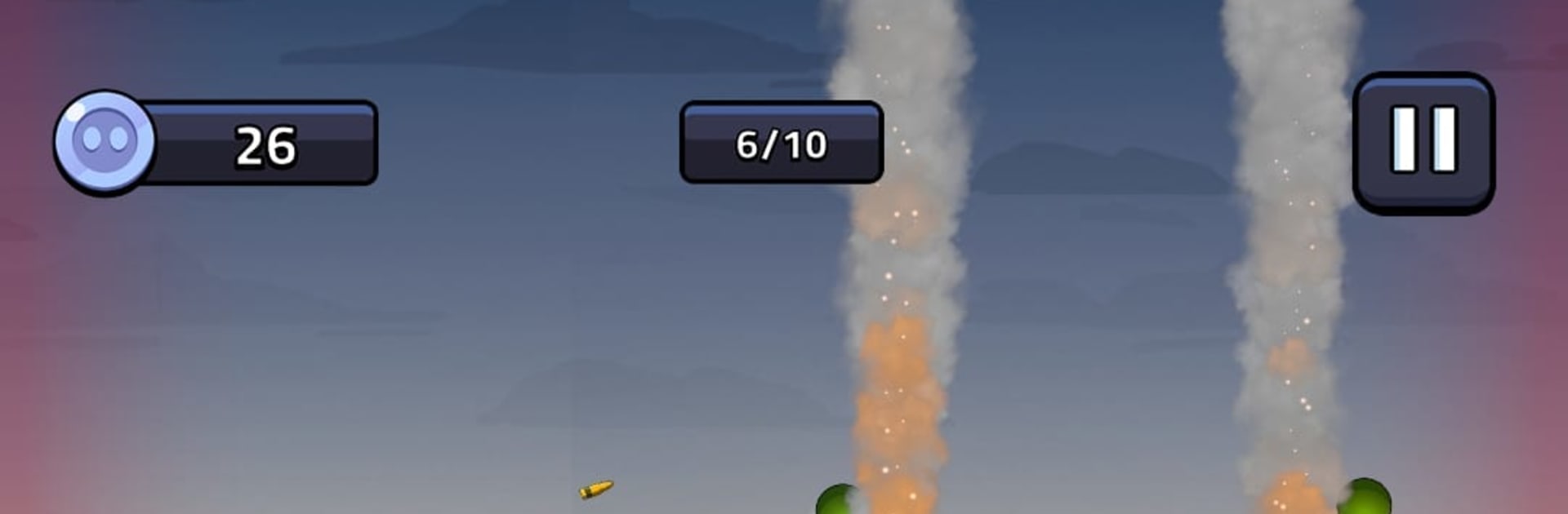
Tank Defense: Merge Attack

Tank Defense: Merge Attack

Simulation

| PSV Apps&Games

Play on PC with BlueStacks or from our cloud

  • Overview
  • Game Features
  • How to Play

Page Modified On: October 23, 2026

Play Tank Defense: Merge Attack on PC or Mac

Explore a whole new adventure with Tank Defense: Merge Attack, a Simulation game created by PSV Apps&Games. Experience great gameplay with BlueStacks, the most popular gaming platform to play Android games on your PC or Mac.

About the Game

Tank Defense: Merge Attack is a Simulation that hands you the blueprints to your own rolling war machine. You’re not mashing fire buttons here—you’re planning the build, merging parts, and tuning a tank that fights on its own while your strategy does the real work. It’s a satisfying loop of tinkering, upgrading, and pushing through tougher waves as your creation gets meaner.

Game Features

  • Brains-First Combat: Battles play out automatically, so you focus on layouts, upgrade paths, and which parts deserve your hard-earned resources.
  • Smart Merging: Combine matching gear to unlock stronger tiers and surprising synergies that turn a decent build into a beast.
  • Build It Your Way: Mix armor, modules, and weapons to counter what’s coming next, whether you need sturdier plating or higher burst damage.
  • A Proper Arsenal: Slot in sniper rifles, machine guns, missile launchers, flamethrowers, mortars—then experiment to see what stacks best.
  • Enemies That Keep You Honest: Face soldiers, drones, tanks, and helicopters, each pushing you to adjust your setup instead of sticking to one “perfect” loadout.
  • Wave-by-Wave Progression: Survive escalating assaults, refine between rounds, and watch your numbers climb as upgrades click into place.
  • Nine Unique Battlegrounds: Move through nine distinct locations, each with its own rhythm, hazards, and difficulty curve.
  • Offline-Friendly Play: No connection? No problem. Tinker, merge, and push a few waves whenever you’ve got a minute.
  • Easy on the Eyes with PC Comfort: Prefer a bigger screen and smooth management? It runs nicely on BlueStacks without getting in your way.
  • Rewarding Upgrade Loop: Earn, invest, and feel the power spike as each change makes your tank hit harder and last longer.

Start playing Tank Defense: Merge Attack on BlueStacks and get a smoother, more comfortable PC or Mac setup.


Game Features

Enhancements

  • Macros
  • Multi Instance
  • Multi Instance Sync
  • Script
  • Enhancements
Macros

Macros

Automate the predictable in Tank Defense: Merge Attack and transform your gameplay with Macros. Get access to inventive Macros in the BlueStacks Macro Community
Multi Instance

Multi Instance

Play Tank Defense: Merge Attack on one window. And chat with your friend on the other. Press CTRL + Shift + 8 to open the Multi-Instance Manager. And start creating fresh instances or clone an existing one.
Multi Instance Sync

Multi Instance Sync

Play Tank Defense: Merge Attack with the power of Multi-Instance Sync. Replicate what you are doing on the main instance on all other instances. Level up faster, play more.
Script

Script

Script your way to gaming glory in Tank Defense: Merge Attack with BlueStacks Script. Write and run a set of commands to automate repeated tasks. Trigger the command by assigning it to any key.
Read More

How to Download and Play Tank Defense: Merge Attack on PC or Mac

  • Download and install BlueStacks on your PC or Mac

  • Complete Google sign-in to access the Play Store, or do it later

  • Look for Tank Defense: Merge Attack in the search bar at the top right corner

  • Click to install Tank Defense: Merge Attack from the search results

  • Complete Google sign-in (if you skipped step 2) to install Tank Defense: Merge Attack

  • Click the Tank Defense: Merge Attack icon on the home screen to start playing

video
Watch Video

Minimum System Requirements

With BlueStacks 5, you can get started on a PC that fulfills the following requirements.

  • Operating System

    Microsoft Windows 7 or above, macOS 11 (Big Sur) or above

  • Processor

    Intel, AMD or Apple Silicon Processor

  • RAM

    at least 4GB

  • HDD

    10GB Free Disk Space

Note:

* You must be an Administrator on your PC. Up to date graphics drivers from Microsoft or the chipset vendor.

Tank Defense: Merge Attack - FAQs

  • How to play Tank Defense: Merge Attack on Windows PC & Mac?

    Play Tank Defense: Merge Attack on your PC or Mac by following these simple steps.

    • Click on 'Play Tank Defense: Merge Attack on PC’ to download BlueStacks
    • Install it and log-in to Google Play Store
    • Launch and play the game.
  • Why is BlueStacks the fastest and safest platform to play games on PC?

    BlueStacks respects your privacy and is always safe and secure to use. It does not carry any malware, spyware, or any sort of additional software that could harm your PC.

    It is engineered to optimize speed and performance for a seamless gaming experience.

  • What are Tank Defense: Merge Attack PC requirements?

    Minimum requirement to run Tank Defense: Merge Attack on your PC

    • OS: Microsoft Windows 7 or above MacOS 11 (Big Sur) or above
    • Processor: Intel, AMD or Apple Silicon Processor
    • RAM: Your PC must have at least 4GB of RAM. (Note that having 4GB or more disk space is not a substitute for RAM)
    • HDD: 10GB Free Disk Space.
    • You must be an Administrator on your PC.