TCG Card Shop Simulator 3D

TCG Card Shop Simulator 3D

Simulation

| K & N WOOD WORKS

Play on PC with BlueStacks or from our cloud

  • Overview
  • Game Features
  • How to Play

Page Modified On: June 25, 2026

Play TCG Card Shop Simulator 3D on PC or Mac

Step into the World of TCG Card Shop Simulator 3D, a thrilling Simulation game from the house of K & N WOOD WORKS. Play this Android game on BlueStacks App Player and experience immersive gaming on PC or Mac.

About the Game

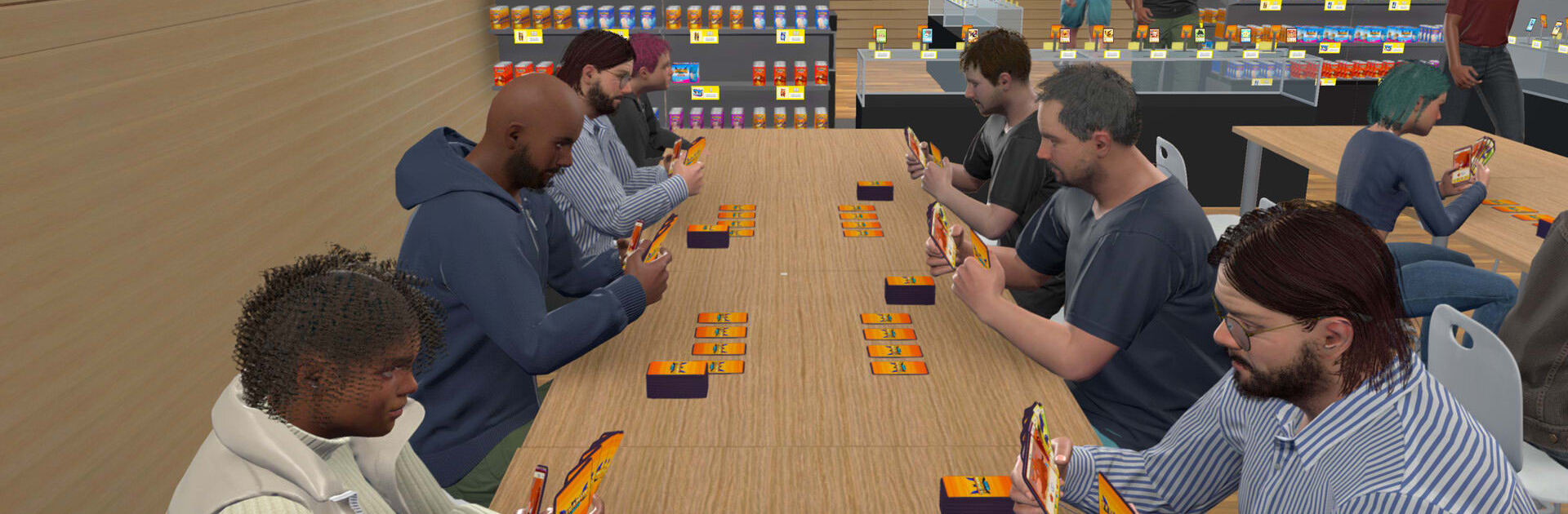
TCG Card Shop Simulator 3D puts you behind the counter of your own trading card store. It’s a relaxed, hands-on Simulation where you buy packs, sort your collection, chat with customers, and turn small wins into a thriving business. Start tiny, make smart calls, and watch your shop grow from a quiet corner to a buzzing hangout for collectors.

Game Features

  • Build Your Shop: Begin with a modest setup and steadily expand with new shelves, cases, and space as your profits roll in.
  • Hunt for Rares: Crack packs, chase standout cards, and decide what to keep, showcase, or flip for cash.
  • Smart Buying and Selling: Track what’s hot, price items wisely, and balance risk versus reward to keep the register happy.
  • Customer Moments: Meet different types of shoppers—from bargain hunters to die-hard collectors—and match them with the right cards.
  • Organize Your Collection: Sort by set or rarity, tidy up displays, and keep inventory flowing so nothing gathers dust.
  • Unlock New Stock: Bring in fresh packs and product lines as your reputation grows, opening up new ways to earn.
  • Upgrade as You Go: Reinforce your counters, improve storage, and invest in better displays to boost sales and foot traffic.
  • Play Your Way: Quick sessions or longer marathons—progress at your own pace without pressure.
  • Great on PC with BlueStacks: Manage your shop comfortably on a bigger screen and keep those card details crisp while you work.

BlueStacks gives you more room to focus on the game and less time adjusting around mobile limitations.


Game Features

Enhancements

  • Macros
  • Multi Instance
  • Multi Instance Sync
  • Script
  • Enhancements
Macros

Macros

Automate the predictable in TCG Card Shop Simulator 3D and transform your gameplay with Macros. Get access to inventive Macros in the BlueStacks Macro Community
Multi Instance

Multi Instance

Play TCG Card Shop Simulator 3D on one window. And chat with your friend on the other. Press CTRL + Shift + 8 to open the Multi-Instance Manager. And start creating fresh instances or clone an existing one.
Multi Instance Sync

Multi Instance Sync

Play TCG Card Shop Simulator 3D with the power of Multi-Instance Sync. Replicate what you are doing on the main instance on all other instances. Level up faster, play more.
Script

Script

Script your way to gaming glory in TCG Card Shop Simulator 3D with BlueStacks Script. Write and run a set of commands to automate repeated tasks. Trigger the command by assigning it to any key.
Read More

How to Download and Play TCG Card Shop Simulator 3D on PC or Mac

  • Download and install BlueStacks on your PC or Mac

  • Complete Google sign-in to access the Play Store, or do it later

  • Look for TCG Card Shop Simulator 3D in the search bar at the top right corner

  • Click to install TCG Card Shop Simulator 3D from the search results

  • Complete Google sign-in (if you skipped step 2) to install TCG Card Shop Simulator 3D

  • Click the TCG Card Shop Simulator 3D icon on the home screen to start playing

video
Watch Video

Minimum System Requirements

With BlueStacks 5, you can get started on a PC that fulfills the following requirements.

  • Operating System

    Microsoft Windows 7 or above, macOS 11 (Big Sur) or above

  • Processor

    Intel, AMD or Apple Silicon Processor

  • RAM

    at least 4GB

  • HDD

    10GB Free Disk Space

Note:

* You must be an Administrator on your PC. Up to date graphics drivers from Microsoft or the chipset vendor.

TCG Card Shop Simulator 3D - FAQs

  • How to play TCG Card Shop Simulator 3D on Windows PC & Mac?

    Play TCG Card Shop Simulator 3D on your PC or Mac by following these simple steps.

    • Click on 'Play TCG Card Shop Simulator 3D on PC’ to download BlueStacks
    • Install it and log-in to Google Play Store
    • Launch and play the game.
  • Why is BlueStacks the fastest and safest platform to play games on PC?

    BlueStacks respects your privacy and is always safe and secure to use. It does not carry any malware, spyware, or any sort of additional software that could harm your PC.

    It is engineered to optimize speed and performance for a seamless gaming experience.

  • What are TCG Card Shop Simulator 3D PC requirements?

    Minimum requirement to run TCG Card Shop Simulator 3D on your PC

    • OS: Microsoft Windows 7 or above MacOS 11 (Big Sur) or above
    • Processor: Intel, AMD or Apple Silicon Processor
    • RAM: Your PC must have at least 4GB of RAM. (Note that having 4GB or more disk space is not a substitute for RAM)
    • HDD: 10GB Free Disk Space.
    • You must be an Administrator on your PC.