
Tekken 7 Mobile
Tekken 7 Mobile

Tekken 7 Mobile

Simulation

| Gamitix Studios

Play on PC with BlueStacks or from our cloud

  • Overview
  • Game Features
  • How to Play

Page Modified On: June 17, 2026

Play Tekken 7 Mobile on PC or Mac

Bring your A-game to Tekken 7 Mobile, the Simulation game sensation from Gamitix Studios. Give your gameplay the much-needed boost with precise game controls, high FPS graphics, and top-tier features on your PC or Mac with BlueStacks.

About the Game

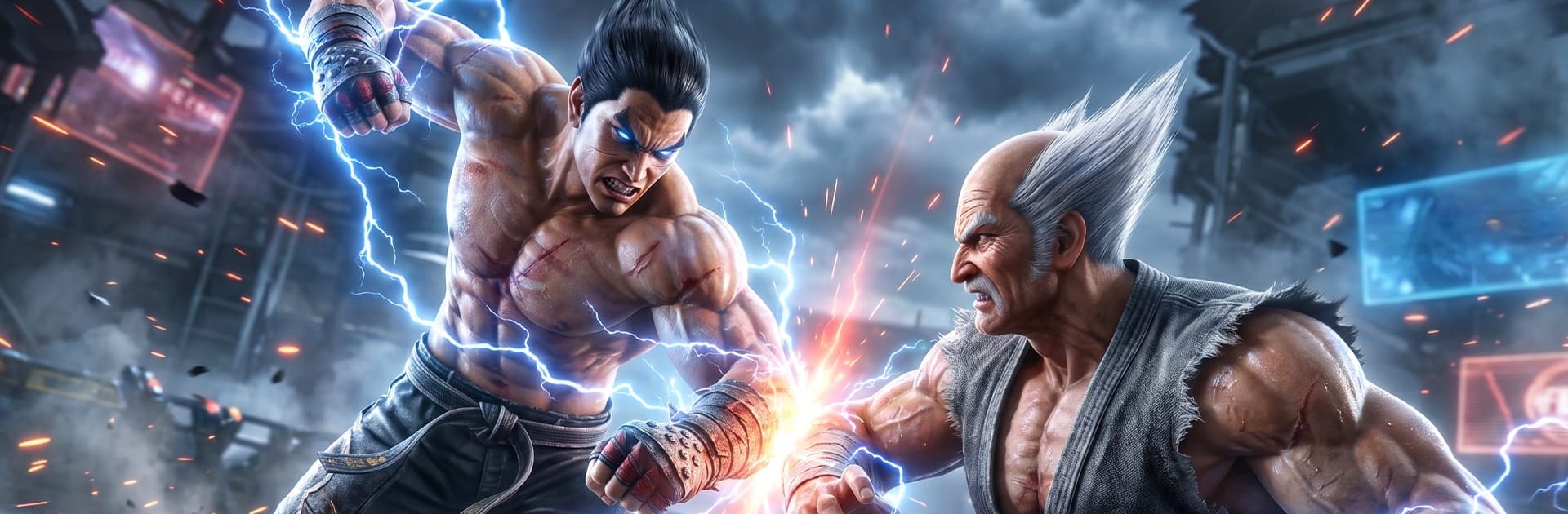
Tekken 7 Mobile brings hard-hitting, one-on-one showdowns to your phone with fast reactions, clutch reads, and lots of style. It’s all about mastering your fighter’s toolkit—timing, combos, and mind games—then putting it to the test against tough opponents. If you like a crisp fighting feel with plenty to learn, this Simulation take on classic brawling nails the vibe.

Game Features

  • Big roster, big personalities: Pick from a wide selection of fighters, each with a distinct look, attitude, and playstyle that changes how every round feels.
  • Signature moves that matter: Learn iconic attacks, juggle routes, and cheeky mix-ups. When it clicks, those strings feel so satisfying.
  • Tight 1v1 battles: Focused, stage-by-stage duels where spacing, footsies, and quick punishes decide the outcome.
  • Skills that grow with you: Start with simple confirms and work your way into advanced tech. The ceiling’s high, but the basics are easy to grasp.
  • Story that throws punches: Follow character-driven chapters that add context to the rivalries and give you reasons to keep pushing forward.
  • Competitive play when you’re ready: Test your nerves in multiplayer bouts or spar casually to refine timing and reactions.
  • Stages with attitude: Fight across detailed arenas that set the tone—bright lights, heavy hits, and a sense of impact in every round.
  • Play how you like: Smooth on mobile, and it also runs nicely on BlueStacks if you want a bigger screen and steady performance for long sessions.

Start playing Tekken 7 Mobile on BlueStacks and get a smoother, more comfortable PC or Mac setup.


Game Features

Enhancements

  • Macros
  • Multi Instance
  • Multi Instance Sync
  • Script
  • Enhancements
Macros

Macros

Automate the predictable in Tekken 7 Mobile and transform your gameplay with Macros. Get access to inventive Macros in the BlueStacks Macro Community
Multi Instance

Multi Instance

Play Tekken 7 Mobile on one window. And chat with your friend on the other. Press CTRL + Shift + 8 to open the Multi-Instance Manager. And start creating fresh instances or clone an existing one.
Multi Instance Sync

Multi Instance Sync

Play Tekken 7 Mobile with the power of Multi-Instance Sync. Replicate what you are doing on the main instance on all other instances. Level up faster, play more.
Script

Script

Script your way to gaming glory in Tekken 7 Mobile with BlueStacks Script. Write and run a set of commands to automate repeated tasks. Trigger the command by assigning it to any key.
Read More

How to Download and Play Tekken 7 Mobile on PC or Mac

  • Download and install BlueStacks on your PC or Mac

  • Complete Google sign-in to access the Play Store, or do it later

  • Look for Tekken 7 Mobile in the search bar at the top right corner

  • Click to install Tekken 7 Mobile from the search results

  • Complete Google sign-in (if you skipped step 2) to install Tekken 7 Mobile

  • Click the Tekken 7 Mobile icon on the home screen to start playing

video
Watch Video

Minimum System Requirements

With BlueStacks 5, you can get started on a PC that fulfills the following requirements.

  • Operating System

    Microsoft Windows 7 or above, macOS 11 (Big Sur) or above

  • Processor

    Intel, AMD or Apple Silicon Processor

  • RAM

    at least 4GB

  • HDD

    10GB Free Disk Space

Note:

* You must be an Administrator on your PC. Up to date graphics drivers from Microsoft or the chipset vendor.

Tekken 7 Mobile - FAQs

  • How to play Tekken 7 Mobile on Windows PC & Mac?

    Play Tekken 7 Mobile on your PC or Mac by following these simple steps.

    • Click on 'Play Tekken 7 Mobile on PC’ to download BlueStacks
    • Install it and log-in to Google Play Store
    • Launch and play the game.
  • Why is BlueStacks the fastest and safest platform to play games on PC?

    BlueStacks respects your privacy and is always safe and secure to use. It does not carry any malware, spyware, or any sort of additional software that could harm your PC.

    It is engineered to optimize speed and performance for a seamless gaming experience.

  • What are Tekken 7 Mobile PC requirements?

    Minimum requirement to run Tekken 7 Mobile on your PC

    • OS: Microsoft Windows 7 or above MacOS 11 (Big Sur) or above
    • Processor: Intel, AMD or Apple Silicon Processor
    • RAM: Your PC must have at least 4GB of RAM. (Note that having 4GB or more disk space is not a substitute for RAM)
    • HDD: 10GB Free Disk Space.
    • You must be an Administrator on your PC.







