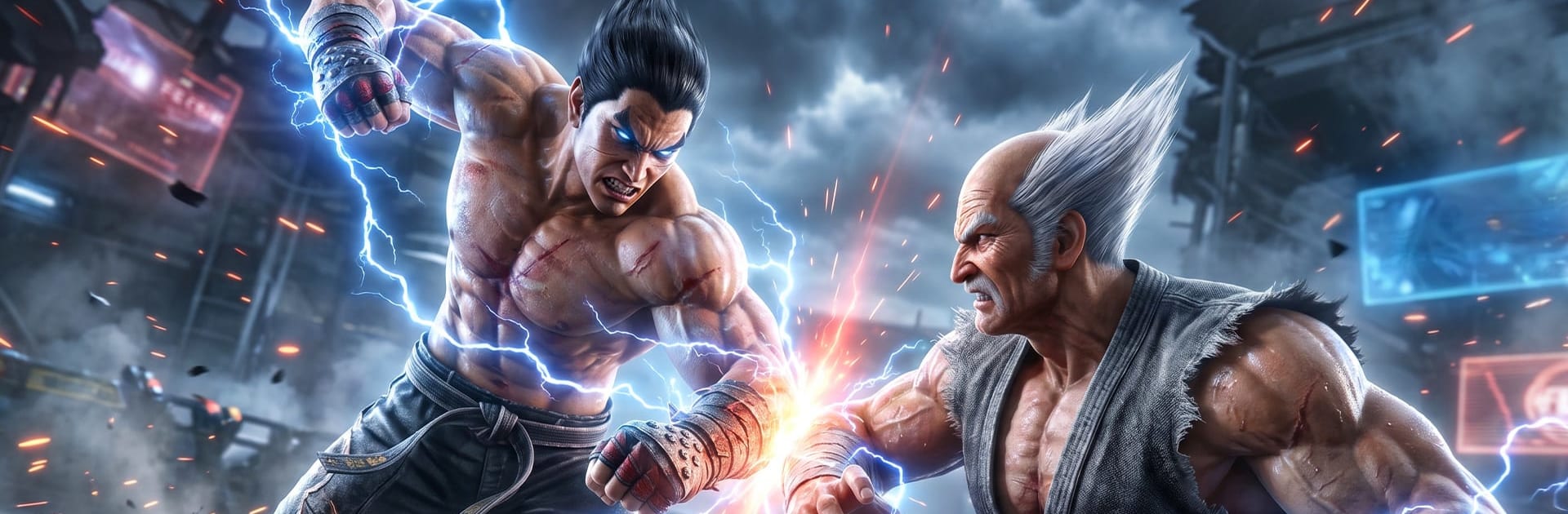
Tekken 8 Mobile
Tekken 8 Mobile

Tekken 8 Mobile

Simulation

| HUNZA NATURAL FOODS PRIVATE LIMITED

Play on PC with BlueStacks or from our cloud

  • Overview
  • Game Features
  • How to Play

Page Modified On: July 14, 2026

Play Tekken 8 Mobile on PC or Mac

Step into the World of Tekken 8 Mobile, a thrilling Simulation game from the house of HUNZA NATURAL FOODS PRIVATE LIMITED. Play this Android game on BlueStacks App Player and experience immersive gaming on PC or Mac.

About the Game

Tekken 8 Mobile throws you straight into high-stakes, one-on-one showdowns where sharp timing and smart reads matter just as much as raw power. It’s a Simulation take on brutal martial arts clashes, letting you choose a favorite fighter, learn their rhythm, and push for that perfect finish. Want a bigger screen and steadier controls? You can also play it on BlueStacks.

Game Features

  • Diverse roster: Pick from a wide range of fighters, each with their own swagger, signature moves, and totally different game plans.
  • Skill-based combat: Learn the ebb and flow—block, sidestep, punish, then cash out with clean juggles and tight follow-ups.
  • Combo creativity: String light, heavy, and launcher attacks into routes that fit your style, whether you like safe pressure or big risks for bigger rewards.
  • Cinematic story moments: Work through a story mode packed with character rivalries, dramatic beats, and set-piece battles that feel personal.
  • Competitive matches: Test your skills against real players in fast, tense bouts where every decision can swing the round.
  • Detailed arenas: Fight across striking stages with bold lighting, sharp effects, and the kind of impact that makes every hit feel heavy.
  • Progress that matters: Unlock new skills and refine your toolkit as you learn, adapt, and sharpen your main to a razor’s edge.
  • Built for momentum: Quick rematches keep you in the zone—study habits, swap tactics, and come back smarter the next round.

Get ready for a buttery smooth, high-performance gaming action only on BlueStacks.

Game Features

Enhancements

  • Macros
  • Multi Instance
  • Multi Instance Sync
  • Script
  • Enhancements
Macros

Macros

Automate the predictable in Tekken 8 Mobile and transform your gameplay with Macros. Get access to inventive Macros in the BlueStacks Macro Community
Multi Instance

Multi Instance

Play Tekken 8 Mobile on one window. And chat with your friend on the other. Press CTRL + Shift + 8 to open the Multi-Instance Manager. And start creating fresh instances or clone an existing one.
Multi Instance Sync

Multi Instance Sync

Play Tekken 8 Mobile with the power of Multi-Instance Sync. Replicate what you are doing on the main instance on all other instances. Level up faster, play more.
Script

Script

Script your way to gaming glory in Tekken 8 Mobile with BlueStacks Script. Write and run a set of commands to automate repeated tasks. Trigger the command by assigning it to any key.
Read More

How to Download and Play Tekken 8 Mobile on PC or Mac

  • Download and install BlueStacks on your PC or Mac

  • Complete Google sign-in to access the Play Store, or do it later

  • Look for Tekken 8 Mobile in the search bar at the top right corner

  • Click to install Tekken 8 Mobile from the search results

  • Complete Google sign-in (if you skipped step 2) to install Tekken 8 Mobile

  • Click the Tekken 8 Mobile icon on the home screen to start playing

video
Watch Video

Minimum System Requirements

With BlueStacks 5, you can get started on a PC that fulfills the following requirements.

  • Operating System

    Microsoft Windows 7 or above, macOS 11 (Big Sur) or above

  • Processor

    Intel, AMD or Apple Silicon Processor

  • RAM

    at least 4GB

  • HDD

    10GB Free Disk Space

Note:

* You must be an Administrator on your PC. Up to date graphics drivers from Microsoft or the chipset vendor.

Tekken 8 Mobile - FAQs

  • How to play Tekken 8 Mobile on Windows PC & Mac?

    Play Tekken 8 Mobile on your PC or Mac by following these simple steps.

    • Click on 'Play Tekken 8 Mobile on PC’ to download BlueStacks
    • Install it and log-in to Google Play Store
    • Launch and play the game.
  • Why is BlueStacks the fastest and safest platform to play games on PC?

    BlueStacks respects your privacy and is always safe and secure to use. It does not carry any malware, spyware, or any sort of additional software that could harm your PC.

    It is engineered to optimize speed and performance for a seamless gaming experience.

  • What are Tekken 8 Mobile PC requirements?

    Minimum requirement to run Tekken 8 Mobile on your PC

    • OS: Microsoft Windows 7 or above MacOS 11 (Big Sur) or above
    • Processor: Intel, AMD or Apple Silicon Processor
    • RAM: Your PC must have at least 4GB of RAM. (Note that having 4GB or more disk space is not a substitute for RAM)
    • HDD: 10GB Free Disk Space.
    • You must be an Administrator on your PC.