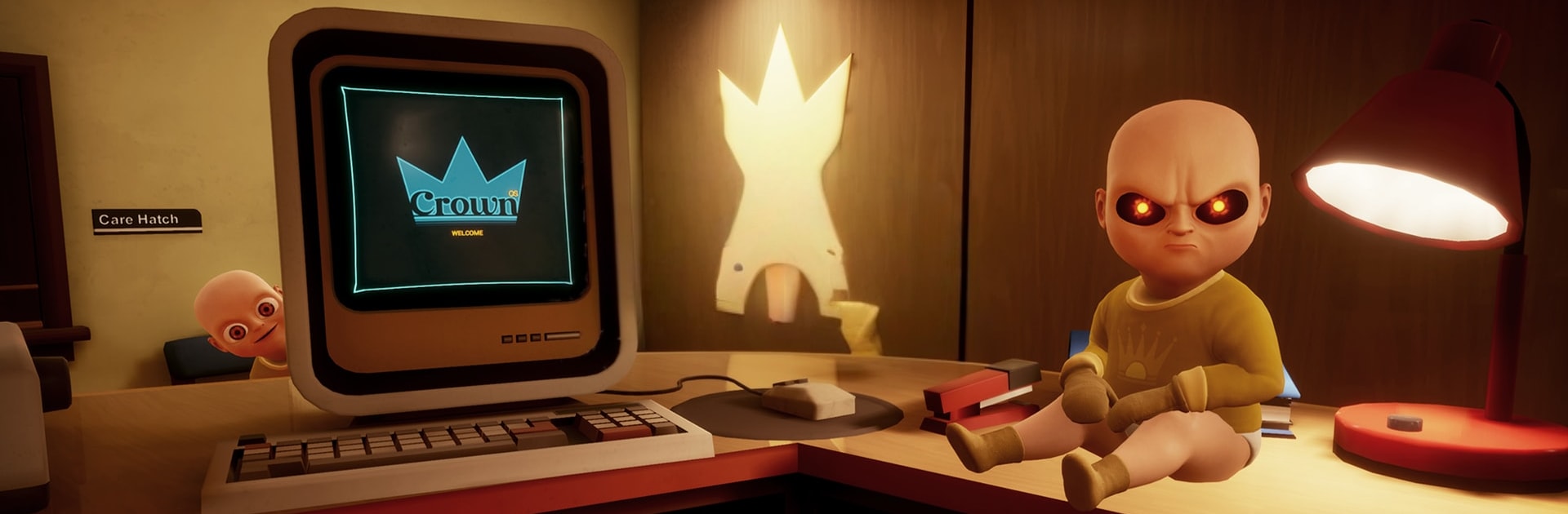
The Haunted Child Game

The Haunted Child Game

Simulation

| P 1090 AHMAD MANSION

Play on PC with BlueStacks or from our cloud

  • Overview
  • Game Features
  • How to Play

Page Modified On: July 14, 2026

Play The Haunted Child Game on PC or Mac

The Haunted Child Game brings the Simulation genre to life, and throws up exciting challenges for gamers. Developed by P 1090 AHMAD MANSION, this Android game is best experienced on BlueStacks, the World’s #1 app player for PC and Mac users.

About the Game

The Haunted Child Game is a slow-burn Simulation that leans hard into tension and curiosity. You’ll creep through abandoned spaces, pick through clues, and tackle clever puzzles while chasing the truth behind a child no one wants to talk about. Prefer playing on a PC? It also runs smoothly on BlueStacks without losing that eerie vibe.

Game Features

  • Story-led mystery: Follow scattered notes, odd objects, and environmental hints to piece together what really happened.
  • Creepy exploration: Move through ruined bedrooms, shuttered halls, and shadowy corners where every creak might mean something.
  • Puzzles with purpose: Locks, switches, and codes aren’t filler—they nudge the investigation forward and reward careful thinking.
  • Escape and survive: Choose your moments, keep calm when things turn hostile, and find a way out under pressure.
  • Hidden secrets and collectibles: Optional discoveries add context and deepen the backstory for those who love to scour every nook.
  • Detailed 3D spaces: Moody lighting, dense shadows, and cluttered rooms make each area feel tangible and risky to cross.
  • Sound that gets under your skin: Footsteps, distant knocks, and uneasy ambience guide you—or throw you off—when you least expect it.
  • Smooth, responsive controls: Sneak, peek, and interact without clunky menus breaking the moment.
  • Offline play: No connection needed, so you can investigate anytime.
  • Steady, building suspense: Quiet stretches give way to sharp, unsettling moments that keep you alert from room to room.

Get ready for a buttery smooth, high-performance gaming action only on BlueStacks.

Game Features

Enhancements

  • Macros
  • Multi Instance
  • Multi Instance Sync
  • Script
  • Enhancements
Macros

Macros

Automate the predictable in The Haunted Child Game and transform your gameplay with Macros. Get access to inventive Macros in the BlueStacks Macro Community
Multi Instance

Multi Instance

Play The Haunted Child Game on one window. And chat with your friend on the other. Press CTRL + Shift + 8 to open the Multi-Instance Manager. And start creating fresh instances or clone an existing one.
Multi Instance Sync

Multi Instance Sync

Play The Haunted Child Game with the power of Multi-Instance Sync. Replicate what you are doing on the main instance on all other instances. Level up faster, play more.
Script

Script

Script your way to gaming glory in The Haunted Child Game with BlueStacks Script. Write and run a set of commands to automate repeated tasks. Trigger the command by assigning it to any key.
Read More

How to Download and Play The Haunted Child Game on PC or Mac

  • Download and install BlueStacks on your PC or Mac

  • Complete Google sign-in to access the Play Store, or do it later

  • Look for The Haunted Child Game in the search bar at the top right corner

  • Click to install The Haunted Child Game from the search results

  • Complete Google sign-in (if you skipped step 2) to install The Haunted Child Game

  • Click the The Haunted Child Game icon on the home screen to start playing

video
Watch Video

Minimum System Requirements

With BlueStacks 5, you can get started on a PC that fulfills the following requirements.

  • Operating System

    Microsoft Windows 7 or above, macOS 11 (Big Sur) or above

  • Processor

    Intel, AMD or Apple Silicon Processor

  • RAM

    at least 4GB

  • HDD

    10GB Free Disk Space

Note:

* You must be an Administrator on your PC. Up to date graphics drivers from Microsoft or the chipset vendor.

The Haunted Child Game - FAQs

  • How to play The Haunted Child Game on Windows PC & Mac?

    Play The Haunted Child Game on your PC or Mac by following these simple steps.

    • Click on 'Play The Haunted Child Game on PC’ to download BlueStacks
    • Install it and log-in to Google Play Store
    • Launch and play the game.
  • Why is BlueStacks the fastest and safest platform to play games on PC?

    BlueStacks respects your privacy and is always safe and secure to use. It does not carry any malware, spyware, or any sort of additional software that could harm your PC.

    It is engineered to optimize speed and performance for a seamless gaming experience.

  • What are The Haunted Child Game PC requirements?

    Minimum requirement to run The Haunted Child Game on your PC

    • OS: Microsoft Windows 7 or above MacOS 11 (Big Sur) or above
    • Processor: Intel, AMD or Apple Silicon Processor
    • RAM: Your PC must have at least 4GB of RAM. (Note that having 4GB or more disk space is not a substitute for RAM)
    • HDD: 10GB Free Disk Space.
    • You must be an Administrator on your PC.