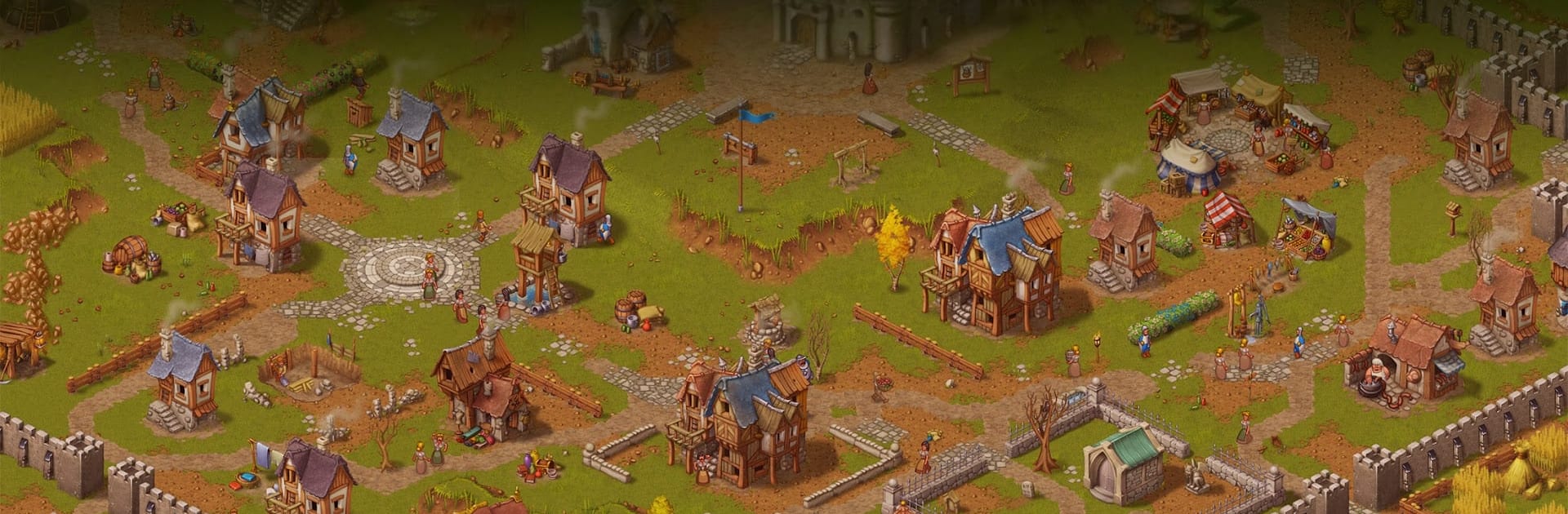


Explore a whole new adventure with Townsmen – A Kingdom Rebuilt, a Simulation game created by HandyGames. Experience great gameplay with BlueStacks, the most popular gaming platform to play Android games on your PC or Mac.
About the Game
Townsmen – A Kingdom Rebuilt is a thoughtful Simulation about growing a humble hamlet into a bustling medieval city. You’re the ruler calling the shots—where to build, what to tax, how to keep folks safe and satisfied—and every decision ripples through your economy and the daily lives of your citizens. Prefer a bigger screen and precise controls? It runs smoothly on PC with BlueStacks.
Game Features
- Hands-on City Building – Lay out farms, workshops, homes, and roads while watching townsfolk follow believable routines, from hauling logs to grabbing a drink after work.
- Deep Production Web – Turn raw materials into valuable goods: ore into bars, grain into bread, and luxury items that keep wallets (and the treasury) happy.
- Seasonal Strategy – Plan ahead for shifting weather. Stockpile for winter, manage water and crops in summer, and keep essential supplies flowing year-round.
- Living Needs and Morale – Balance food, faith, entertainment, and safety. A content town works faster, trades better, and grows stronger.
- Disasters and Setbacks – Fires, illness, and other troubles will test your planning. Build wells, clinics, and backup stores to bounce back quickly.
- Trade and Taxes – Use the market to sell surplus stock, import what you’re missing, and tweak tax rates to fund expansion without ticking everyone off.
- Defend Your People – Bandits aren’t shy. Put up watchtowers, train troops in barracks, and secure trade routes so production doesn’t grind to a halt.
- Research That Lasts – Earn experience from everyday actions and unlock permanent upgrades that make future towns smarter and more efficient.
- Play Your Way – Tackle hand-crafted scenarios with clear goals or switch to Sandbox Mode to build at your own pace and test wild layouts.
Ready to top the leaderboard? We bet you do. Let precise controls and sharp visuals optimized on BlueStacks lead you to victory.