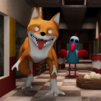
Tricky Monkey: House Prankster

Tricky Monkey: House Prankster

Simulation

| IDLERO

Play on PC with BlueStacks or from our cloud

  • Overview
  • Game Features
  • How to Play

Page Modified On: June 29, 2026

Play Tricky Monkey: House Prankster on PC or Mac

Step into the World of Tricky Monkey: House Prankster, a thrilling Simulation game from the house of IDLERO. Play this Android game on BlueStacks App Player and experience immersive gaming on PC or Mac.

About the Game

Tricky Monkey: House Prankster turns a perfectly normal home into your personal playground of mischief. You’re a crafty little ape on a mission to prank, pester, and scatter everything that isn’t nailed down—then bolt before anyone catches you. It’s a cheeky Simulation with a fun mix of stealth, slapstick, and pure chaos.

Game Features

  • Be the Prankster: Take control of a feisty monkey and stir up harmless trouble—swat, shove, and throw in a cheeky kick when the moment calls for it.
  • A House Full of Props: Every room and the backyard are packed with stuff to flip, stack, fling, or booby-trap. If you can reach it, you can probably mess with it.
  • Sneak, Time, Escape: Study human patrols, set the perfect prank, then sprint for cover when the jig is up. Getting away clean is half the fun.
  • Go Anywhere: Climb walls and fences, hop across couches, and scamper over shelves for the best setup spots and escape routes.
  • Animated Reactions: Enjoy goofy, cartoon-style outbursts when your tricks land—double-takes, slipups, and over-the-top “what just happened” moments.
  • Grow Your Toolkit: Unlock new tricks, upgrades, and higher prank-skill tiers to pull off bigger chains and smarter setups.
  • Pick-Up-and-Play Controls: Simple, responsive controls make it easy to start causing trouble right away, whether you’ve got five minutes or an hour. It also feels great with keyboard controls on BlueStacks.
  • Polished Look and Feel: Bright rooms, crisp effects, and bouncy audio make every toppled vase and startled yelp extra satisfying.

Ready to top the leaderboard? We bet you do. Let precise controls and sharp visuals optimized on BlueStacks lead you to victory.


Game Features

Enhancements

  • Macros
  • Multi Instance
  • Multi Instance Sync
  • Script
  • Enhancements
Macros

Macros

Automate the predictable in Tricky Monkey: House Prankster and transform your gameplay with Macros. Get access to inventive Macros in the BlueStacks Macro Community
Multi Instance

Multi Instance

Play Tricky Monkey: House Prankster on one window. And chat with your friend on the other. Press CTRL + Shift + 8 to open the Multi-Instance Manager. And start creating fresh instances or clone an existing one.
Multi Instance Sync

Multi Instance Sync

Play Tricky Monkey: House Prankster with the power of Multi-Instance Sync. Replicate what you are doing on the main instance on all other instances. Level up faster, play more.
Script

Script

Script your way to gaming glory in Tricky Monkey: House Prankster with BlueStacks Script. Write and run a set of commands to automate repeated tasks. Trigger the command by assigning it to any key.
Read More

How to Download and Play Tricky Monkey: House Prankster on PC or Mac

  • Download and install BlueStacks on your PC or Mac

  • Complete Google sign-in to access the Play Store, or do it later

  • Look for Tricky Monkey: House Prankster in the search bar at the top right corner

  • Click to install Tricky Monkey: House Prankster from the search results

  • Complete Google sign-in (if you skipped step 2) to install Tricky Monkey: House Prankster

  • Click the Tricky Monkey: House Prankster icon on the home screen to start playing

video
Watch Video

Minimum System Requirements

With BlueStacks 5, you can get started on a PC that fulfills the following requirements.

  • Operating System

    Microsoft Windows 7 or above, macOS 11 (Big Sur) or above

  • Processor

    Intel, AMD or Apple Silicon Processor

  • RAM

    at least 4GB

  • HDD

    10GB Free Disk Space

Note:

* You must be an Administrator on your PC. Up to date graphics drivers from Microsoft or the chipset vendor.

Tricky Monkey: House Prankster - FAQs

  • How to play Tricky Monkey: House Prankster on Windows PC & Mac?

    Play Tricky Monkey: House Prankster on your PC or Mac by following these simple steps.

    • Click on 'Play Tricky Monkey: House Prankster on PC’ to download BlueStacks
    • Install it and log-in to Google Play Store
    • Launch and play the game.
  • Why is BlueStacks the fastest and safest platform to play games on PC?

    BlueStacks respects your privacy and is always safe and secure to use. It does not carry any malware, spyware, or any sort of additional software that could harm your PC.

    It is engineered to optimize speed and performance for a seamless gaming experience.

  • What are Tricky Monkey: House Prankster PC requirements?

    Minimum requirement to run Tricky Monkey: House Prankster on your PC

    • OS: Microsoft Windows 7 or above MacOS 11 (Big Sur) or above
    • Processor: Intel, AMD or Apple Silicon Processor
    • RAM: Your PC must have at least 4GB of RAM. (Note that having 4GB or more disk space is not a substitute for RAM)
    • HDD: 10GB Free Disk Space.
    • You must be an Administrator on your PC.