US Army Hovercraft Simulator

US Army Hovercraft Simulator

Simulation

| Zipzoom Studio

Play on PC with BlueStacks or from our cloud

  • Overview
  • Game Features
  • How to Play

Page Modified On: December 22, 2025

Play US Army Hovercraft Simulator on PC or Mac

Explore a whole new adventure with US Army Hovercraft Simulator, a Simulation game created by Zipzoom Studio. Experience great gameplay with BlueStacks, the most popular gaming platform to play Android games on your PC or Mac.

About the Game

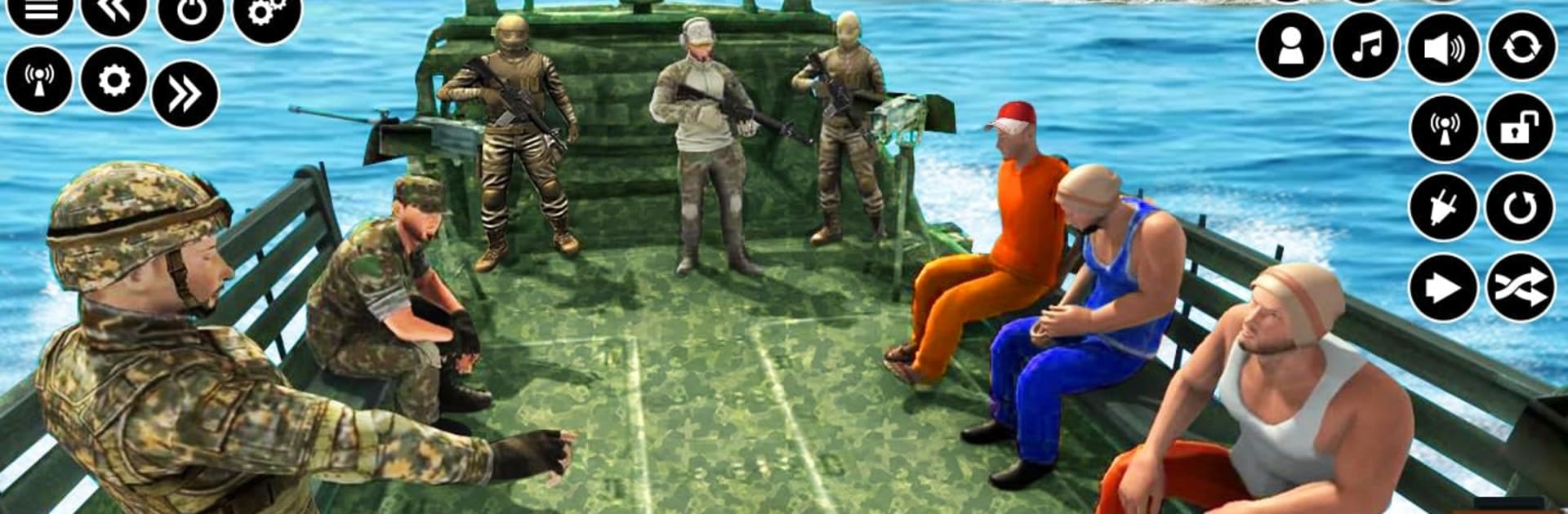
US Army Hovercraft Simulator from Zipzoom Studio puts you in the hot seat as a naval captain with a lot on the line. This Simulation game blends fast, amphibious navigation with tough calls: move troops and gear, save lives when the weather turns ugly, and chase down threats before they disappear. Expect a hands-on ride where your hovercraft slides from surf to shore and every order counts.

Game Features

  • Be the captain: Follow briefings, prioritize objectives, and get your craft wherever command needs it—no excuses, just results.
  • Amphibious handling that matters: Skim over waves, cut across shallow water, and beach on a dime. Weight, speed, and weather all change how your hovercraft feels.
  • Missions with real stakes: One moment you’re ferrying tanks and jeeps, the next you’re snatching survivors from a storm or sprinting after a traitor to secure sensitive documents.
  • Iconic fleet, your way: Take the helm of legends like Arizona, Yamato, Bismarck, and Lexington, then tweak loadouts and looks to fit your approach.
  • Wide-open oceans, shifting conditions: Navigate the Atlantic, Pacific, and Arctic with rolling swells, heavy rain, lightning, and low visibility that can wreck a perfect plan.
  • Full logistics chain: Load vehicles onto trucks, choppers, and ships, dock at sea ports, and manage tight spaces at base camps and border checkpoints.
  • Rescue and survival ops: Respond to jet crashes, locate officers in rough seas, and get them aboard before the clock and the weather turn against you.
  • Combat and pursuit: Engage hostile crews, protect territory, and switch from transport duty to “destroy” mode when orders change.
  • Multiple roles, one seat: Drive cargo trucks, operate transport ships, and captain your hovercraft—sometimes all in a single operation.
  • PC-friendly option: Prefer a bigger screen and keyboard controls? It plays smoothly on BlueStacks without changing the core feel.

Make your gaming sessions memorable with precise controls that give you an edge in close combats and visuals that pop up, bringing every character to life.


Game Features

Enhancements

  • Macros
  • Multi Instance
  • Multi Instance Sync
  • Script
  • Enhancements
Macros

Macros

Automate the predictable in US Army Hovercraft Simulator and transform your gameplay with Macros. Get access to inventive Macros in the BlueStacks Macro Community
Multi Instance

Multi Instance

Play US Army Hovercraft Simulator on one window. And chat with your friend on the other. Press CTRL + Shift + 8 to open the Multi-Instance Manager. And start creating fresh instances or clone an existing one.
Multi Instance Sync

Multi Instance Sync

Play US Army Hovercraft Simulator with the power of Multi-Instance Sync. Replicate what you are doing on the main instance on all other instances. Level up faster, play more.
Script

Script

Script your way to gaming glory in US Army Hovercraft Simulator with BlueStacks Script. Write and run a set of commands to automate repeated tasks. Trigger the command by assigning it to any key.
Read More

How to Download and Play US Army Hovercraft Simulator on PC or Mac

  • Download and install BlueStacks on your PC or Mac

  • Complete Google sign-in to access the Play Store, or do it later

  • Look for US Army Hovercraft Simulator in the search bar at the top right corner

  • Click to install US Army Hovercraft Simulator from the search results

  • Complete Google sign-in (if you skipped step 2) to install US Army Hovercraft Simulator

  • Click the US Army Hovercraft Simulator icon on the home screen to start playing

video
Watch Video

Minimum System Requirements

With BlueStacks 5, you can get started on a PC that fulfills the following requirements.

  • Operating System

    Microsoft Windows 7 or above, macOS 11 (Big Sur) or above

  • Processor

    Intel, AMD or Apple Silicon Processor

  • RAM

    at least 4GB

  • HDD

    10GB Free Disk Space

Note:

* You must be an Administrator on your PC. Up to date graphics drivers from Microsoft or the chipset vendor.

US Army Hovercraft Simulator - FAQs

  • How to play US Army Hovercraft Simulator on Windows PC & Mac?

    Play US Army Hovercraft Simulator on your PC or Mac by following these simple steps.

    • Click on 'Play US Army Hovercraft Simulator on PC’ to download BlueStacks
    • Install it and log-in to Google Play Store
    • Launch and play the game.
  • Why is BlueStacks the fastest and safest platform to play games on PC?

    BlueStacks respects your privacy and is always safe and secure to use. It does not carry any malware, spyware, or any sort of additional software that could harm your PC.

    It is engineered to optimize speed and performance for a seamless gaming experience.

  • What are US Army Hovercraft Simulator PC requirements?

    Minimum requirement to run US Army Hovercraft Simulator on your PC

    • OS: Microsoft Windows 7 or above MacOS 11 (Big Sur) or above
    • Processor: Intel, AMD or Apple Silicon Processor
    • RAM: Your PC must have at least 4GB of RAM. (Note that having 4GB or more disk space is not a substitute for RAM)
    • HDD: 10GB Free Disk Space.
    • You must be an Administrator on your PC.