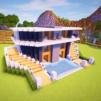
Village Quest: Build & Explore

Village Quest: Build & Explore

Simulation

| ThunderstormStudio

Play on PC with BlueStacks or from our cloud

  • Overview
  • Game Features
  • How to Play

Page Modified On: June 11, 2026

Play Village Quest: Build & Explore on PC or Mac

Village Quest: Build & Explore brings the Simulation genre to life, and throws up exciting challenges for gamers. Developed by ThunderstormStudio, this Android game is best experienced on BlueStacks, the World’s #1 app player for PC and Mac users.

About the Game

Village Quest: Build & Explore is a laid‑back Simulation sandbox where your ideas turn into cozy streets, towering keeps, and everything in between. Start small with a patch of land, gather what you need, and shape a living village that actually feels alive. Want a quiet builder’s groove or a full-on adventure with friends? It comfortably does both—and yes, it plays nicely on BlueStacks if you like a bigger view.

Game Features

  • Build from the ground up: Sketch out simple cottages or go big with sprawling castles, plazas, and bridges—piece by piece, exactly how you pictured it.
  • Resource gathering and crafting: Chop wood, quarry stone, and mine minerals to assemble cube-style blocks, then craft the tools and parts you need to keep projects rolling.
  • City builder vibes: Plan streets, place key buildings, and grow a bustling town or a bright little city island with thoughtful 3D layouts.
  • Life simulation touches: Watch your settlement feel lived-in as you expand, decorate, and keep essential workflows humming.
  • Exploration that matters: Roam wide-open landscapes, uncover tucked-away spots, and bring back rare finds to upgrade your builds.
  • Caves and surprises: Brave deeper caverns packed with hazards and hidden treasures—perfect for resource-hunting pros.
  • Multiplayer co-op and minigames: Team up to raise landmarks faster, swap ideas, or break for quick competitive challenges.
  • Deep customization: Style homes, streets, and public squares with colors, patterns, and decor until your village screams “you.”
  • Party and community tools: Host build nights, decorate together, and make shared spaces that friends actually want to visit.

Get ready for a buttery smooth, high-performance gaming action only on BlueStacks.

Game Features

Enhancements

  • Macros
  • Multi Instance
  • Multi Instance Sync
  • Script
  • Enhancements
Macros

Macros

Automate the predictable in Village Quest: Build & Explore and transform your gameplay with Macros. Get access to inventive Macros in the BlueStacks Macro Community
Multi Instance

Multi Instance

Play Village Quest: Build & Explore on one window. And chat with your friend on the other. Press CTRL + Shift + 8 to open the Multi-Instance Manager. And start creating fresh instances or clone an existing one.
Multi Instance Sync

Multi Instance Sync

Play Village Quest: Build & Explore with the power of Multi-Instance Sync. Replicate what you are doing on the main instance on all other instances. Level up faster, play more.
Script

Script

Script your way to gaming glory in Village Quest: Build & Explore with BlueStacks Script. Write and run a set of commands to automate repeated tasks. Trigger the command by assigning it to any key.
Read More

How to Download and Play Village Quest: Build & Explore on PC or Mac

  • Download and install BlueStacks on your PC or Mac

  • Complete Google sign-in to access the Play Store, or do it later

  • Look for Village Quest: Build & Explore in the search bar at the top right corner

  • Click to install Village Quest: Build & Explore from the search results

  • Complete Google sign-in (if you skipped step 2) to install Village Quest: Build & Explore

  • Click the Village Quest: Build & Explore icon on the home screen to start playing

video
Watch Video

Minimum System Requirements

With BlueStacks 5, you can get started on a PC that fulfills the following requirements.

  • Operating System

    Microsoft Windows 7 or above, macOS 11 (Big Sur) or above

  • Processor

    Intel, AMD or Apple Silicon Processor

  • RAM

    at least 4GB

  • HDD

    10GB Free Disk Space

Note:

* You must be an Administrator on your PC. Up to date graphics drivers from Microsoft or the chipset vendor.

Village Quest: Build & Explore - FAQs

  • How to play Village Quest: Build & Explore on Windows PC & Mac?

    Play Village Quest: Build & Explore on your PC or Mac by following these simple steps.

    • Click on 'Play Village Quest: Build & Explore on PC’ to download BlueStacks
    • Install it and log-in to Google Play Store
    • Launch and play the game.
  • Why is BlueStacks the fastest and safest platform to play games on PC?

    BlueStacks respects your privacy and is always safe and secure to use. It does not carry any malware, spyware, or any sort of additional software that could harm your PC.

    It is engineered to optimize speed and performance for a seamless gaming experience.

  • What are Village Quest: Build & Explore PC requirements?

    Minimum requirement to run Village Quest: Build & Explore on your PC

    • OS: Microsoft Windows 7 or above MacOS 11 (Big Sur) or above
    • Processor: Intel, AMD or Apple Silicon Processor
    • RAM: Your PC must have at least 4GB of RAM. (Note that having 4GB or more disk space is not a substitute for RAM)
    • HDD: 10GB Free Disk Space.
    • You must be an Administrator on your PC.