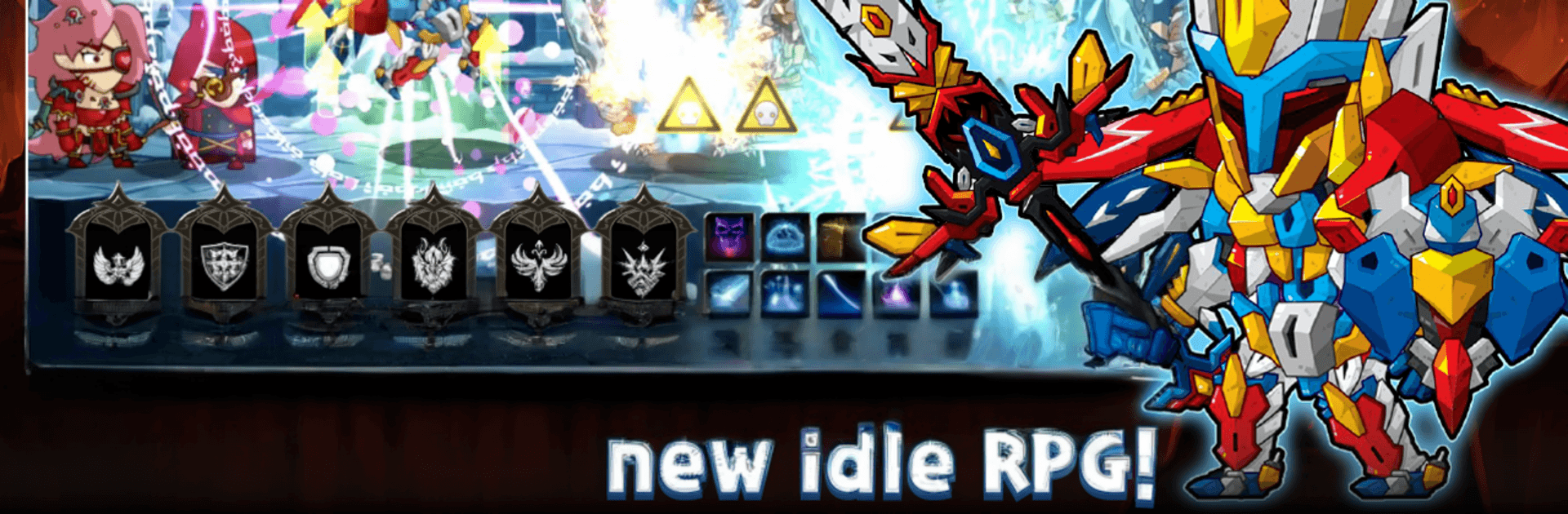
[VIP] Mega Knight : Idle RPG
[VIP] Mega Knight : Idle RPG

[VIP] Mega Knight : Idle RPG

Simulation

| SUPERCLAY Inc

Play on PC with BlueStacks or from our cloud

  • Overview
  • Game Features
  • How to Play

Page Modified On: October 23, 2026

Play [VIP] Mega Knight : Idle RPG on PC or Mac

Bring your A-game to [VIP] Mega Knight : Idle RPG, the Simulation game sensation from SUPERCLAY Inc. Give your gameplay the much-needed boost with precise game controls, high FPS graphics, and top-tier features on your PC or Mac with BlueStacks.

About the Game

[VIP] Mega Knight : Idle RPG is all about big hits, bigger numbers, and that satisfying “watch-it-grow” feeling. It’s a Simulation that keeps things approachable—you make a few smart choices, then let your knight crush through stages while you handle the fun parts like builds and timing. Want to kick back on PC? It plays nicely with BlueStacks without making a fuss about it.

Game Features

  • Thunderous Combat: Every strike lands with weight, and the farther you go, the more explosive your damage feels—perfect for players who love seeing power spike fast.
  • Wardrobe With Power: Collect distinctive costumes that aren’t just for looks; each one stacks meaningful stats so your knight hits harder, survives longer, and clears faster.
  • Mini Soldiers, Major Gains: Recruit tiny allies that supercharge your kit—amplifying skill effects and unlocking exclusive critical boosts for your hero to push past tough stages.
  • Signature Skills: Unleash showstopper moves like Super Power Punch, Sacred Bow, Thunder Sword, and even paint the battlefield with a giant calligraphy brush—each skill offers its own rhythm and payoff.
  • Progress That Keeps Rolling: Push stages, clear content, and keep momentum going with steady gains—even when you’re not actively tapping every second.
  • Simple To Start, Strategic If You Want: It’s easy to enjoy casually, but there’s real depth in choosing which skills to invest in, which soldiers to field, and which costume bonuses to chase for the perfect build.

BlueStacks gives you more room to focus on the game and less time adjusting around mobile limitations.


Game Features

Enhancements

  • Macros
  • Multi Instance
  • Multi Instance Sync
  • Script
  • Enhancements
Macros

Macros

Automate the predictable in [VIP] Mega Knight : Idle RPG and transform your gameplay with Macros. Get access to inventive Macros in the BlueStacks Macro Community
Multi Instance

Multi Instance

Play [VIP] Mega Knight : Idle RPG on one window. And chat with your friend on the other. Press CTRL + Shift + 8 to open the Multi-Instance Manager. And start creating fresh instances or clone an existing one.
Multi Instance Sync

Multi Instance Sync

Play [VIP] Mega Knight : Idle RPG with the power of Multi-Instance Sync. Replicate what you are doing on the main instance on all other instances. Level up faster, play more.
Script

Script

Script your way to gaming glory in [VIP] Mega Knight : Idle RPG with BlueStacks Script. Write and run a set of commands to automate repeated tasks. Trigger the command by assigning it to any key.
Read More

How to Download and Play [VIP] Mega Knight : Idle RPG on PC or Mac

  • Download and install BlueStacks on your PC or Mac

  • Complete Google sign-in to access the Play Store, or do it later

  • Look for [VIP] Mega Knight : Idle RPG in the search bar at the top right corner

  • Click to install [VIP] Mega Knight : Idle RPG from the search results

  • Complete Google sign-in (if you skipped step 2) to install [VIP] Mega Knight : Idle RPG

  • Click the [VIP] Mega Knight : Idle RPG icon on the home screen to start playing

video
Watch Video

Minimum System Requirements

With BlueStacks 5, you can get started on a PC that fulfills the following requirements.

  • Operating System

    Microsoft Windows 7 or above, macOS 11 (Big Sur) or above

  • Processor

    Intel, AMD or Apple Silicon Processor

  • RAM

    at least 4GB

  • HDD

    10GB Free Disk Space

Note:

* You must be an Administrator on your PC. Up to date graphics drivers from Microsoft or the chipset vendor.

[VIP] Mega Knight : Idle RPG - FAQs

  • How to play [VIP] Mega Knight : Idle RPG on Windows PC & Mac?

    Play [VIP] Mega Knight : Idle RPG on your PC or Mac by following these simple steps.

    • Click on 'Play [VIP] Mega Knight : Idle RPG on PC’ to download BlueStacks
    • Install it and log-in to Google Play Store
    • Launch and play the game.
  • Why is BlueStacks the fastest and safest platform to play games on PC?

    BlueStacks respects your privacy and is always safe and secure to use. It does not carry any malware, spyware, or any sort of additional software that could harm your PC.

    It is engineered to optimize speed and performance for a seamless gaming experience.

  • What are [VIP] Mega Knight : Idle RPG PC requirements?

    Minimum requirement to run [VIP] Mega Knight : Idle RPG on your PC

    • OS: Microsoft Windows 7 or above MacOS 11 (Big Sur) or above
    • Processor: Intel, AMD or Apple Silicon Processor
    • RAM: Your PC must have at least 4GB of RAM. (Note that having 4GB or more disk space is not a substitute for RAM)
    • HDD: 10GB Free Disk Space.
    • You must be an Administrator on your PC.