Wool Harvest
Wool Harvest

Wool Harvest

Simulation

| Ciagram CO., LTD.

Play on PC with BlueStacks or from our cloud

  • Overview
  • Game Features
  • How to Play

Page Modified On: August 20, 2026

Play Wool Harvest on PC or Mac

Explore a whole new adventure with Wool Harvest, a Simulation game created by Ciagram CO., LTD.. Experience great gameplay with BlueStacks, the most popular gaming platform to play Android games on your PC or Mac.

About the Game

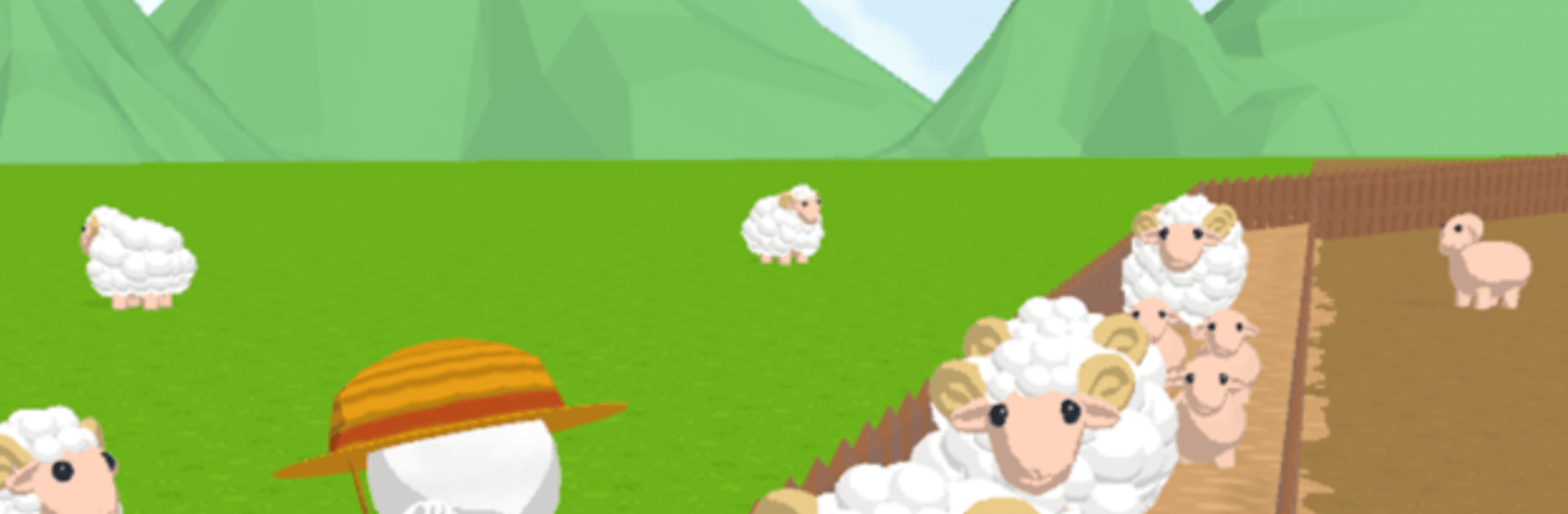
Wool Harvest is a laid-back Simulation where a tiny pasture grows into a bustling fleece business. Shear your flock, spin soft yarn, and craft charming goods in a calm, satisfying loop that’s easy to slip into and hard to put down. Track down rare Golden Wool and see how close you can get to full-on wool tycoon status—and yes, it plays smoothly on BlueStacks if you’d rather relax at your desk.

Game Features

  • Hands-On Herding: Keep your sheep happy and neatly trimmed, then send fresh fleece straight into production without fuss.
  • From Fleece to Finished Goods: Spin yarn and craft cozy items that actually sell, building a tidy pipeline from wool to storefront.
  • Golden Wool Moments: Spot rare Golden Wool and choose whether to cash it in for big profits or use it for premium crafts.
  • Smart Selling: Read the room, stock what people want, and turn steady sales into the funds you need to grow.
  • Upgrades That Matter: Improve capacity and speed at every step—shearing, spinning, crafting, and storage—to keep things flowing.
  • Build Out Your Farm: Add more workstations and expand your space so your flock and workshops can thrive side by side.
  • Layout Your Way: Arrange your setup for efficiency or vibes—either way, your farm should feel like yours.
  • Relaxing, Satisfying Loop: Gentle pacing, soft feedback, and plenty of small wins make every session feel cozy and rewarding.

Start playing Wool Harvest on BlueStacks and get a smoother, more comfortable PC or Mac setup.

Game Features

Enhancements

  • Macros
  • Multi Instance
  • Multi Instance Sync
  • Script
  • Enhancements
Macros

Macros

Automate the predictable in Wool Harvest and transform your gameplay with Macros. Get access to inventive Macros in the BlueStacks Macro Community
Multi Instance

Multi Instance

Play Wool Harvest on one window. And chat with your friend on the other. Press CTRL + Shift + 8 to open the Multi-Instance Manager. And start creating fresh instances or clone an existing one.
Multi Instance Sync

Multi Instance Sync

Play Wool Harvest with the power of Multi-Instance Sync. Replicate what you are doing on the main instance on all other instances. Level up faster, play more.
Script

Script

Script your way to gaming glory in Wool Harvest with BlueStacks Script. Write and run a set of commands to automate repeated tasks. Trigger the command by assigning it to any key.
Read More

How to Download and Play Wool Harvest on PC or Mac

  • Download and install BlueStacks on your PC or Mac

  • Complete Google sign-in to access the Play Store, or do it later

  • Look for Wool Harvest in the search bar at the top right corner

  • Click to install Wool Harvest from the search results

  • Complete Google sign-in (if you skipped step 2) to install Wool Harvest

  • Click the Wool Harvest icon on the home screen to start playing

video
Watch Video

Minimum System Requirements

With BlueStacks 5, you can get started on a PC that fulfills the following requirements.

  • Operating System

    Microsoft Windows 7 or above, macOS 11 (Big Sur) or above

  • Processor

    Intel, AMD or Apple Silicon Processor

  • RAM

    at least 4GB

  • HDD

    10GB Free Disk Space

Note:

* You must be an Administrator on your PC. Up to date graphics drivers from Microsoft or the chipset vendor.

Wool Harvest - FAQs

  • How to play Wool Harvest on Windows PC & Mac?

    Play Wool Harvest on your PC or Mac by following these simple steps.

    • Click on 'Play Wool Harvest on PC’ to download BlueStacks
    • Install it and log-in to Google Play Store
    • Launch and play the game.
  • Why is BlueStacks the fastest and safest platform to play games on PC?

    BlueStacks respects your privacy and is always safe and secure to use. It does not carry any malware, spyware, or any sort of additional software that could harm your PC.

    It is engineered to optimize speed and performance for a seamless gaming experience.

  • What are Wool Harvest PC requirements?

    Minimum requirement to run Wool Harvest on your PC

    • OS: Microsoft Windows 7 or above MacOS 11 (Big Sur) or above
    • Processor: Intel, AMD or Apple Silicon Processor
    • RAM: Your PC must have at least 4GB of RAM. (Note that having 4GB or more disk space is not a substitute for RAM)
    • HDD: 10GB Free Disk Space.
    • You must be an Administrator on your PC.