
24 Seconds — Shot Clock Timer

24 Seconds — Shot Clock Timer

Sports

| Alecs+++

Play on PC with BlueStacks or from our cloud

  • Overview
  • How to Download

Page Modified On: September 07, 2026

Run 24 Seconds — Shot Clock Timer on PC or Mac

What’s better than using 24 Seconds — Shot Clock Timer by Alecs+++? Well, try it on a big screen, on your PC or Mac, with BlueStacks to see the difference.

About the App

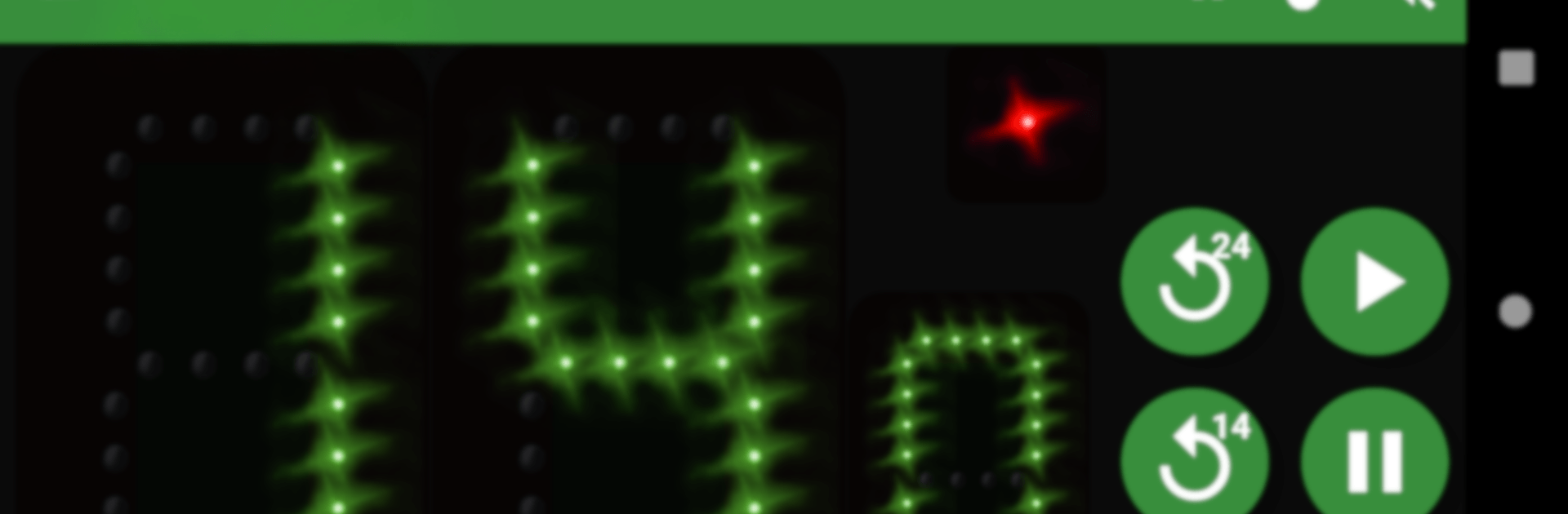
24 Seconds — Shot Clock Timer is a precise, no-fuss tool made for real hoops—games, scrimmages, and practice. This Sports app gives you a clean, reliable shot clock timer for basketball with a loud referee buzzer and crisp visuals that crews can trust. Want a bigger table setup? It also works smoothly with BlueStacks for a clear, large-screen view.

App Features

  • Official timing logic: Runs a true 24 seconds by default and auto-resets to 14 after an offensive rebound, mirroring pro rules without extra taps.
  • One-tap control: Start, stop, and reset in an instant with large, responsive controls built for the pace of live play.
  • Emergency tools: Trigger a fast reset or make quick manual time adjustments when the table needs a fix on the fly.
  • Loud game buzzer: A clear referee buzzer that cuts through crowd and court noise the moment the clock hits zero.
  • Big, readable digits: High-contrast numbers and a visual countdown that’s easy to see from across the gym.
  • Millisecond accuracy: Smooth, consistent timing that stays locked in for possessions and official game flow.
  • Custom settings: Tweak clock behavior and timing preferences to fit your league rules or training goals.
  • External display support: Mirror to an external screen for a court-side view that players, refs, and the table can all follow.
  • Works offline: Runs perfectly without internet so game day never depends on a connection.
  • Battery smart: Efficient design keeps the clock steady through long tournaments and busy practice days.
  • For every role: Built for referees, coaches, tournament tables, gym managers, and players training shot discipline.
  • Ad-free option: Use it free, or upgrade to remove ads when you want a cleaner bench-side experience.

Keywords used naturally: shot clock timer, basketball, 24 seconds, referee, buzzer.

Eager to take your app experience to the next level? Start right away by downloading BlueStacks on your PC or Mac.


How to Download and Run 24 Seconds — Shot Clock Timer on PC or Mac

  • Download and install BlueStacks on your PC or Mac

  • Complete Google sign-in to access the Play Store, or do it later

  • Look for 24 Seconds — Shot Clock Timer in the search bar at the top right corner

  • Click to install 24 Seconds — Shot Clock Timer from the search results

  • Complete Google sign-in (if you skipped step 2) to install 24 Seconds — Shot Clock Timer

  • Click the 24 Seconds — Shot Clock Timer icon on the home screen to start playing

video
Watch Video

Minimum System Requirements

With BlueStacks 5, you can get started on a PC that fulfills the following requirements.

  • Operating System

    Microsoft Windows 7 or above, macOS 11 (Big Sur) or above

  • Processor

    Intel, AMD or Apple Silicon Processor

  • RAM

    at least 4GB

  • HDD

    10GB Free Disk Space

Note:

* You must be an Administrator on your PC. Up to date graphics drivers from Microsoft or the chipset vendor.

24 Seconds — Shot Clock Timer - FAQs

  • How to Run 24 Seconds — Shot Clock Timer on Windows PC & Mac?

    Run 24 Seconds — Shot Clock Timer on your PC or Mac by following these simple steps.

    • Click on ‘Download 24 Seconds — Shot Clock Timer on PC’ to download BlueStacks
    • Install it and log-in to Google Play Store
    • Launch and run the app.
  • Why is BlueStacks the fastest and safest platform to play games on PC?

    BlueStacks respects your privacy and is always safe and secure to use. It does not carry any malware, spyware, or any sort of additional software that could harm your PC.

    It is engineered to optimize speed and performance for a seamless gaming experience.

  • What are 24 Seconds — Shot Clock Timer PC requirements?

    Minimum requirement to run 24 Seconds — Shot Clock Timer on your PC

    • OS: Microsoft Windows 7 and above:
    • Processor: Intel or AMD Processor:
    • RAM: Your PC must have at least 2GB of RAM. (Note that having 2GB or more disk space is not a substitute for RAM):
    • HDD: 5GB Free Disk Space.
    • You must be an Administrator on your PC.



