
3x3 Scoreboard
3x3 Scoreboard

3x3 Scoreboard

Sports

| Petar Perunović

Play on PC with BlueStacks or from our cloud

  • Overview
  • How to Download

Page Modified On: September 07, 2026

Run 3x3 Scoreboard on PC or Mac

Let BlueStacks turn your PC, Mac, or laptop into the perfect home for 3×3 Scoreboard, a fun Sports app from Petar Perunović.

About the App

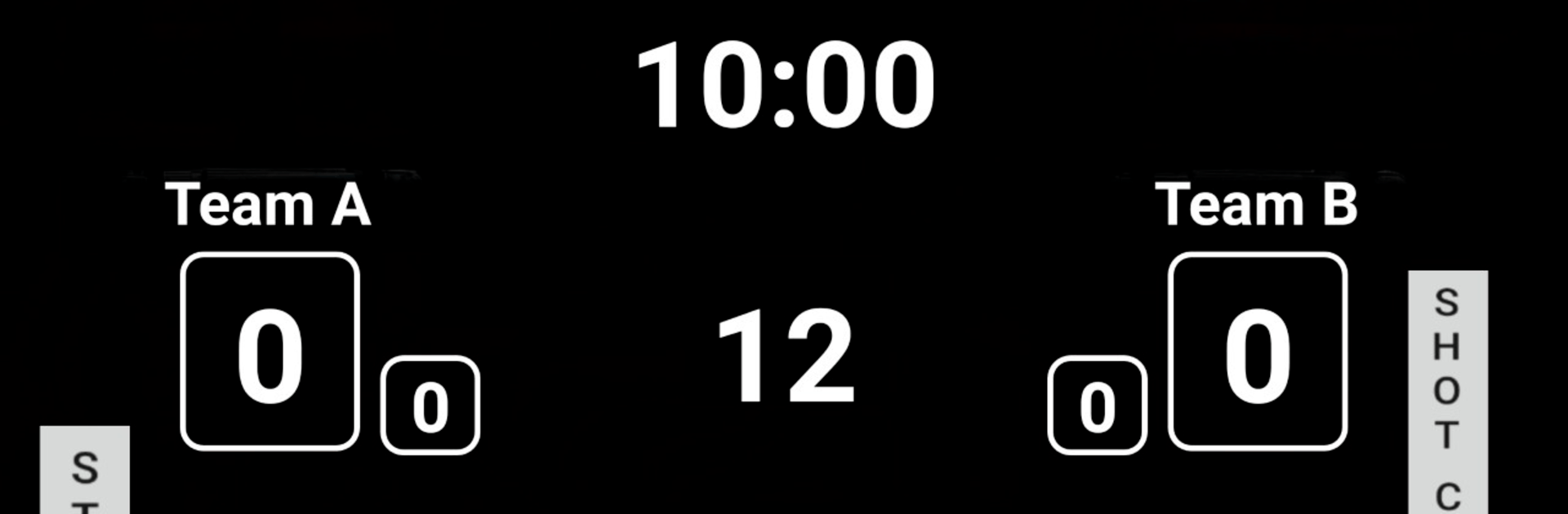
3×3 Scoreboard keeps your half-court battles organized and fair with a clean, game-ready timer and score tracker. Built for the unique rhythm of 3×3 hoops, it nails the details that matter on a tight clock and a fast game. It’s a straightforward Sports app that feels like a real tournament table—just easier to run. Prefer running the board from a computer? You can use it with BlueStacks too.

App Features

  • Real 3×3 timing: Play with the standard setup—10-minute game clock and a 12-second shot clock—so every possession moves with true tournament pace.
  • Easy scorekeeping: Track team points and fouls without breaking the flow. It takes just one person to manage everything courtside.
  • Long-press edits: Need a quick fix? Long-press to change the game time, shot clock, team score, or team fouls on the fly—no digging through menus.
  • Audible cues: Get clear sounds for the shot clock and the end of the game, so players and refs don’t have to keep glancing at the screen.
  • Foul thresholds at a glance: Team fouls are counted automatically, with color changes at key marks (7 and 10) to flag critical moments.
  • Simple, court-ready layout: Big, readable info and a no-frills design make it easy to see what’s important, whether you’re running a scrimmage or a community tourney.
  • Flexible for house rules: Adjust timers and scores to match how you play—handy for pickup runs, practices, or tournament-style games.

BlueStacks brings your apps to life on a bigger screen—seamless and straightforward.

How to Download and Run 3x3 Scoreboard on PC or Mac

  • Download and install BlueStacks on your PC or Mac

  • Complete Google sign-in to access the Play Store, or do it later

  • Look for 3x3 Scoreboard in the search bar at the top right corner

  • Click to install 3x3 Scoreboard from the search results

  • Complete Google sign-in (if you skipped step 2) to install 3x3 Scoreboard

  • Click the 3x3 Scoreboard icon on the home screen to start playing

video
Watch Video

Minimum System Requirements

With BlueStacks 5, you can get started on a PC that fulfills the following requirements.

  • Operating System

    Microsoft Windows 7 or above, macOS 11 (Big Sur) or above

  • Processor

    Intel, AMD or Apple Silicon Processor

  • RAM

    at least 4GB

  • HDD

    10GB Free Disk Space

Note:

* You must be an Administrator on your PC. Up to date graphics drivers from Microsoft or the chipset vendor.

3x3 Scoreboard - FAQs

  • How to Run 3x3 Scoreboard on Windows PC & Mac?

    Run 3x3 Scoreboard on your PC or Mac by following these simple steps.

    • Click on ‘Download 3x3 Scoreboard on PC’ to download BlueStacks
    • Install it and log-in to Google Play Store
    • Launch and run the app.
  • Why is BlueStacks the fastest and safest platform to play games on PC?

    BlueStacks respects your privacy and is always safe and secure to use. It does not carry any malware, spyware, or any sort of additional software that could harm your PC.

    It is engineered to optimize speed and performance for a seamless gaming experience.

  • What are 3x3 Scoreboard PC requirements?

    Minimum requirement to run 3x3 Scoreboard on your PC

    • OS: Microsoft Windows 7 and above:
    • Processor: Intel or AMD Processor:
    • RAM: Your PC must have at least 2GB of RAM. (Note that having 2GB or more disk space is not a substitute for RAM):
    • HDD: 5GB Free Disk Space.
    • You must be an Administrator on your PC.




