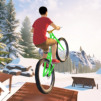
Backflip Mania
Backflip Mania

Backflip Mania

Sports

| Wayfu Game Studio

Play on PC with BlueStacks or from our cloud

  • Overview
  • Game Features
  • How to Play

Page Modified On: June 29, 2026

Play Backflip Mania on PC or Mac

Backflip Mania by Wayfu Game Studio has plenty to keep you busy. BlueStacks lets you play it on PC or Mac with more screen space, better control, and fewer mobile limits.

About the Game

Backflip Mania is a physics-focused Sports game about the thrill of throwing flips, spotting the ground, and sticking clean landings. You’ll hop between rooftops, gym setups, beaches, and snowy peaks, learning how timing and control turn scary heights into smooth, satisfying runs. It’s all about that perfect takeoff, the right amount of rotation, and a landing you can brag about.

Game Features

  • Real-feel physics: Every jump reacts to your momentum and rotation. A tiny timing slip leads to a funny wipeout, while a perfect setup feels incredible.
  • Varied playgrounds: Urban rooftops, training gyms, tropical islands, and icy mountains all change how you move—trampolines, high platforms, and water entries included.
  • Huge trick list: Start with front tuck, back tuck, and side tuck, then push into wall flips, Webster, and Gainer. Try twists like Arabian, Cork, and Double full twist, or challenge pieces like Barani, Miller, Half-in half-out, and the Full-in full-out.
  • Trampoline and diving: Bounce through routines on mats and tramp beds, then switch to pools or open water for crash dives, front drops, and back drops.
  • Landings that matter: Spot your mark and finish on your feet, or use a quick bail-out to avoid disaster. Clean technique is everything.
  • Skill progression: Work through drills to unlock new animations and more airtime control. Build up to Cody, Kaboom, swivel hips, pullover, and turntable, plus pike/layout variations like back pike, side pike, back layout, back handspring, seat drop, knee drop, roundoff, cradle, and a slick B-kick.
  • Offline-friendly: Perfect for quick runs or longer practice sessions wherever you are.
  • Optional PC play: Prefer a bigger screen and key mapping for precision? BlueStacks is a handy way to run it on desktop without changing the feel.

Get ready for a buttery smooth, high-performance gaming action only on BlueStacks.

Game Features

Enhancements

  • Macros
  • Multi Instance
  • Multi Instance Sync
  • Script
  • Enhancements
Macros

Macros

Automate the predictable in Backflip Mania and transform your gameplay with Macros. Get access to inventive Macros in the BlueStacks Macro Community
Multi Instance

Multi Instance

Play Backflip Mania on one window. And chat with your friend on the other. Press CTRL + Shift + 8 to open the Multi-Instance Manager. And start creating fresh instances or clone an existing one.
Multi Instance Sync

Multi Instance Sync

Play Backflip Mania with the power of Multi-Instance Sync. Replicate what you are doing on the main instance on all other instances. Level up faster, play more.
Script

Script

Script your way to gaming glory in Backflip Mania with BlueStacks Script. Write and run a set of commands to automate repeated tasks. Trigger the command by assigning it to any key.
Read More

How to Download and Play Backflip Mania on PC or Mac

  • Download and install BlueStacks on your PC or Mac

  • Complete Google sign-in to access the Play Store, or do it later

  • Look for Backflip Mania in the search bar at the top right corner

  • Click to install Backflip Mania from the search results

  • Complete Google sign-in (if you skipped step 2) to install Backflip Mania

  • Click the Backflip Mania icon on the home screen to start playing

video
Watch Video

Minimum System Requirements

With BlueStacks 5, you can get started on a PC that fulfills the following requirements.

  • Operating System

    Microsoft Windows 7 or above, macOS 11 (Big Sur) or above

  • Processor

    Intel, AMD or Apple Silicon Processor

  • RAM

    at least 4GB

  • HDD

    10GB Free Disk Space

Note:

* You must be an Administrator on your PC. Up to date graphics drivers from Microsoft or the chipset vendor.

Backflip Mania - FAQs

  • How to play Backflip Mania on Windows PC & Mac?

    Play Backflip Mania on your PC or Mac by following these simple steps.

    • Click on 'Play Backflip Mania on PC’ to download BlueStacks
    • Install it and log-in to Google Play Store
    • Launch and play the game.
  • Why is BlueStacks the fastest and safest platform to play games on PC?

    BlueStacks respects your privacy and is always safe and secure to use. It does not carry any malware, spyware, or any sort of additional software that could harm your PC.

    It is engineered to optimize speed and performance for a seamless gaming experience.

  • What are Backflip Mania PC requirements?

    Minimum requirement to run Backflip Mania on your PC

    • OS: Microsoft Windows 7 or above MacOS 11 (Big Sur) or above
    • Processor: Intel, AMD or Apple Silicon Processor
    • RAM: Your PC must have at least 4GB of RAM. (Note that having 4GB or more disk space is not a substitute for RAM)
    • HDD: 10GB Free Disk Space.
    • You must be an Administrator on your PC.