野球部ものがたり
野球部ものがたり

野球部ものがたり

Sports

| Kairosoft Co.,Ltd

Play on PC with BlueStacks or from our cloud

  • Overview
  • Game Features
  • How to Play

Page Modified On: September 19, 2025

Play 野球部ものがたり on PC or Mac

Bring your A-game to 野球部ものがたり, the Sports game sensation from Kairosoft Co.,Ltd. Give your gameplay the much-needed boost with precise game controls, high FPS graphics, and top-tier features on your PC or Mac with BlueStacks.

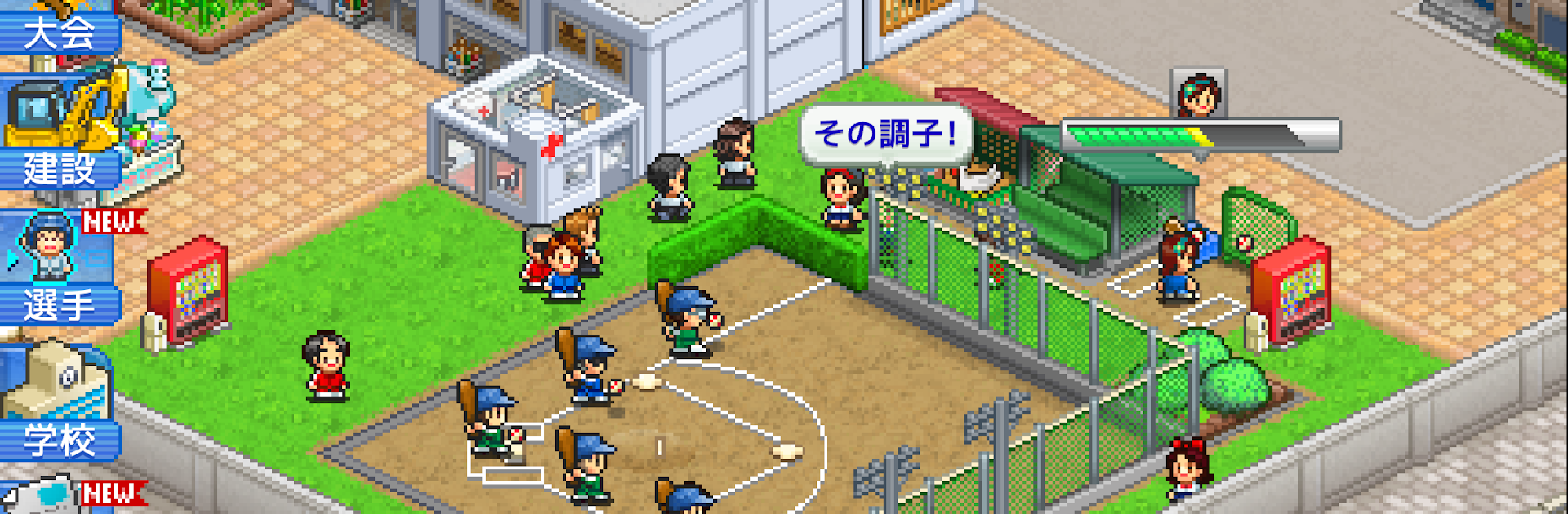
野球部ものがたり is a cozy high school baseball manager where the fun comes from tuning all the little knobs. It starts with a brand new club and the big dream of winning the summer nationals, and the player sets practice volume and focus for the squad. Training can lean into batting, defense, or be left to player self adjustment, which sounds small but it changes how the team grows over a season. Around the field there is a tiny builder layer, so things like a batting center or a shower room get placed to boost training results, and the game even lets the school build study facilities so grades do not crash while everyone chases home runs. Dorms matter too, since moving athletes in cuts commute time and lets meals be managed, which snowballs into better practice.

Matches roll by in chunky pixel art with that tidy Kairosoft pacing, and the loop is all about growing a handful of standouts, slotting them into the lineup, and inching toward Koshien. It is relaxing, but there is real planning in balancing fatigue, facilities, and who gets reps. The game is locked to landscape and does not rotate, which actually feels perfect on PC with BlueStacks, menus are clean with a mouse and the wider view helps. One heads up, saves live on the device only, so deleting the app or swapping devices means progress does not carry over.

Start your journey now. Download the game on BlueStacks, invite your friends, and march on a new adventure.


Game Features

Enhancements

  • Macros
  • Multi Instance
  • Multi Instance Sync
  • Script
  • Enhancements
Macros

Macros

Automate the predictable in 野球部ものがたり and transform your gameplay with Macros. Get access to inventive Macros in the BlueStacks Macro Community
Multi Instance

Multi Instance

Play 野球部ものがたり on one window. And chat with your friend on the other. Press CTRL + Shift + 8 to open the Multi-Instance Manager. And start creating fresh instances or clone an existing one.
Multi Instance Sync

Multi Instance Sync

Play 野球部ものがたり with the power of Multi-Instance Sync. Replicate what you are doing on the main instance on all other instances. Level up faster, play more.
Script

Script

Script your way to gaming glory in 野球部ものがたり with BlueStacks Script. Write and run a set of commands to automate repeated tasks. Trigger the command by assigning it to any key.
Read More

How to Download and Play 野球部ものがたり on PC or Mac

  • Download and install BlueStacks on your PC or Mac

  • Complete Google sign-in to access the Play Store, or do it later

  • Look for 野球部ものがたり in the search bar at the top right corner

  • Click to install 野球部ものがたり from the search results

  • Complete Google sign-in (if you skipped step 2) to install 野球部ものがたり

  • Click the 野球部ものがたり icon on the home screen to start playing

video
Watch Video

Minimum System Requirements

With BlueStacks 5, you can get started on a PC that fulfills the following requirements.

  • Operating System

    Microsoft Windows 7 or above, macOS 11 (Big Sur) or above

  • Processor

    Intel, AMD or Apple Silicon Processor

  • RAM

    at least 4GB

  • HDD

    10GB Free Disk Space

Note:

* You must be an Administrator on your PC. Up to date graphics drivers from Microsoft or the chipset vendor.

野球部ものがたり - FAQs

  • How to play 野球部ものがたり on Windows PC & Mac?

    Play 野球部ものがたり on your PC or Mac by following these simple steps.

    • Click on 'Play 野球部ものがたり on PC’ to download BlueStacks
    • Install it and log-in to Google Play Store
    • Launch and play the game.
  • Why is BlueStacks the fastest and safest platform to play games on PC?

    BlueStacks respects your privacy and is always safe and secure to use. It does not carry any malware, spyware, or any sort of additional software that could harm your PC.

    It is engineered to optimize speed and performance for a seamless gaming experience.

  • What are 野球部ものがたり PC requirements?

    Minimum requirement to run 野球部ものがたり on your PC

    • OS: Microsoft Windows 7 or above MacOS 11 (Big Sur) or above
    • Processor: Intel, AMD or Apple Silicon Processor
    • RAM: Your PC must have at least 4GB of RAM. (Note that having 4GB or more disk space is not a substitute for RAM)
    • HDD: 10GB Free Disk Space.
    • You must be an Administrator on your PC.