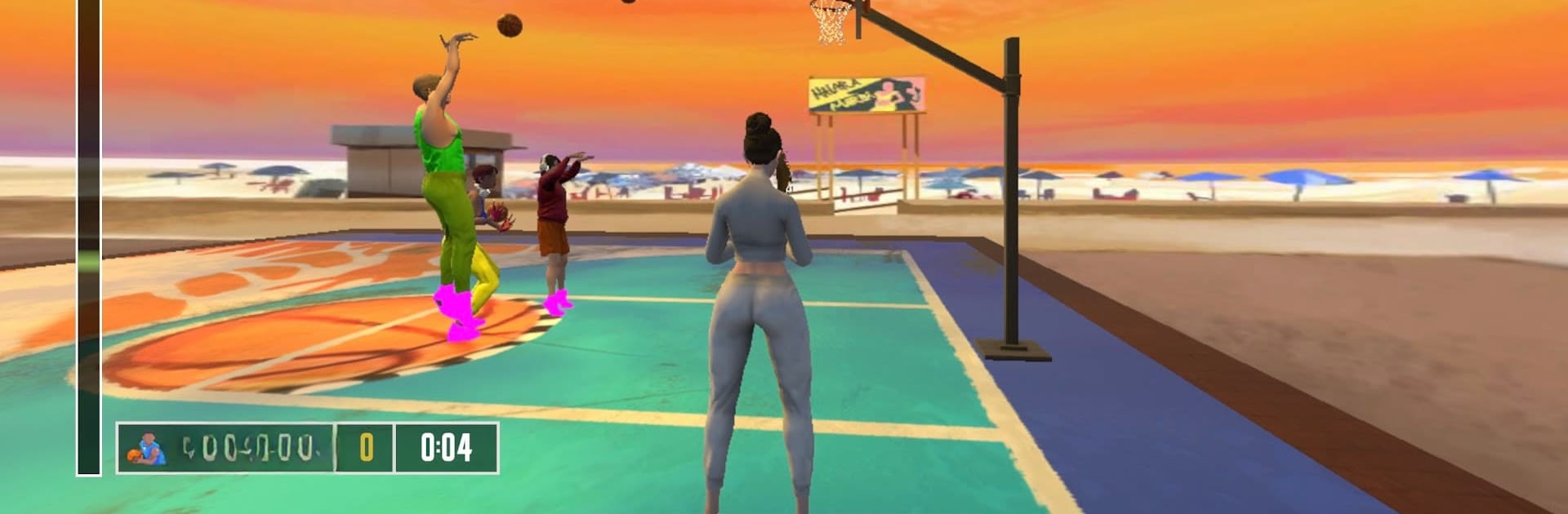
BasketBall Shooting Game

BasketBall Shooting Game

Sports

| Ballgame

Play on PC with BlueStacks or from our cloud

  • Overview
  • Game Features
  • How to Play

Page Modified On: September 12, 2025

Play BasketBall Shooting Game on PC or Mac

Join millions to experience BasketBall Shooting Game, an exciting Sports game from Ballgame. With BlueStacks App Player, you are always a step ahead of your opponent, ready to outplay them with faster gameplay and better control with the mouse and keyboard on your PC or Mac.

About the Game

BasketBall Shooting Game is all about quick, competitive hoops where every shot matters. You’ve got a short clock, a live opponent, and that perfect arc to chase. It’s fast, grounded in real physics, and packed with the swagger of streetball—easy to pick up, hard to put down.

Game Features

  • Real-ball physics: Shots curve, bank, and clang off the rim like they should. Nets whip, rims shake, and the ball actually feels like it’s got weight.
  • Simple, precise controls: No fuss. Focus on angle, timing, and release—those tiny adjustments make or break a swish.
  • Head-to-head rounds: Outscore your rival before the buzzer. Chat or throw a quick message mid-game to keep the heat on.
  • Pro-inspired animations: Crossovers, step-backs, and smooth finishes echo highlight-reel moves without needing a playbook.
  • Make it yours: Build a unique look with customization options so your player stands out on any court.
  • Famous street courts: Play on detailed recreations of iconic streetball spots from around the world, each with its own vibe.
  • Clean, responsive UI: Menus are quick and intuitive, so you’re back on the blacktop in seconds.
  • Local crowd energy: Crowd chatter shifts with the court—English in the U.S., Spanish in Spain, Chinese in China, and more.
  • Hip-hop soundtrack and court sounds: Original beats, squeaking sneakers, rim rattles, and that sweet net snap keep the flow going.
  • High-quality visuals: Crisp models and polished courts bring the action to life without overcomplicating things.
  • Optimized performance: Runs smoothly even on older devices, keeping frames steady when the game gets tight.
  • Easy PC play with BlueStacks: Prefer a keyboard or mouse? It works great there too, without changing the feel.

A Sports title from Ballgame.

Start your journey now. Download the game on BlueStacks, invite your friends, and march on a new adventure.


Game Features

Enhancements

  • Macros
  • Multi Instance
  • Multi Instance Sync
  • Script
  • Enhancements
Macros

Macros

Automate the predictable in BasketBall Shooting Game and transform your gameplay with Macros. Get access to inventive Macros in the BlueStacks Macro Community
Multi Instance

Multi Instance

Play BasketBall Shooting Game on one window. And chat with your friend on the other. Press CTRL + Shift + 8 to open the Multi-Instance Manager. And start creating fresh instances or clone an existing one.
Multi Instance Sync

Multi Instance Sync

Play BasketBall Shooting Game with the power of Multi-Instance Sync. Replicate what you are doing on the main instance on all other instances. Level up faster, play more.
Script

Script

Script your way to gaming glory in BasketBall Shooting Game with BlueStacks Script. Write and run a set of commands to automate repeated tasks. Trigger the command by assigning it to any key.
Read More

How to Download and Play BasketBall Shooting Game on PC or Mac

  • Download and install BlueStacks on your PC or Mac

  • Complete Google sign-in to access the Play Store, or do it later

  • Look for BasketBall Shooting Game in the search bar at the top right corner

  • Click to install BasketBall Shooting Game from the search results

  • Complete Google sign-in (if you skipped step 2) to install BasketBall Shooting Game

  • Click the BasketBall Shooting Game icon on the home screen to start playing

video
Watch Video

Minimum System Requirements

With BlueStacks 5, you can get started on a PC that fulfills the following requirements.

  • Operating System

    Microsoft Windows 7 or above, macOS 11 (Big Sur) or above

  • Processor

    Intel, AMD or Apple Silicon Processor

  • RAM

    at least 4GB

  • HDD

    10GB Free Disk Space

Note:

* You must be an Administrator on your PC. Up to date graphics drivers from Microsoft or the chipset vendor.

BasketBall Shooting Game - FAQs

  • How to play BasketBall Shooting Game on Windows PC & Mac?

    Play BasketBall Shooting Game on your PC or Mac by following these simple steps.

    • Click on 'Play BasketBall Shooting Game on PC’ to download BlueStacks
    • Install it and log-in to Google Play Store
    • Launch and play the game.
  • Why is BlueStacks the fastest and safest platform to play games on PC?

    BlueStacks respects your privacy and is always safe and secure to use. It does not carry any malware, spyware, or any sort of additional software that could harm your PC.

    It is engineered to optimize speed and performance for a seamless gaming experience.

  • What are BasketBall Shooting Game PC requirements?

    Minimum requirement to run BasketBall Shooting Game on your PC

    • OS: Microsoft Windows 7 or above MacOS 11 (Big Sur) or above
    • Processor: Intel, AMD or Apple Silicon Processor
    • RAM: Your PC must have at least 4GB of RAM. (Note that having 4GB or more disk space is not a substitute for RAM)
    • HDD: 10GB Free Disk Space.
    • You must be an Administrator on your PC.